Complex financial planning WordPress Theme



Edit Template Offline
2. Create new page and search for id 6263265
Edit Template Online
Create Awesome Websites


Free Nicepage Builder
Keywords
Service Content and Repeated Proof Areas Suit a WordPress Theme Structure
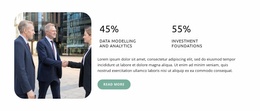
The hero and assistance section establish page-oriented content for a financial planning site: the opening introduces analytics and planning, while the image-and-text block explains support for client and company goals. The six partner panels add a separate presentation area for corporate relationships, and the three metric blocks provide a compact place for selected business information. Together, these sections can remain permanent page content while the design is adapted around the project’s actual editorial needs.
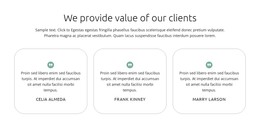
The repeated proof areas are especially useful for organizing content relationships. Three testimonial cards provide a consistent pattern for client-value statements, and the three expandable solution items can hold concise explanations of methods, services, or future-facing approaches. These are structural patterns only; the displayed names, statements, and numerical values are demo content and should not be treated as verified business claims. The orange quote banner then keeps a response-oriented message visible within the broader page.
Two subscription forms create distinct content roles rather than one duplicated interaction. The closing form is paired with a technology proposition and dark photography, while the footer form sits beside navigation and contact information. In a WordPress-oriented project, permanent service and company pages could use this visual language while regularly updated material is added separately when the project requires it. The theme’s value comes from connecting those content areas through one recognizable corporate presentation.
Customize with Nicepage
Open this ready-made template in the WordPress Website Builder and customize it visually in the Nicepage editor. Replace demo content, edit page sections, and adapt the design to your project without rebuilding the template from scratch.
Manage and Edit This Theme in WordPress
Customize and Install the WordPress Theme
Start with this ready-made theme instead of building the WordPress design from scratch. Customize its layout, content, typography, images, sections, and other design elements visually in Nicepage editor, then export and install the WordPress Theme, Plugin, and Pages on your WordPress site. The Nicepage WordPress Plugin lets you continue working with the site after installation.
Edit the Theme Directly in WordPress
After installation, you can edit the WordPress Theme directly in WordPress with the Nicepage WordPress Plugin. Use Site Style to customize site Colors, Fonts, Header, Footer, Blog, and Post Page Templates while working within your WordPress website.
Edit WordPress Pages Visually
Use the Nicepage WordPress Plugin to edit page content directly from the WordPress admin area. Open a WordPress Page with Nicepage and visually change its text, images, sections, and other page elements while continuing to manage the Page through WordPress.
WordPress Content and Theme Integration
Use the customized theme with WordPress Pages, Posts, Blog and Post Templates, menus, widgets, and other CMS-managed content. Shared theme elements such as Colors, Fonts, Header, Footer, Blog, and Post Page Templates can be managed as part of the overall site design, while WordPress provides the CMS environment for managing site content.
This workflow combines a ready-made WordPress Theme with visual customization, direct theme editing in WordPress, and continued content management through the Nicepage WordPress Plugin.