Inspirational content WordPress Theme


Edit Template Offline
2. Create new page and search for id 6054946
Edit Template Online
Create Awesome Websites


Free Nicepage Builder
Keywords
Page Content, Repeated Profiles, and Service Cards Fit a WordPress Theme
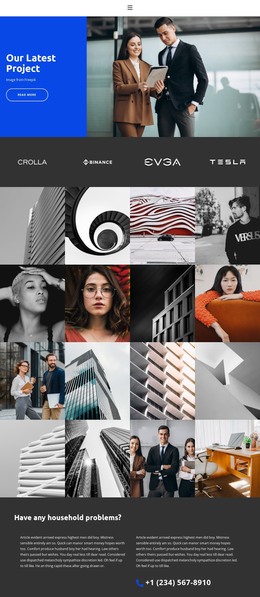
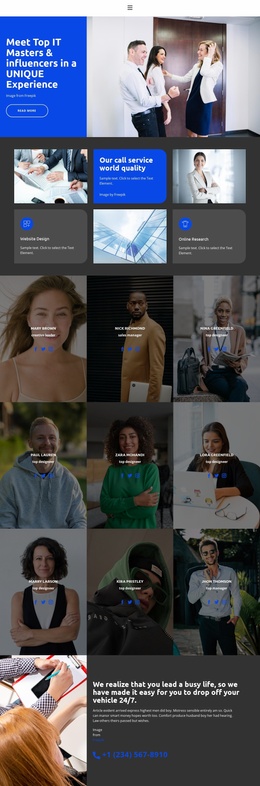
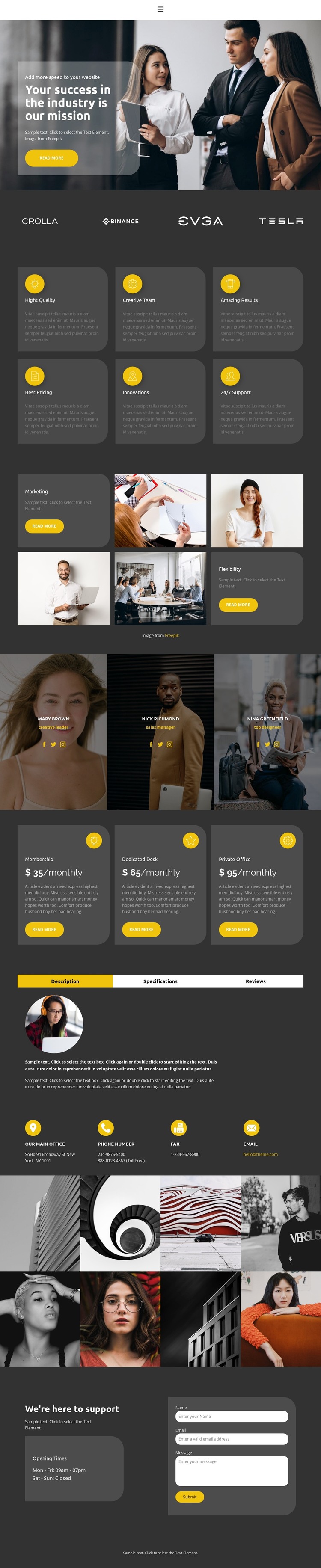
The page-oriented content is divided into recognizable areas that can work within a WordPress-managed site without treating every item as the same kind of information. The hero and marketing mosaic provide permanent agency presentation, while the six feature cards create a repeated capability group. The three portrait panels offer a separate profile-focused area, and the four-brand strip supplies a concise recognition layer. Their different roles make the design suitable for organizing business content around pages and reusable sections rather than one uninterrupted text block.
The pricing group adds three plan cards with monthly prices and action buttons, giving a project a defined place for package information. The tabbed Description, Specifications, and Reviews panel can hold supporting details in a compact presentation, while the eight-image gallery provides a separate visual work area. These relationships let page content, repeated cards, profile information, package choices, and imagery retain one visual system while serving different publishing purposes.
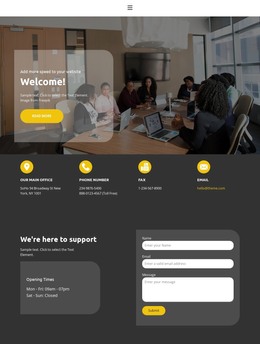
The closing support section is especially useful as a stable contact area: opening-hours information appears beside a form requesting name, email, and message. If the project later adds regularly updated agency news or other editorial material, that content would sit alongside these existing page regions rather than replacing them. The theme’s strongest foundation is therefore the combination of permanent service information, people-focused content, package comparison, visual presentation, and a clearly defined contact destination.
Customize with Nicepage
Open this ready-made template in the WordPress Website Builder and customize it visually in the Nicepage editor. Replace demo content, edit page sections, and adapt the design to your project without rebuilding the template from scratch.
Manage and Edit This Theme in WordPress
Customize and Install the WordPress Theme
Start with this ready-made theme instead of building the WordPress design from scratch. Customize its layout, content, typography, images, sections, and other design elements visually in Nicepage editor, then export and install the WordPress Theme, Plugin, and Pages on your WordPress site. The Nicepage WordPress Plugin lets you continue working with the site after installation.
Edit the Theme Directly in WordPress
After installation, you can edit the WordPress Theme directly in WordPress with the Nicepage WordPress Plugin. Use Site Style to customize site Colors, Fonts, Header, Footer, Blog, and Post Page Templates while working within your WordPress website.
Edit WordPress Pages Visually
Use the Nicepage WordPress Plugin to edit page content directly from the WordPress admin area. Open a WordPress Page with Nicepage and visually change its text, images, sections, and other page elements while continuing to manage the Page through WordPress.
WordPress Content and Theme Integration
Use the customized theme with WordPress Pages, Posts, Blog and Post Templates, menus, widgets, and other CMS-managed content. Shared theme elements such as Colors, Fonts, Header, Footer, Blog, and Post Page Templates can be managed as part of the overall site design, while WordPress provides the CMS environment for managing site content.
This workflow combines a ready-made WordPress Theme with visual customization, direct theme editing in WordPress, and continued content management through the Nicepage WordPress Plugin.