Shine Pro Services WordPress Theme


Edit Template Offline
2. Create new page and search for id 6400992
Edit Template Online
Create Awesome Websites


Free Nicepage Builder
Keywords
Service Pages and Repeated Content Areas Fit the Cleaning Theme Structure
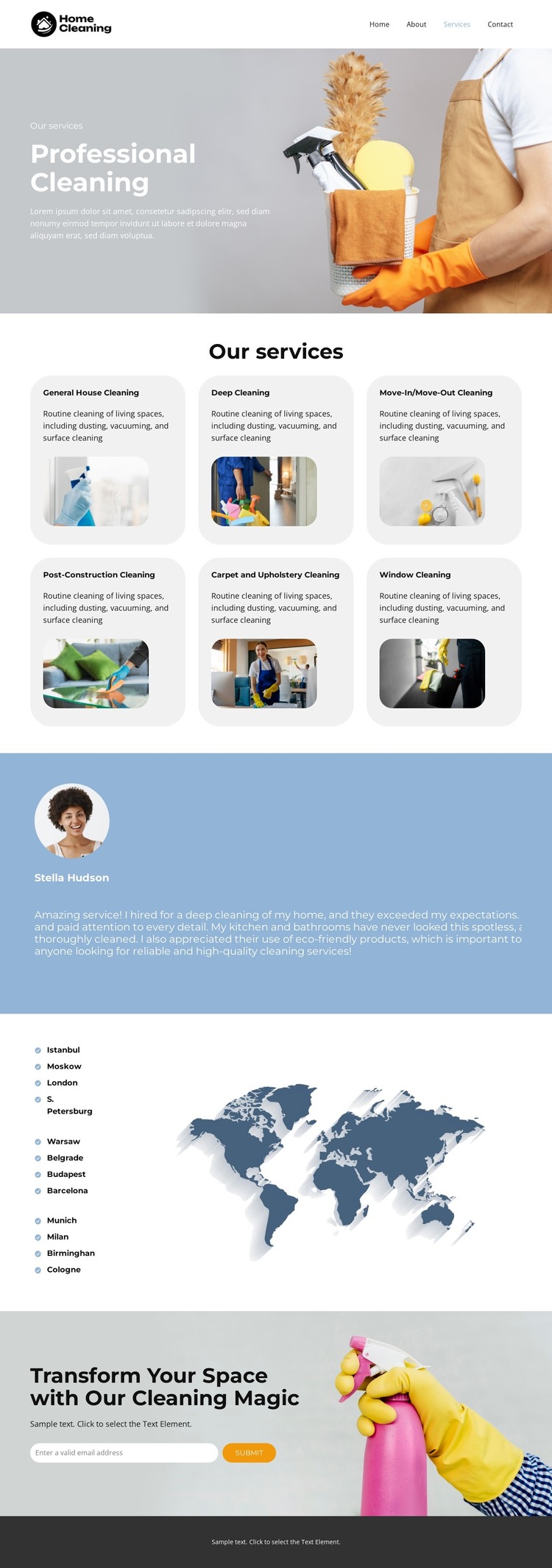
The six service cards provide clear permanent page content for a WordPress-oriented project. Each category has its own visual item and supporting description, allowing General House Cleaning, Deep Cleaning, Move-In/Move-Out Cleaning, Post-Construction Cleaning, Carpet and Upholstery Cleaning, and Window Cleaning to remain distinct within one shared design. This is different from treating the page as a single block of promotional text: the repeated cards create content areas that can be expanded while preserving the same visual character.
The three testimonial entries offer another recurring content relationship. They are grouped in a blue-backed presentation, which gives customer-oriented material a dedicated place after the service explanation. The location section serves a different purpose by pairing city lists with a world map illustration. Together, these regions provide a page-oriented structure for services, supporting impressions, and geographic information without claiming that WordPress Posts, categories, or blog templates already exist in the source design.
The closing promotional block keeps the theme connected to an actual response path. Its heading, cleaning image, email input, and Submit action form a focused contact area after the informational sections, while navigation and the dark footer support the shared site frame. A WordPress project could use the design for permanent service content and later add regularly updated material around it, but its immediate strength is the relationship between page sections, repeated service information, and the final email interaction. The Nicepage WordPress Plugin is an optional product bridge; the template-specific value comes from its content organization.
Customize with Nicepage
Open this ready-made template in the WordPress Website Builder and customize it visually in the Nicepage editor. Replace demo content, edit page sections, and adapt the design to your project without rebuilding the template from scratch.
Manage and Edit This Theme in WordPress
Customize and Install the WordPress Theme
Start with this ready-made theme instead of building the WordPress design from scratch. Customize its layout, content, typography, images, sections, and other design elements visually in Nicepage editor, then export and install the WordPress Theme, Plugin, and Pages on your WordPress site. The Nicepage WordPress Plugin lets you continue working with the site after installation.
Edit the Theme Directly in WordPress
After installation, you can edit the WordPress Theme directly in WordPress with the Nicepage WordPress Plugin. Use Site Style to customize site Colors, Fonts, Header, Footer, Blog, and Post Page Templates while working within your WordPress website.
Edit WordPress Pages Visually
Use the Nicepage WordPress Plugin to edit page content directly from the WordPress admin area. Open a WordPress Page with Nicepage and visually change its text, images, sections, and other page elements while continuing to manage the Page through WordPress.
WordPress Content and Theme Integration
Use the customized theme with WordPress Pages, Posts, Blog and Post Templates, menus, widgets, and other CMS-managed content. Shared theme elements such as Colors, Fonts, Header, Footer, Blog, and Post Page Templates can be managed as part of the overall site design, while WordPress provides the CMS environment for managing site content.
This workflow combines a ready-made WordPress Theme with visual customization, direct theme editing in WordPress, and continued content management through the Nicepage WordPress Plugin.