About us block with slider WordPress Theme



Stable About Content With a Reusable Slide Pattern
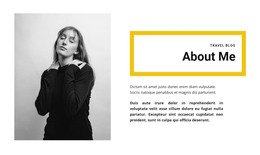
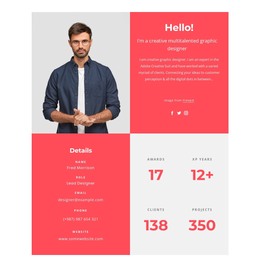
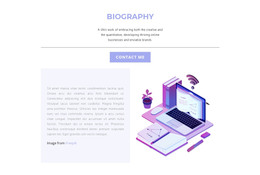
The three slide headings give this section a practical page-content structure. Our Team can introduce the human side of an organization, What we do can explain its activity, and Our culture can add context around its working identity. Each topic is presented through the same heading, paragraph, image, and call-to-action arrangement, making the content easier to keep visually consistent when it participates in a WordPress-managed page.
The carousel format is especially useful when the About message needs several related subjects without placing a long block of text on the page at once. The left indigo panel keeps the written content together, while the large image on the right gives each slide a strong visual counterpart. The yellow button can connect a slide to a relevant destination, but the section remains a content area rather than a complete WordPress Theme.
A WordPress-oriented project can place this reusable About section alongside other page content and broader theme styling. The indicators and previous/next controls preserve the block’s internal browsing pattern, while surrounding pages or sections can supply navigation, detailed service information, proof, and contact content. The block’s role is therefore stable, publishable organizational content presented through a coordinated carousel.
Customize with Nicepage
Open this ready-made template in the WordPress Website Builder and customize it visually in the Nicepage editor. Replace demo content, edit page sections, and adapt the design to your project without rebuilding the template from scratch.
Edit Template Offline
2. Create a new page or select existing
3. Click Add new block, search for id 4975410 and click enter
Edit Template Online
Create Awesome Websites


Free Nicepage Builder
Keywords
Manage and Edit This Theme in WordPress
Customize and Install the WordPress Theme
Start with this ready-made theme instead of building the WordPress design from scratch. Customize its layout, content, typography, images, sections, and other design elements visually in Nicepage editor, then export and install the WordPress Theme, Plugin, and Pages on your WordPress site. The Nicepage WordPress Plugin lets you continue working with the site after installation.
Edit the Theme Directly in WordPress
After installation, you can edit the WordPress Theme directly in WordPress with the Nicepage WordPress Plugin. Use Site Style to customize site Colors, Fonts, Header, Footer, Blog, and Post Page Templates while working within your WordPress website.
Edit WordPress Pages Visually
Use the Nicepage WordPress Plugin to edit page content directly from the WordPress admin area. Open a WordPress Page with Nicepage and visually change its text, images, sections, and other page elements while continuing to manage the Page through WordPress.
WordPress Content and Theme Integration
Use the customized theme with WordPress Pages, Posts, Blog and Post Templates, menus, widgets, and other CMS-managed content. Shared theme elements such as Colors, Fonts, Header, Footer, Blog, and Post Page Templates can be managed as part of the overall site design, while WordPress provides the CMS environment for managing site content.
This workflow combines a ready-made WordPress Theme with visual customization, direct theme editing in WordPress, and continued content management through the Nicepage WordPress Plugin.