Electric Vehicle Charging WordPress Theme


Edit Template Offline
2. Create new page and search for id 6437113
Edit Template Online
Create Awesome Websites


Free Nicepage Builder
Keywords
Charging Questions Support Page-Based WordPress Content
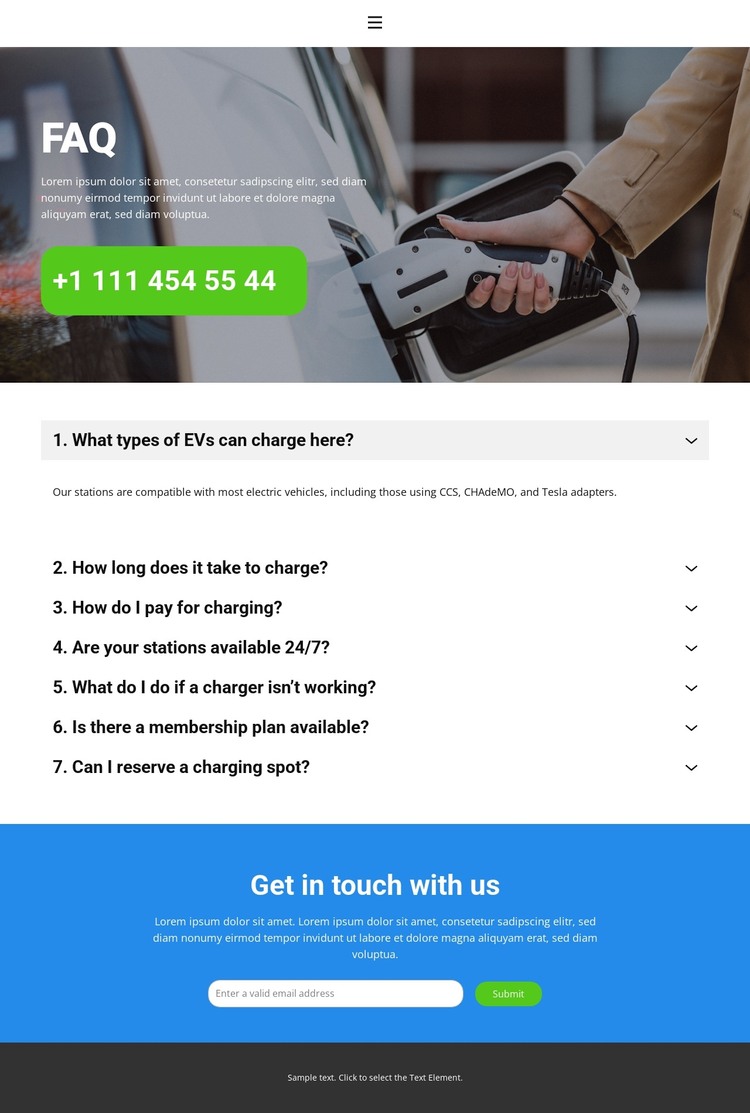
The page’s content areas translate naturally into a WordPress-oriented theme interpretation because they separate permanent service information from a direct contact area. The FAQ accordion provides seven page topics: EV compatibility, charging time, payment, availability, troubleshooting, membership, and charging-spot reservations. Compatibility references CCS, CHAdeMO, and Tesla adapters, while the charging guidance distinguishes fast charging at 20–40 minutes for an 80% charge from Level 2 charging at 4–6 hours for a full charge.
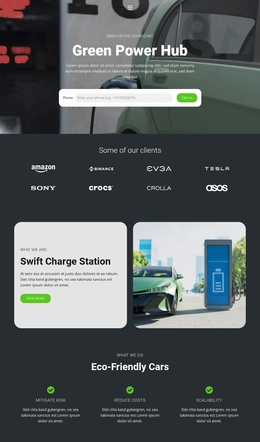
The surrounding design supports those page-oriented subjects. A compact header links Home, About, and Contact, and the dark hero gives the main FAQ content a recognizable entry point with charging imagery, white typography, and a phone badge. The blue contact section has a different content role, collecting an email inquiry through its Submit control after visitors have reviewed the answers. This separation leaves room for the project to keep explanatory content and communication content visually related but functionally distinct.
As a WordPress theme concept, the verified value is the mapping between these concrete page areas and a managed site structure. The analysis does not verify existing WordPress Posts, Blog templates, categories, or a plugin workflow. It supports a theme interpretation based on the template’s navigation, FAQ content, contact capture, and shared visual regions rather than on unsupported CMS components.
Customize with Nicepage
Open this ready-made template in the WordPress Website Builder and customize it visually in the Nicepage editor. Replace demo content, edit page sections, and adapt the design to your project without rebuilding the template from scratch.
Manage and Edit This Theme in WordPress
Customize and Install the WordPress Theme
Start with this ready-made theme instead of building the WordPress design from scratch. Customize its layout, content, typography, images, sections, and other design elements visually in Nicepage editor, then export and install the WordPress Theme, Plugin, and Pages on your WordPress site. The Nicepage WordPress Plugin lets you continue working with the site after installation.
Edit the Theme Directly in WordPress
After installation, you can edit the WordPress Theme directly in WordPress with the Nicepage WordPress Plugin. Use Site Style to customize site Colors, Fonts, Header, Footer, Blog, and Post Page Templates while working within your WordPress website.
Edit WordPress Pages Visually
Use the Nicepage WordPress Plugin to edit page content directly from the WordPress admin area. Open a WordPress Page with Nicepage and visually change its text, images, sections, and other page elements while continuing to manage the Page through WordPress.
WordPress Content and Theme Integration
Use the customized theme with WordPress Pages, Posts, Blog and Post Templates, menus, widgets, and other CMS-managed content. Shared theme elements such as Colors, Fonts, Header, Footer, Blog, and Post Page Templates can be managed as part of the overall site design, while WordPress provides the CMS environment for managing site content.
This workflow combines a ready-made WordPress Theme with visual customization, direct theme editing in WordPress, and continued content management through the Nicepage WordPress Plugin.