Full-service interior design WordPress Theme


Stable Services Content With Broad and Detailed Layers
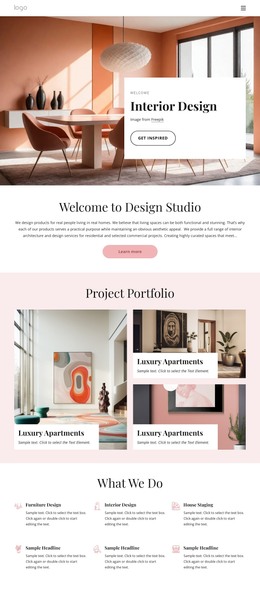
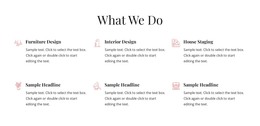
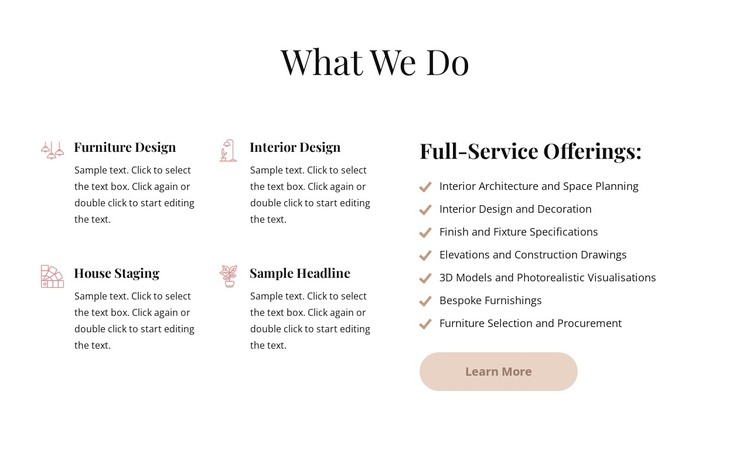
The card group gives this section a page-oriented content role suited to a WordPress-managed services area. Furniture Design, Interior Design, House Staging, and the sample headline appear as four repeatable service units, each supported by an icon and short description. The neighboring Full-Service Offerings list works differently: it gathers five more detailed capabilities, including Interior Architecture, Interior Design and Decoration, Finish and Fixture Specifications, Elevations and Construction Drawings, and 3D Models and Photorealistic Visualisations.
This distinction allows the block to present stable information rather than relying on a single undifferentiated text passage. In a WordPress-oriented project, the section can remain part of permanent page content while the wider site manages other pages and publishable material around it. The Learn More button gives visitors a route toward additional service information, but the block’s core job remains explanation. The design supports that role through a centered serif heading, smaller left-aligned descriptions, muted beige line icons, beige checkmarks, and generous white space. The rounded beige button provides a restrained action cue beneath the detailed list. Together, these features make the section a coherent page-content region that can fit within a broader WordPress theme without being treated as the complete theme itself.
Customize with Nicepage
Open this ready-made template in the WordPress Website Builder and customize it visually in the Nicepage editor. Replace demo content, edit page sections, and adapt the design to your project without rebuilding the template from scratch.
Edit Template Offline
2. Create a new page or select existing
3. Click Add new block, search for id 6333492 and click enter
Edit Template Online
Create Awesome Websites


Free Nicepage Builder
Keywords
Manage and Edit This Theme in WordPress
Customize and Install the WordPress Theme
Start with this ready-made theme instead of building the WordPress design from scratch. Customize its layout, content, typography, images, sections, and other design elements visually in Nicepage editor, then export and install the WordPress Theme, Plugin, and Pages on your WordPress site. The Nicepage WordPress Plugin lets you continue working with the site after installation.
Edit the Theme Directly in WordPress
After installation, you can edit the WordPress Theme directly in WordPress with the Nicepage WordPress Plugin. Use Site Style to customize site Colors, Fonts, Header, Footer, Blog, and Post Page Templates while working within your WordPress website.
Edit WordPress Pages Visually
Use the Nicepage WordPress Plugin to edit page content directly from the WordPress admin area. Open a WordPress Page with Nicepage and visually change its text, images, sections, and other page elements while continuing to manage the Page through WordPress.
WordPress Content and Theme Integration
Use the customized theme with WordPress Pages, Posts, Blog and Post Templates, menus, widgets, and other CMS-managed content. Shared theme elements such as Colors, Fonts, Header, Footer, Blog, and Post Page Templates can be managed as part of the overall site design, while WordPress provides the CMS environment for managing site content.
This workflow combines a ready-made WordPress Theme with visual customization, direct theme editing in WordPress, and continued content management through the Nicepage WordPress Plugin.