Mountain outdoor travel WordPress Theme


Edit Template Offline
2. Create new page and search for id 70259
Edit Template Online
Create Awesome Websites


Free Nicepage Builder
Keywords
Destination imagery and tour content create clear WordPress page roles
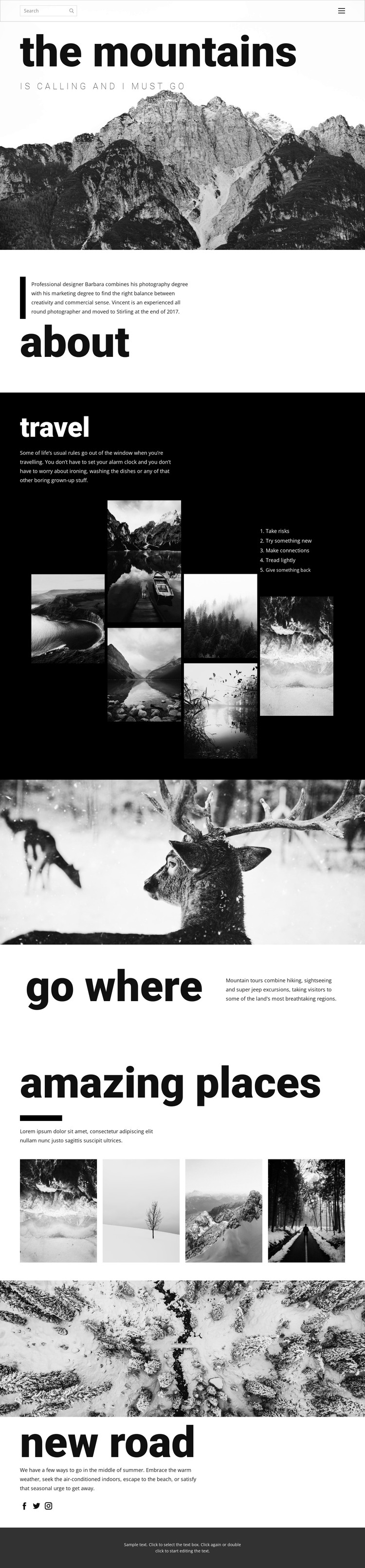
The page divides its subject into content areas that can naturally support permanent WordPress pages. The mountain introduction establishes the main visual topic, while the about section provides biographical context for the photographer or project. The “go where” block has a different role: its wildlife image and description of hiking, sightseeing, and off-road mountain tours create a focused area for service or destination information rather than another general introduction.
The six-image travel collage and five-item principles list provide a strong editorial relationship for ongoing travel content. The images can represent the visual side of a story, while the short list gives the section a repeatable written framework. The four-image “amazing places” area offers another page-content model, this time centered on destinations and landscape photography. These distinctions help the design accommodate both lasting information and future travel features without claiming that blog posts or other dynamic content already exists in the template.
The “new road” section adds seasonal editorial space and links to Facebook, Twitter, and Instagram, while the compact dark footer closes the shared visual system. In a WordPress project, the design can therefore organize page-oriented information, image collections, tour descriptions, and social content around a consistent theme direction. Any future posts or additional pages would be an adaptation of this structure, not verified existing elements.
Customize with Nicepage
Open this ready-made template in the WordPress Website Builder and customize it visually in the Nicepage editor. Replace demo content, edit page sections, and adapt the design to your project without rebuilding the template from scratch.
Manage and Edit This Theme in WordPress
Customize and Install the WordPress Theme
Start with this ready-made theme instead of building the WordPress design from scratch. Customize its layout, content, typography, images, sections, and other design elements visually in Nicepage editor, then export and install the WordPress Theme, Plugin, and Pages on your WordPress site. The Nicepage WordPress Plugin lets you continue working with the site after installation.
Edit the Theme Directly in WordPress
After installation, you can edit the WordPress Theme directly in WordPress with the Nicepage WordPress Plugin. Use Site Style to customize site Colors, Fonts, Header, Footer, Blog, and Post Page Templates while working within your WordPress website.
Edit WordPress Pages Visually
Use the Nicepage WordPress Plugin to edit page content directly from the WordPress admin area. Open a WordPress Page with Nicepage and visually change its text, images, sections, and other page elements while continuing to manage the Page through WordPress.
WordPress Content and Theme Integration
Use the customized theme with WordPress Pages, Posts, Blog and Post Templates, menus, widgets, and other CMS-managed content. Shared theme elements such as Colors, Fonts, Header, Footer, Blog, and Post Page Templates can be managed as part of the overall site design, while WordPress provides the CMS environment for managing site content.
This workflow combines a ready-made WordPress Theme with visual customization, direct theme editing in WordPress, and continued content management through the Nicepage WordPress Plugin.