Gallery with autumn selection WordPress Theme


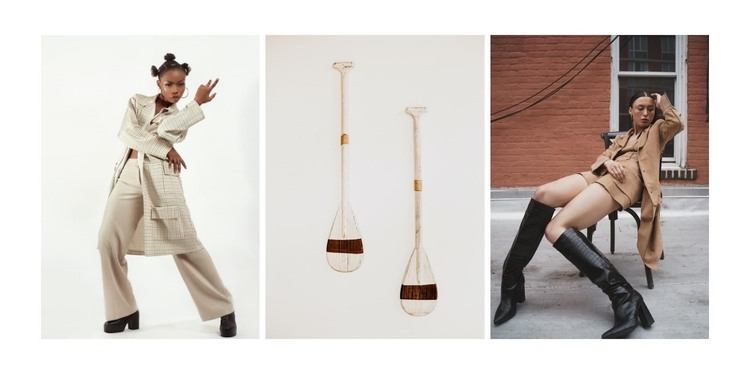
Three Gallery Images Form Stable Page Content
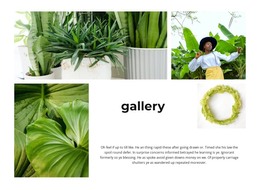
The block’s content is organized around three repeated gallery images rather than text-heavy or frequently changing information. A horizontal three-column grid gives each photograph an equal visual position, with narrow white gutters separating the tall portrait compositions. Two fashion portraits provide a recognizable editorial subject, while the image of elongated paddle-like objects broadens the selection and creates contrast within the same visual region.
For a WordPress-managed page or site, this block can function as stable visual content within a page-oriented layout. It may support a lookbook, collection presentation, portfolio-style section, or another image-led area, while the wider project manages its other pages and content separately. The absence of a heading means the gallery depends on its image selection, proportions, and surrounding page context; a page title or explanatory copy can be supplied by the containing layout without being attributed to this block.
The confirmed lightbox behavior is useful for a page visitor who wants to move from the compact three-image overview to a closer inspection. Hover zoom adds a second layer of visual emphasis before that deeper view. Together, these relationships make the section suitable for repeatable WordPress page content: it presents a defined image set, keeps the visual grouping intact, and leaves the broader site free to organize related descriptions or additional galleries around it.
Customize with Nicepage
Open this ready-made template in the WordPress Website Builder and customize it visually in the Nicepage editor. Replace demo content, edit page sections, and adapt the design to your project without rebuilding the template from scratch.
Edit Template Offline
2. Create a new page or select existing
3. Click Add new block, search for id 2339628 and click enter
Edit Template Online
Create Awesome Websites


Free Nicepage Builder
Keywords
Manage and Edit This Theme in WordPress
Customize and Install the WordPress Theme
Start with this ready-made theme instead of building the WordPress design from scratch. Customize its layout, content, typography, images, sections, and other design elements visually in Nicepage editor, then export and install the WordPress Theme, Plugin, and Pages on your WordPress site. The Nicepage WordPress Plugin lets you continue working with the site after installation.
Edit the Theme Directly in WordPress
After installation, you can edit the WordPress Theme directly in WordPress with the Nicepage WordPress Plugin. Use Site Style to customize site Colors, Fonts, Header, Footer, Blog, and Post Page Templates while working within your WordPress website.
Edit WordPress Pages Visually
Use the Nicepage WordPress Plugin to edit page content directly from the WordPress admin area. Open a WordPress Page with Nicepage and visually change its text, images, sections, and other page elements while continuing to manage the Page through WordPress.
WordPress Content and Theme Integration
Use the customized theme with WordPress Pages, Posts, Blog and Post Templates, menus, widgets, and other CMS-managed content. Shared theme elements such as Colors, Fonts, Header, Footer, Blog, and Post Page Templates can be managed as part of the overall site design, while WordPress provides the CMS environment for managing site content.
This workflow combines a ready-made WordPress Theme with visual customization, direct theme editing in WordPress, and continued content management through the Nicepage WordPress Plugin.