Need a trip idea WordPress Theme


A concise adventure-tour message for WordPress page content
The two headings give this section the character of stable, publishable page content rather than a collection of changing items. “Need a trip idea?” poses the opening prompt, and “Adventure tours for every traveller” identifies the subject that follows. In a WordPress-oriented project, this pairing can work as a reusable introductory region on a travel page, leaving the wider site to contain fuller descriptions, destination information, tour categories, or inquiry content.
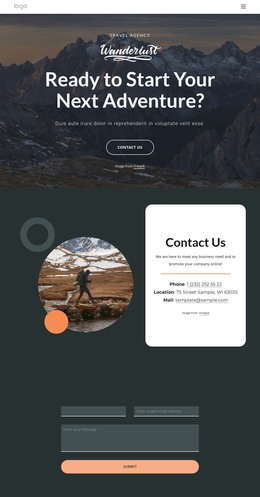
The background image shapes how that content is encountered. It is a full-width photograph of ornate architectural buildings, with curved forms rising beside an open sky area. The headings occupy that lighter space toward the upper-left, so the image remains visible while the text stays readable. The large primary line attracts attention first; the smaller supporting line then adds a more specific travel context. Since both lines are integrated directly with the photograph, the block communicates place and offer in one compact visual unit rather than separating the message from its setting.
As part of a WordPress-managed page, the section can provide a stable visual introduction that other content areas develop further. It remains one reusable block inside the broader page and theme context, not a standalone WordPress Theme. Its value lies in giving adventure-tour content a clear entry point before visitors reach more detailed sections.
Customize with Nicepage
Open this ready-made template in the WordPress Website Builder and customize it visually in the Nicepage editor. Replace demo content, edit page sections, and adapt the design to your project without rebuilding the template from scratch.
Edit Template Offline
2. Create a new page or select existing
3. Click Add new block, search for id 179001 and click enter
Edit Template Online
Create Awesome Websites


Free Nicepage Builder
Keywords
Manage and Edit This Theme in WordPress
Customize and Install the WordPress Theme
Start with this ready-made theme instead of building the WordPress design from scratch. Customize its layout, content, typography, images, sections, and other design elements visually in Nicepage editor, then export and install the WordPress Theme, Plugin, and Pages on your WordPress site. The Nicepage WordPress Plugin lets you continue working with the site after installation.
Edit the Theme Directly in WordPress
After installation, you can edit the WordPress Theme directly in WordPress with the Nicepage WordPress Plugin. Use Site Style to customize site Colors, Fonts, Header, Footer, Blog, and Post Page Templates while working within your WordPress website.
Edit WordPress Pages Visually
Use the Nicepage WordPress Plugin to edit page content directly from the WordPress admin area. Open a WordPress Page with Nicepage and visually change its text, images, sections, and other page elements while continuing to manage the Page through WordPress.
WordPress Content and Theme Integration
Use the customized theme with WordPress Pages, Posts, Blog and Post Templates, menus, widgets, and other CMS-managed content. Shared theme elements such as Colors, Fonts, Header, Footer, Blog, and Post Page Templates can be managed as part of the overall site design, while WordPress provides the CMS environment for managing site content.
This workflow combines a ready-made WordPress Theme with visual customization, direct theme editing in WordPress, and continued content management through the Nicepage WordPress Plugin.