Global interior design firm WordPress Theme


Stable Firm Information in an Image-and-Text Content Region
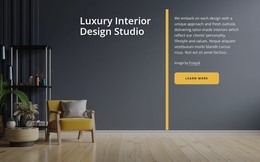
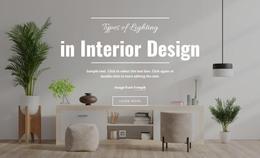
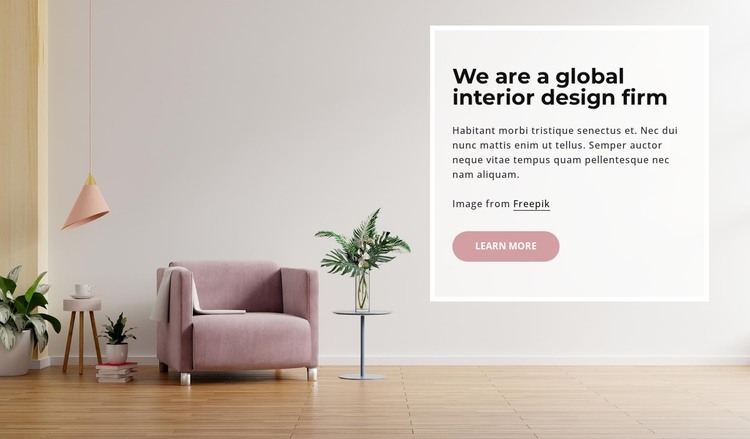
The heading “We are a global interior design firm” and its supporting paragraph read as stable page content for a WordPress-managed site. They are presented in a focused text panel rather than as a stream of dated entries, while the furnished room image supplies the visual setting for the introduction. Pale wood flooring, muted pink upholstery, and soft natural tones make the subject immediately legible without requiring additional content types inside the block.
The right-side panel has a thick white border and lightly translucent treatment, giving the written material a defined content region. Its dark heading establishes hierarchy, and the rounded dusty-rose “learn more” button provides a broad continuation to related information. Because the block is static and contains no confirmed CMS-specific component, it can remain a reusable visual section while the surrounding WordPress project manages other page content independently.
This interpretation suits a permanent about or studio-introduction area where the firm’s identity needs to remain visually consistent. A broader WordPress-managed site can place services, portfolio work, contact information, or other publishable content around it, but those functions are not required for this section to work. The Freepik attribution link can remain attached to the image-supported presentation, preserving the relationship between the visual example and the written introduction.
Customize with Nicepage
Open this ready-made template in the WordPress Website Builder and customize it visually in the Nicepage editor. Replace demo content, edit page sections, and adapt the design to your project without rebuilding the template from scratch.
Edit Template Offline
2. Create a new page or select existing
3. Click Add new block, search for id 1723985 and click enter
Edit Template Online
Create Awesome Websites


Free Nicepage Builder
Keywords
Manage and Edit This Theme in WordPress
Customize and Install the WordPress Theme
Start with this ready-made theme instead of building the WordPress design from scratch. Customize its layout, content, typography, images, sections, and other design elements visually in Nicepage editor, then export and install the WordPress Theme, Plugin, and Pages on your WordPress site. The Nicepage WordPress Plugin lets you continue working with the site after installation.
Edit the Theme Directly in WordPress
After installation, you can edit the WordPress Theme directly in WordPress with the Nicepage WordPress Plugin. Use Site Style to customize site Colors, Fonts, Header, Footer, Blog, and Post Page Templates while working within your WordPress website.
Edit WordPress Pages Visually
Use the Nicepage WordPress Plugin to edit page content directly from the WordPress admin area. Open a WordPress Page with Nicepage and visually change its text, images, sections, and other page elements while continuing to manage the Page through WordPress.
WordPress Content and Theme Integration
Use the customized theme with WordPress Pages, Posts, Blog and Post Templates, menus, widgets, and other CMS-managed content. Shared theme elements such as Colors, Fonts, Header, Footer, Blog, and Post Page Templates can be managed as part of the overall site design, while WordPress provides the CMS environment for managing site content.
This workflow combines a ready-made WordPress Theme with visual customization, direct theme editing in WordPress, and continued content management through the Nicepage WordPress Plugin.