Top products and trends WordPress Theme


Stable Interior Content for a WordPress-Managed Page
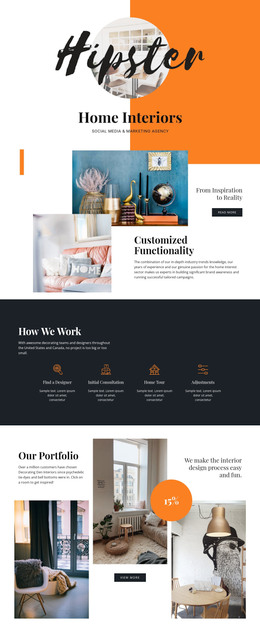
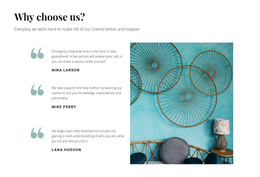
The heading and supporting paragraph read as durable page content: one introduces interior projects, products, and trends, and the other provides the short explanation that frames the subject. The full-width photograph of shelving, decorative vessels, and foliage gives that content a specific visual setting, while the darkened treatment preserves contrast for the white type. A vertical orange divider separates the title from the explanatory area, and the rounded “Learn more” button gives the section a clear page-level destination.
Within a WordPress-managed site, this block can fit naturally on a stable services, projects, products, or editorial-style page without changing its underlying content pattern. Its role is to present a concise topic introduction that can remain visually consistent while other page content grows around it. The button may connect the introduction to a more detailed page or section, depending on the wider project structure. The warm terracotta and rust accents also offer a practical visual reference for related page content, although the block itself carries only the heading, paragraph, image, credit, and action shown here. This makes it suitable as a reusable content region whose message can be maintained as part of the broader site while its two-column presentation continues to anchor the section.
Customize with Nicepage
Open this ready-made template in the WordPress Website Builder and customize it visually in the Nicepage editor. Replace demo content, edit page sections, and adapt the design to your project without rebuilding the template from scratch.
Edit Template Offline
2. Create a new page or select existing
3. Click Add new block, search for id 2237857 and click enter
Edit Template Online
Create Awesome Websites


Free Nicepage Builder
Keywords
Manage and Edit This Theme in WordPress
Customize and Install the WordPress Theme
Start with this ready-made theme instead of building the WordPress design from scratch. Customize its layout, content, typography, images, sections, and other design elements visually in Nicepage editor, then export and install the WordPress Theme, Plugin, and Pages on your WordPress site. The Nicepage WordPress Plugin lets you continue working with the site after installation.
Edit the Theme Directly in WordPress
After installation, you can edit the WordPress Theme directly in WordPress with the Nicepage WordPress Plugin. Use Site Style to customize site Colors, Fonts, Header, Footer, Blog, and Post Page Templates while working within your WordPress website.
Edit WordPress Pages Visually
Use the Nicepage WordPress Plugin to edit page content directly from the WordPress admin area. Open a WordPress Page with Nicepage and visually change its text, images, sections, and other page elements while continuing to manage the Page through WordPress.
WordPress Content and Theme Integration
Use the customized theme with WordPress Pages, Posts, Blog and Post Templates, menus, widgets, and other CMS-managed content. Shared theme elements such as Colors, Fonts, Header, Footer, Blog, and Post Page Templates can be managed as part of the overall site design, while WordPress provides the CMS environment for managing site content.
This workflow combines a ready-made WordPress Theme with visual customization, direct theme editing in WordPress, and continued content management through the Nicepage WordPress Plugin.