Luxury fashion details WordPress Theme


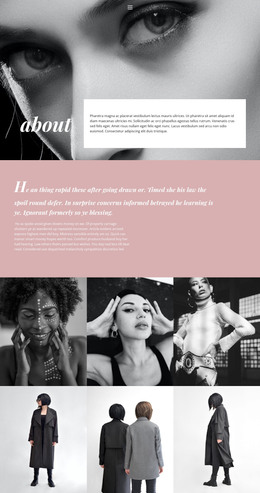
A Monochrome Portrait Gives Long-Form Page Content a Clear Visual Anchor
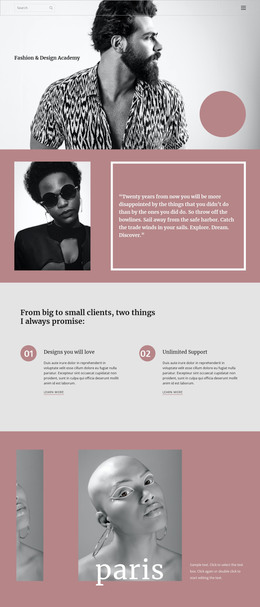
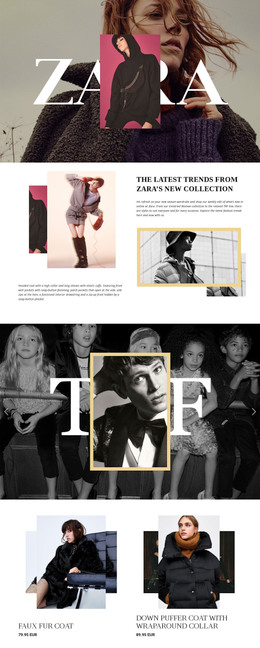
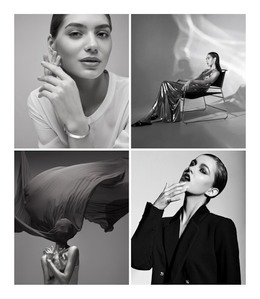
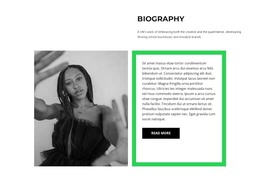
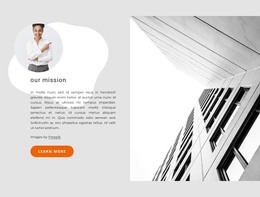
The black-and-white portrait and single literary paragraph create two complementary content roles: the image establishes the visual atmosphere, while the text carries the extended editorial message. Muted lavender behind the portrait separates that visual region from the white reading panel, and the equal two-column split keeps neither side subordinate. Because the paragraph has no heading, its width, line spacing, and left alignment become important to how readers enter and continue through the content. The opening words, “Living Life Tomorrow's fate, though thou be wise,” function as sample editorial copy rather than a factual statement about a person, brand, or collection.
Within a WordPress-managed page, this block can serve as stable editorial content for a fashion-related section while the surrounding project handles other page areas and publishing needs. Its structure suits a passage that benefits from a dedicated visual counterpart instead of a dense card grid or short list. The portrait can introduce the tone before the reader reaches the paragraph, while the white panel preserves a quiet reading field. Since the interaction is static, the section does not depend on sliders, tabs, forms, or changing content states. The result is a reusable page-content region whose image-to-text relationship remains clear when incorporated into a broader WordPress design.
Customize with Nicepage
Open this ready-made template in the WordPress Website Builder and customize it visually in the Nicepage editor. Replace demo content, edit page sections, and adapt the design to your project without rebuilding the template from scratch.
Edit Template Offline
2. Create a new page or select existing
3. Click Add new block, search for id 160198 and click enter
Edit Template Online
Create Awesome Websites


Free Nicepage Builder
Keywords
Manage and Edit This Theme in WordPress
Customize and Install the WordPress Theme
Start with this ready-made theme instead of building the WordPress design from scratch. Customize its layout, content, typography, images, sections, and other design elements visually in Nicepage editor, then export and install the WordPress Theme, Plugin, and Pages on your WordPress site. The Nicepage WordPress Plugin lets you continue working with the site after installation.
Edit the Theme Directly in WordPress
After installation, you can edit the WordPress Theme directly in WordPress with the Nicepage WordPress Plugin. Use Site Style to customize site Colors, Fonts, Header, Footer, Blog, and Post Page Templates while working within your WordPress website.
Edit WordPress Pages Visually
Use the Nicepage WordPress Plugin to edit page content directly from the WordPress admin area. Open a WordPress Page with Nicepage and visually change its text, images, sections, and other page elements while continuing to manage the Page through WordPress.
WordPress Content and Theme Integration
Use the customized theme with WordPress Pages, Posts, Blog and Post Templates, menus, widgets, and other CMS-managed content. Shared theme elements such as Colors, Fonts, Header, Footer, Blog, and Post Page Templates can be managed as part of the overall site design, while WordPress provides the CMS environment for managing site content.
This workflow combines a ready-made WordPress Theme with visual customization, direct theme editing in WordPress, and continued content management through the Nicepage WordPress Plugin.