Pricing table with colored header WordPress Theme


Stable plan information gives the section a clear WordPress page-content role
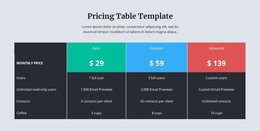
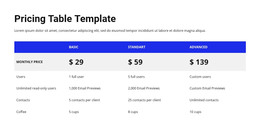
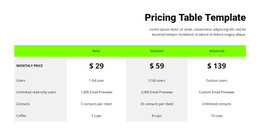
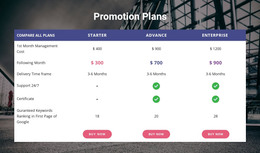
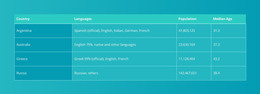
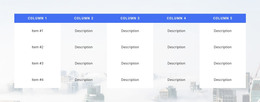
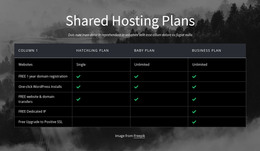
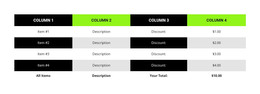
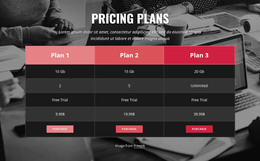
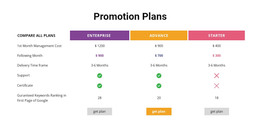
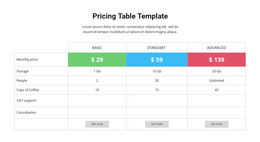
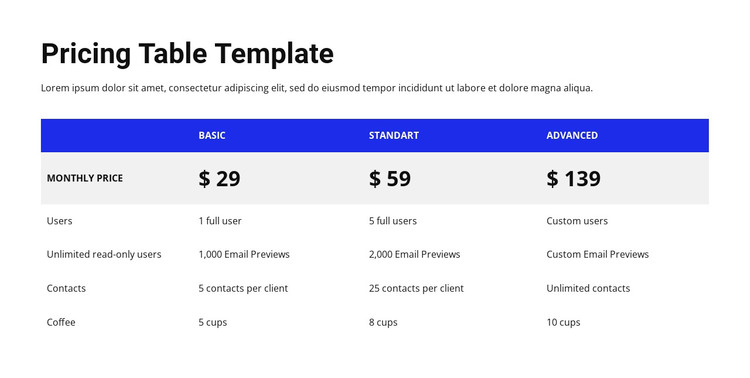
The heading and supporting paragraph make this block suitable for a stable pricing area rather than a time-sensitive stream of entries. The comparison table carries the main content in a predictable structure: the left column names the criteria, and the Basic, Standart, and Advanced columns keep the available plans aligned. This makes the section readable as one publishable content region within a WordPress-managed page.
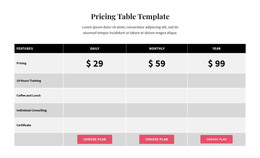
The displayed monthly prices—$29, $59, and $139—provide the primary plan distinctions. The rows for Users, Unlimited read-only users, Contacts, and Coffee add supporting details that can be reviewed against the same three alternatives. Blue plan headers group the columns, while the light-gray price row gives the costs a separate visual position. Larger bold values help page visitors find the pricing information before reading the denser feature text.
The block’s static presentation suits a permanent pricing section that can remain visually consistent while the surrounding project handles other content areas. It does not include a confirmed form, button, product database connection, or purchase process, so any signup or checkout step would belong elsewhere in the page journey. In a WordPress-oriented context, the value is the clear organization of the section’s content and its ability to sit within a wider managed page without being mistaken for the complete theme structure.
Customize with Nicepage
Open this ready-made template in the WordPress Website Builder and customize it visually in the Nicepage editor. Replace demo content, edit page sections, and adapt the design to your project without rebuilding the template from scratch.
Edit Template Offline
2. Create a new page or select existing
3. Click Add new block, search for id 102073 and click enter
Edit Template Online
Create Awesome Websites


Free Nicepage Builder
Keywords
Manage and Edit This Theme in WordPress
Customize and Install the WordPress Theme
Start with this ready-made theme instead of building the WordPress design from scratch. Customize its layout, content, typography, images, sections, and other design elements visually in Nicepage editor, then export and install the WordPress Theme, Plugin, and Pages on your WordPress site. The Nicepage WordPress Plugin lets you continue working with the site after installation.
Edit the Theme Directly in WordPress
After installation, you can edit the WordPress Theme directly in WordPress with the Nicepage WordPress Plugin. Use Site Style to customize site Colors, Fonts, Header, Footer, Blog, and Post Page Templates while working within your WordPress website.
Edit WordPress Pages Visually
Use the Nicepage WordPress Plugin to edit page content directly from the WordPress admin area. Open a WordPress Page with Nicepage and visually change its text, images, sections, and other page elements while continuing to manage the Page through WordPress.
WordPress Content and Theme Integration
Use the customized theme with WordPress Pages, Posts, Blog and Post Templates, menus, widgets, and other CMS-managed content. Shared theme elements such as Colors, Fonts, Header, Footer, Blog, and Post Page Templates can be managed as part of the overall site design, while WordPress provides the CMS environment for managing site content.
This workflow combines a ready-made WordPress Theme with visual customization, direct theme editing in WordPress, and continued content management through the Nicepage WordPress Plugin.