Brand strategy and marketing WordPress Theme



Edit Template Offline
2. Create new page and search for id 194714
Edit Template Online
Create Awesome Websites


Free Nicepage Builder
Keywords
Company Pages and Service Content Share One Consultancy Theme
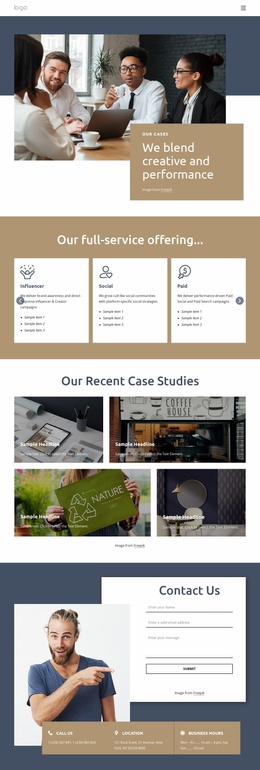
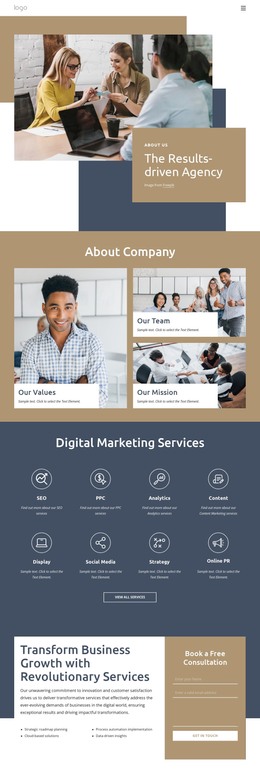
The opening Brand Strategy & Marketing panel gives a WordPress-managed site a clear page-level introduction to the consultancy, while the About Us section provides several distinct content areas to maintain. Its two-column introduction leads into four repeated cards labeled About Company, What We Do, How We Work, and Contact Us. These are not presented as existing WordPress content types, but they offer a practical way to separate permanent company information, service explanation, process details, and contact material within a coordinated theme.
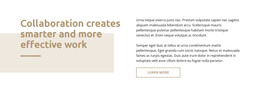
The remaining sections provide different editorial subjects for the same visual environment. Great Team centers people-focused content around a large photograph and highlighted heading. The collaboration statement can support an explanation of the agency's working approach, while the Creative Consultancy & Agency block gives broader organizational positioning through two photographs and supporting copy. The Write your business plan panel then isolates a specific consulting service, creating a useful distinction between general agency information and a focused offer.
Four repeated company metric items provide a compact place for confirmed organizational evidence, although the displayed demo values should be replaced before publication. The final Contact Us area combines a form with phone, location, and business-hours cards. Together, these page sections give WordPress content a clear visual arrangement: stable company information, service-focused material, people-oriented context, and a direct inquiry destination can remain connected without reducing the design to a single promotional block.
Customize with Nicepage
Open this ready-made template in the WordPress Website Builder and customize it visually in the Nicepage editor. Replace demo content, edit page sections, and adapt the design to your project without rebuilding the template from scratch.
Manage and Edit This Theme in WordPress
Customize and Install the WordPress Theme
Start with this ready-made theme instead of building the WordPress design from scratch. Customize its layout, content, typography, images, sections, and other design elements visually in Nicepage editor, then export and install the WordPress Theme, Plugin, and Pages on your WordPress site. The Nicepage WordPress Plugin lets you continue working with the site after installation.
Edit the Theme Directly in WordPress
After installation, you can edit the WordPress Theme directly in WordPress with the Nicepage WordPress Plugin. Use Site Style to customize site Colors, Fonts, Header, Footer, Blog, and Post Page Templates while working within your WordPress website.
Edit WordPress Pages Visually
Use the Nicepage WordPress Plugin to edit page content directly from the WordPress admin area. Open a WordPress Page with Nicepage and visually change its text, images, sections, and other page elements while continuing to manage the Page through WordPress.
WordPress Content and Theme Integration
Use the customized theme with WordPress Pages, Posts, Blog and Post Templates, menus, widgets, and other CMS-managed content. Shared theme elements such as Colors, Fonts, Header, Footer, Blog, and Post Page Templates can be managed as part of the overall site design, while WordPress provides the CMS environment for managing site content.
This workflow combines a ready-made WordPress Theme with visual customization, direct theme editing in WordPress, and continued content management through the Nicepage WordPress Plugin.