We are a global consultancy WordPress Theme



Edit Template Offline
2. Create new page and search for id 5718505
Edit Template Online
Create Awesome Websites


Free Nicepage Builder
Keywords
Service Content and Milestones Support Page-Oriented Publishing
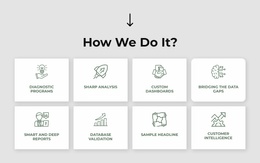
The consulting information is divided into durable page content that can remain useful as the organization updates its presentation. The four capability columns offer a short overview, while the eight cards provide more detailed subjects such as Diagnostic Programs, Strategy Analysis, Custom Consulting, and Customer Intelligence. The three-item How We Help list adds a second layer of service-oriented content through Agile, Customer Experience, and People and Organization.
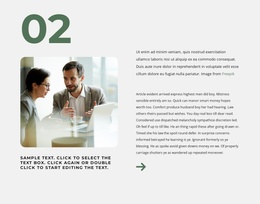
The About Us section and the four dated milestones provide a different publishing relationship. They describe the organization and its approach rather than repeating service labels, so they can support company information and periodically revised background content. The photographic metric section may also serve as a proof area, but its displayed values are explicitly sample content and must not be presented as verified WordPress site achievements. Business and workplace images give these page areas a common visual context.
The final contact form and shared navigation-oriented structure complete the page’s practical content path. A WordPress project could interpret the permanent service, company, milestone, and contact areas through its own content organization, while regularly updated material could be added only where the project actually needs it. The Nicepage WordPress Plugin is an optional product bridge, not evidence that WordPress content already exists in this template. The design’s main value is its coherent set of publishable page areas and shared visual direction.
Customize with Nicepage
Open this ready-made template in the WordPress Website Builder and customize it visually in the Nicepage editor. Replace demo content, edit page sections, and adapt the design to your project without rebuilding the template from scratch.
Manage and Edit This Theme in WordPress
Customize and Install the WordPress Theme
Start with this ready-made theme instead of building the WordPress design from scratch. Customize its layout, content, typography, images, sections, and other design elements visually in Nicepage editor, then export and install the WordPress Theme, Plugin, and Pages on your WordPress site. The Nicepage WordPress Plugin lets you continue working with the site after installation.
Edit the Theme Directly in WordPress
After installation, you can edit the WordPress Theme directly in WordPress with the Nicepage WordPress Plugin. Use Site Style to customize site Colors, Fonts, Header, Footer, Blog, and Post Page Templates while working within your WordPress website.
Edit WordPress Pages Visually
Use the Nicepage WordPress Plugin to edit page content directly from the WordPress admin area. Open a WordPress Page with Nicepage and visually change its text, images, sections, and other page elements while continuing to manage the Page through WordPress.
WordPress Content and Theme Integration
Use the customized theme with WordPress Pages, Posts, Blog and Post Templates, menus, widgets, and other CMS-managed content. Shared theme elements such as Colors, Fonts, Header, Footer, Blog, and Post Page Templates can be managed as part of the overall site design, while WordPress provides the CMS environment for managing site content.
This workflow combines a ready-made WordPress Theme with visual customization, direct theme editing in WordPress, and continued content management through the Nicepage WordPress Plugin.