Business tabs WordPress Theme


Publishable Product Content With Separate Detail Views
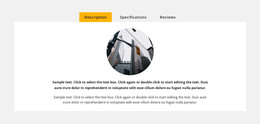
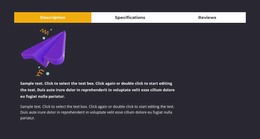
The block’s content model fits a stable product-information area because it separates three durable kinds of page content without scattering them across unrelated sections. Description presents the main explanation through two paragraphs and a circular product-related image. Specifications provides a dedicated text pane for additional product detail, while Reviews holds a prompt and write-review action that can support visitor feedback. The tab structure lets these content groups remain connected while only one view occupies the panel at a time.
In a WordPress-managed page, this section can retain its visual arrangement as surrounding project content grows around it. The centered panel gives the product details a consistent presentation surface, and the yellow active accent makes the selected view easy to identify. The light gray background and generous whitespace help the section remain distinct from adjacent page content without implying that it includes an entire theme or product catalog. Nicepage supports WordPress-oriented page workflows, but the useful interpretation here is narrower: this block is reusable product content that can sit within a broader managed page, with other areas handling summaries, related products, purchasing information, or site-wide structure.
Customize with Nicepage
Open this ready-made template in the WordPress Website Builder and customize it visually in the Nicepage editor. Replace demo content, edit page sections, and adapt the design to your project without rebuilding the template from scratch.
Edit Template Offline
2. Create a new page or select existing
3. Click Add new block, search for id 911373 and click enter
Edit Template Online
Create Awesome Websites


Free Nicepage Builder
Keywords
Manage and Edit This Theme in WordPress
Customize and Install the WordPress Theme
Start with this ready-made theme instead of building the WordPress design from scratch. Customize its layout, content, typography, images, sections, and other design elements visually in Nicepage editor, then export and install the WordPress Theme, Plugin, and Pages on your WordPress site. The Nicepage WordPress Plugin lets you continue working with the site after installation.
Edit the Theme Directly in WordPress
After installation, you can edit the WordPress Theme directly in WordPress with the Nicepage WordPress Plugin. Use Site Style to customize site Colors, Fonts, Header, Footer, Blog, and Post Page Templates while working within your WordPress website.
Edit WordPress Pages Visually
Use the Nicepage WordPress Plugin to edit page content directly from the WordPress admin area. Open a WordPress Page with Nicepage and visually change its text, images, sections, and other page elements while continuing to manage the Page through WordPress.
WordPress Content and Theme Integration
Use the customized theme with WordPress Pages, Posts, Blog and Post Templates, menus, widgets, and other CMS-managed content. Shared theme elements such as Colors, Fonts, Header, Footer, Blog, and Post Page Templates can be managed as part of the overall site design, while WordPress provides the CMS environment for managing site content.
This workflow combines a ready-made WordPress Theme with visual customization, direct theme editing in WordPress, and continued content management through the Nicepage WordPress Plugin.