How to attract success WordPress Theme



Edit Template Offline
2. Create new page and search for id 6030965
Edit Template Online
Create Awesome Websites


Free Nicepage Builder
Keywords
Service and People Content for a Managed Corporate Site
The service cards give this design a clear set of permanent content areas: investment, financial planning, and debt help. Together they provide a compact way to present core offerings before visitors reach the Branding Agency and corporate employee training sections. In a WordPress-managed project, that separation is useful because service information, organizational explanation, and recruitment content can remain visually related while serving different editorial purposes. The page does not need to be treated as a generic business shell; its content zones already suggest how a professional services site could organize its message.
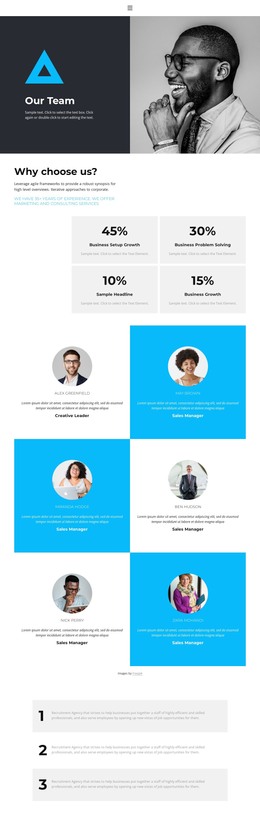
The two profile cards add a people-centered layer through portraits, descriptions, and READ MORE actions. They can represent a team-oriented part of the site without being confused with the service cards. The dark Submit Your Resume banner serves a different audience and carries an APPLY NOW action, making recruitment visibly distinct from client inquiries. Below it, Development, Design projects, Planning, and Consultations provide four labeled capability areas that can help group additional corporate content.
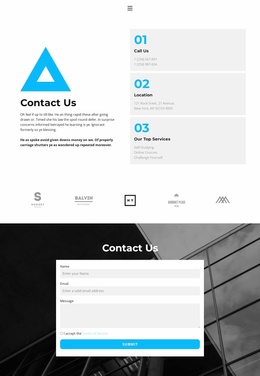
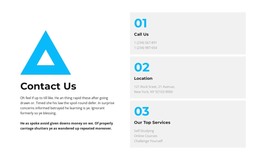
The closing Contact Us section is especially suitable as a stable page destination because it combines contact details with a visible inquiry form and SUBMIT action. Alongside the shared dark, cyan, white, and light-gray visual direction, these service, people, capability, and contact areas provide a coherent foundation for WordPress-managed pages and content. The sample names and contact details should be replaced with verified project information.
Customize with Nicepage
Open this ready-made template in the WordPress Website Builder and customize it visually in the Nicepage editor. Replace demo content, edit page sections, and adapt the design to your project without rebuilding the template from scratch.
Manage and Edit This Theme in WordPress
Customize and Install the WordPress Theme
Start with this ready-made theme instead of building the WordPress design from scratch. Customize its layout, content, typography, images, sections, and other design elements visually in Nicepage editor, then export and install the WordPress Theme, Plugin, and Pages on your WordPress site. The Nicepage WordPress Plugin lets you continue working with the site after installation.
Edit the Theme Directly in WordPress
After installation, you can edit the WordPress Theme directly in WordPress with the Nicepage WordPress Plugin. Use Site Style to customize site Colors, Fonts, Header, Footer, Blog, and Post Page Templates while working within your WordPress website.
Edit WordPress Pages Visually
Use the Nicepage WordPress Plugin to edit page content directly from the WordPress admin area. Open a WordPress Page with Nicepage and visually change its text, images, sections, and other page elements while continuing to manage the Page through WordPress.
WordPress Content and Theme Integration
Use the customized theme with WordPress Pages, Posts, Blog and Post Templates, menus, widgets, and other CMS-managed content. Shared theme elements such as Colors, Fonts, Header, Footer, Blog, and Post Page Templates can be managed as part of the overall site design, while WordPress provides the CMS environment for managing site content.
This workflow combines a ready-made WordPress Theme with visual customization, direct theme editing in WordPress, and continued content management through the Nicepage WordPress Plugin.