Nutrients, macros and more WordPress Theme


Stable Nutrition Content for a WordPress-Managed Page
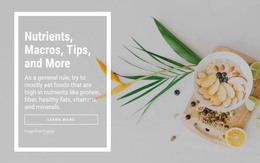
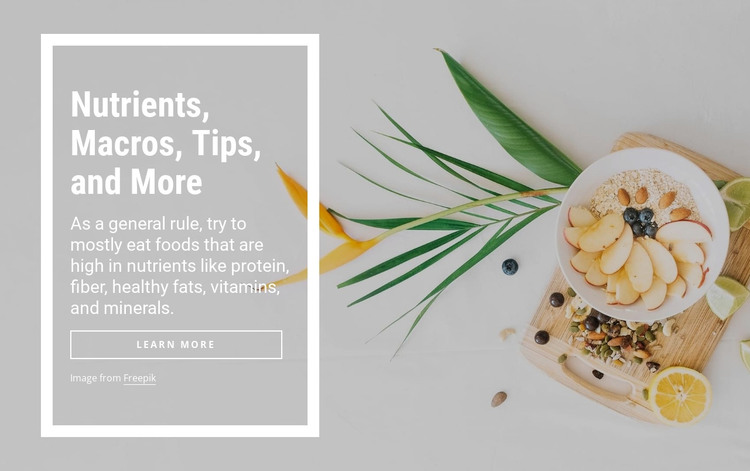
The heading and nutrient-focused paragraph read as stable page content that can remain useful over time in a WordPress-managed site. References to protein, fiber, healthy fats, vitamins, and minerals give the section a defined informational role, while the “learn more” link can direct visitors toward a related page or resource. The block therefore contributes one publishable content area without needing to carry a full theme or broader site structure.
Its visual treatment keeps that content recognizable. The muted bowl-and-fruit photograph occupies the full background, and the translucent gray panel on the left provides a controlled reading surface. A thick white rectangular border outlines the panel, while the condensed heading establishes priority over the smaller paragraph. The wide outlined button continues the same restrained white treatment, and the image credit remains attached to the image-led composition.
In a WordPress-oriented project, this section could sit on a stable nutrition, food, or wellness page while other CMS-managed content develops around it. Its single heading, supporting paragraph, linked action, background image, and credit form a contained content pattern that can be maintained without changing the section’s visual logic. Nicepage’s WordPress workflow can support the surrounding project, but the block remains page content within that environment rather than becoming a complete WordPress Theme.
Customize with Nicepage
Open this ready-made template in the WordPress Website Builder and customize it visually in the Nicepage editor. Replace demo content, edit page sections, and adapt the design to your project without rebuilding the template from scratch.
Edit Template Offline
2. Create a new page or select existing
3. Click Add new block, search for id 102017 and click enter
Edit Template Online
Create Awesome Websites


Free Nicepage Builder
Keywords
Manage and Edit This Theme in WordPress
Customize and Install the WordPress Theme
Start with this ready-made theme instead of building the WordPress design from scratch. Customize its layout, content, typography, images, sections, and other design elements visually in Nicepage editor, then export and install the WordPress Theme, Plugin, and Pages on your WordPress site. The Nicepage WordPress Plugin lets you continue working with the site after installation.
Edit the Theme Directly in WordPress
After installation, you can edit the WordPress Theme directly in WordPress with the Nicepage WordPress Plugin. Use Site Style to customize site Colors, Fonts, Header, Footer, Blog, and Post Page Templates while working within your WordPress website.
Edit WordPress Pages Visually
Use the Nicepage WordPress Plugin to edit page content directly from the WordPress admin area. Open a WordPress Page with Nicepage and visually change its text, images, sections, and other page elements while continuing to manage the Page through WordPress.
WordPress Content and Theme Integration
Use the customized theme with WordPress Pages, Posts, Blog and Post Templates, menus, widgets, and other CMS-managed content. Shared theme elements such as Colors, Fonts, Header, Footer, Blog, and Post Page Templates can be managed as part of the overall site design, while WordPress provides the CMS environment for managing site content.
This workflow combines a ready-made WordPress Theme with visual customization, direct theme editing in WordPress, and continued content management through the Nicepage WordPress Plugin.