Building Engineering & Construction Services WordPress Theme


Structured service content fits a WordPress-managed page section
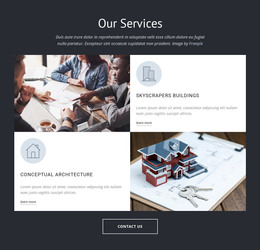
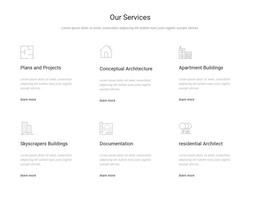
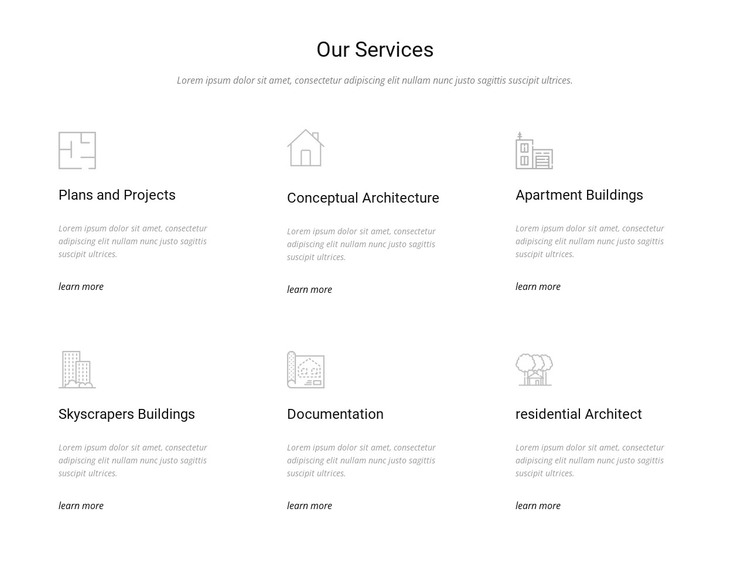
The heading “Our Services” and its supporting paragraph establish a stable information area before the six repeated service items begin. In a WordPress-managed project, this kind of section can remain part of permanent page content because its subject is organized around service categories rather than a time-sensitive stream of articles. The block still functions as one visual section, with the wider site providing other page content around it.
The two-row, three-column arrangement groups Plans and Projects, Conceptual Architecture, Apartment Buildings, Skyscrapers Buildings, Documentation, and residential Architect into a consistent overview. Each item carries a line icon, title, descriptive text, and learn-more link, so the repeated content model can preserve the same visual treatment while the final wording is maintained for the intended practice. The sample text should be replaced with appropriate editorial content before publication.
The white background and restrained gray-and-black hierarchy also make the section straightforward to coordinate with a broader WordPress page style. It can sit alongside portfolio, practice information, or inquiry sections without needing to become a theme or define the entire site. The block’s contribution is its organized, reusable services content: visitors can scan the categories quickly, while each learn-more link provides a separate point for expanded information when the surrounding project supplies those destinations.
Customize with Nicepage
Open this ready-made template in the WordPress Website Builder and customize it visually in the Nicepage editor. Replace demo content, edit page sections, and adapt the design to your project without rebuilding the template from scratch.
Edit Template Offline
2. Create a new page or select existing
3. Click Add new block, search for id 64531 and click enter
Edit Template Online
Create Awesome Websites


Free Nicepage Builder
Keywords
Manage and Edit This Theme in WordPress
Customize and Install the WordPress Theme
Start with this ready-made theme instead of building the WordPress design from scratch. Customize its layout, content, typography, images, sections, and other design elements visually in Nicepage editor, then export and install the WordPress Theme, Plugin, and Pages on your WordPress site. The Nicepage WordPress Plugin lets you continue working with the site after installation.
Edit the Theme Directly in WordPress
After installation, you can edit the WordPress Theme directly in WordPress with the Nicepage WordPress Plugin. Use Site Style to customize site Colors, Fonts, Header, Footer, Blog, and Post Page Templates while working within your WordPress website.
Edit WordPress Pages Visually
Use the Nicepage WordPress Plugin to edit page content directly from the WordPress admin area. Open a WordPress Page with Nicepage and visually change its text, images, sections, and other page elements while continuing to manage the Page through WordPress.
WordPress Content and Theme Integration
Use the customized theme with WordPress Pages, Posts, Blog and Post Templates, menus, widgets, and other CMS-managed content. Shared theme elements such as Colors, Fonts, Header, Footer, Blog, and Post Page Templates can be managed as part of the overall site design, while WordPress provides the CMS environment for managing site content.
This workflow combines a ready-made WordPress Theme with visual customization, direct theme editing in WordPress, and continued content management through the Nicepage WordPress Plugin.