Video Web Page Designs

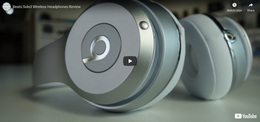




Simple Video Web Page Design for Clear Single-Page Composition
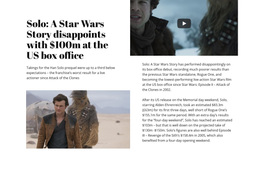
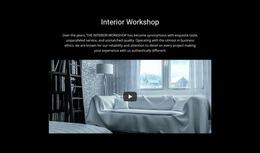
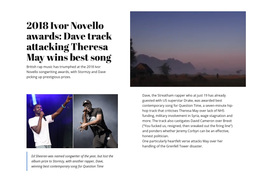
Video Web Page Design is about where video sits on one specific page and what job it performs there. A clip can lead the hero, appear mid-page as a product demonstration, support a testimonial, or explain a process before the next content section. The best placement depends on the page's reading order, not a site-wide visual system.
Choose the Right Video Placement for the Page
Different positions create different reading patterns:
- Hero video: introduces the subject immediately and works well when the clip can carry the opening message.
- In-content explainer: follows a text section and demonstrates what the visitor has just read.
- Product demo: sits near features or specifications so the media makes those claims concrete.
- Testimonial video: appears near proof or decision-support content instead of behaving like a generic media break.
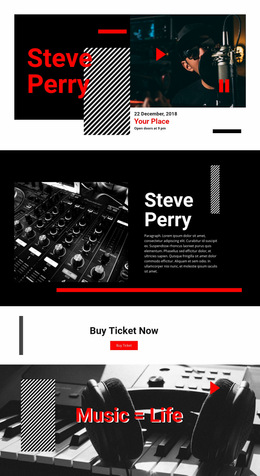
- Pre-CTA video: answers a final question before the next action without merging the player and CTA into one visual element.
The Nicepage Video Element provides the media area for these patterns. Page composition determines which placement works best.
Shape the Reading Flow Around the Player
Web Page Design is about relationships between sections, not only the appearance of one isolated block. The Video section has to fit between what visitors read before it and what they encounter afterward.
Four relationships matter most: player scale, supporting-text weight, spacing around the media, and transition to adjacent content. If the video is visually too weak, the section loses its purpose. If it dominates too aggressively, it can interrupt the page hierarchy and make the surrounding content feel disconnected.
This is also where Video differs from a generic Wide section. Wide emphasizes horizontal scale and page rhythm. Video emphasizes watching. A broad layout can support the media, but width alone does not define the block.
Keep Video Distinct From Decorative Page Media
A common mistake is to classify every moving visual as a dedicated Video section.
Use Video when the visitor is expected to watch the clip as meaningful content. A player, poster, play interaction, and supporting context form one viewing-focused area.
Use another compositional block when motion only supports a headline, transition, or visual atmosphere. Decorative background video can contribute to page design without becoming the primary content role.
This distinction helps keep the page hierarchy readable: one block handles viewing, while neighboring sections continue the page's information flow instead of competing with it.
Video Web Page Design Questions
How should I choose a starting design for a Video section?
Start from the purpose of the page and the role the video needs to play. A ready-made block can provide the initial direction, but refine it around the clip, supporting content, and its position within the surrounding page composition.
How can I keep a page with video media lighter?
Use compression and lazy loading for media. This helps reduce unnecessary page weight while keeping the Video section focused on the viewing experience.
When should a Video block sit between two content sections?
Place it there when the clip explains, demonstrates, or expands on what visitors just read and prepares them for the next section. The Video Element should remain the focal point, while spacing and supporting copy make the transition understandable.
Where can video work besides the hero area?
Video can appear after introductory copy, beside product details, inside a demonstration section, near testimonial proof, or before a CTA when watching helps visitors understand the next step.
Fit the Video Section Into the Page, Not Around It
Choose a Video block that gives the clip the right visual weight, open it in the Nicepage editor, and adapt the supporting content to the surrounding page structure. Adjust the section's placement, spacing, and relationship to neighboring content until playback feels like a natural step in the page flow, not an isolated media insert.