Award-winning holidays WordPress Theme


Edit Template Offline
2. Create new page and search for id 6039305
Edit Template Online
Create Awesome Websites


Free Nicepage Builder
Keywords
Destination content and inquiry areas suit a travel-focused theme
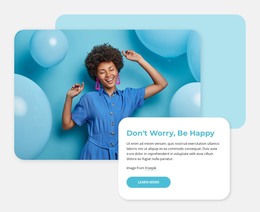
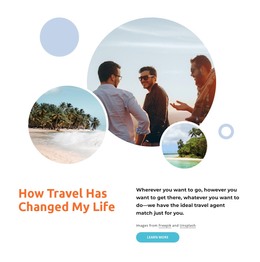
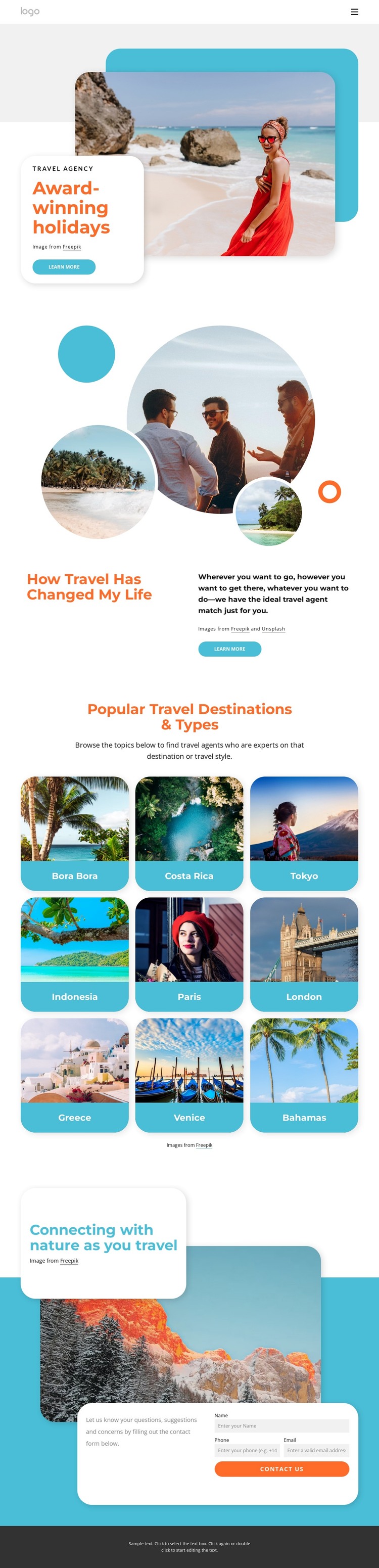
The page separates permanent travel information into clear content areas that can remain visually coordinated in a WordPress-managed site. The opening holiday promotion establishes the agency’s subject, while the split section adds explanatory content about travel experience, destination expertise, and matching visitors with travel agents. These page-oriented sections can carry the main service message without depending on the destination cards alone.
The central grid provides a different kind of content relationship. Nine repeated cards name Bora Bora, Costa Rica, Tokyo, Indonesia, Paris, London, Greece, Venice, and the Bahamas. Although these are sample destinations in the design, the collection demonstrates a useful structure for presenting places or travel styles as recurring visual content. The consistent cards make the destinations easy to compare and leave room for the surrounding page to explain the agency’s broader guidance.
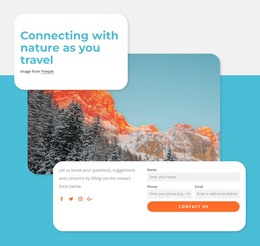
The closing nature section brings the visual and communication layers together. Its large photograph and promotional heading create context, while the overlaid contact panel requests a name, phone, and email and places social links nearby. That region can remain a stable page area for inquiries as the surrounding travel content changes. The combination of page-oriented introduction, repeated destination content, and a defined contact region gives a WordPress project a practical theme foundation without claiming that blog posts or other CMS structures already exist.
Customize with Nicepage
Open this ready-made template in the WordPress Website Builder and customize it visually in the Nicepage editor. Replace demo content, edit page sections, and adapt the design to your project without rebuilding the template from scratch.
Manage and Edit This Theme in WordPress
Customize and Install the WordPress Theme
Start with this ready-made theme instead of building the WordPress design from scratch. Customize its layout, content, typography, images, sections, and other design elements visually in Nicepage editor, then export and install the WordPress Theme, Plugin, and Pages on your WordPress site. The Nicepage WordPress Plugin lets you continue working with the site after installation.
Edit the Theme Directly in WordPress
After installation, you can edit the WordPress Theme directly in WordPress with the Nicepage WordPress Plugin. Use Site Style to customize site Colors, Fonts, Header, Footer, Blog, and Post Page Templates while working within your WordPress website.
Edit WordPress Pages Visually
Use the Nicepage WordPress Plugin to edit page content directly from the WordPress admin area. Open a WordPress Page with Nicepage and visually change its text, images, sections, and other page elements while continuing to manage the Page through WordPress.
WordPress Content and Theme Integration
Use the customized theme with WordPress Pages, Posts, Blog and Post Templates, menus, widgets, and other CMS-managed content. Shared theme elements such as Colors, Fonts, Header, Footer, Blog, and Post Page Templates can be managed as part of the overall site design, while WordPress provides the CMS environment for managing site content.
This workflow combines a ready-made WordPress Theme with visual customization, direct theme editing in WordPress, and continued content management through the Nicepage WordPress Plugin.