Luxury weekend WordPress Theme


Three Image Areas Create Stable WordPress Page Content
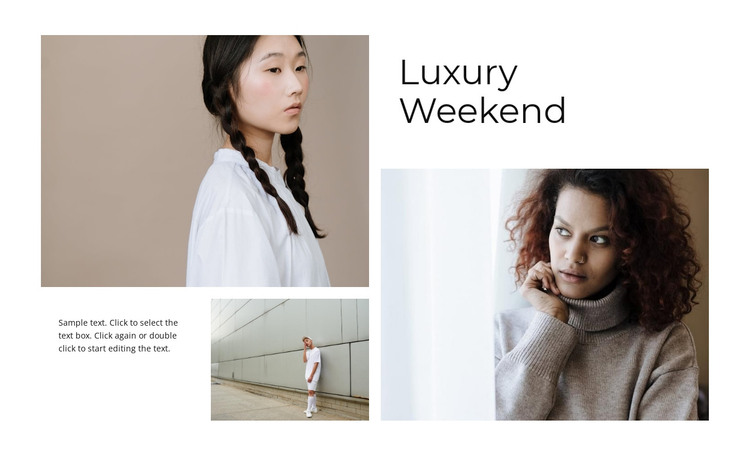
The block’s three photographic areas form a recognizable gallery section for a WordPress-managed page. The large left image establishes the dominant visual entry point, the smaller image beneath it adds a secondary moment, and the large right image gives the composition balance without turning the content into a uniform card grid. The “Luxury Weekend” heading names the editorial theme, while the supporting paragraph provides a compact place for introductory or descriptive page copy.
This relationship works well for permanent visual content that belongs on a page rather than for a stream of time-sensitive entries. Within a broader WordPress project, the section can present a fashion image collection while other page regions provide navigation, longer explanations, related content, or contact details. The sample paragraph should be treated as editable demonstration text; replacing it with the project’s own wording leaves the image hierarchy and gallery purpose unchanged.
The restrained presentation also gives the section a consistent visual boundary. A white field, generous spacing, muted portrait tones, and rectangular crops allow the collage to sit beside other WordPress-managed content without requiring a regular grid pattern. Since the interaction is static, the section remains a dependable page component whose meaning comes from its content order, scale, and editorial balance.
Customize with Nicepage
Open this ready-made template in the WordPress Website Builder and customize it visually in the Nicepage editor. Replace demo content, edit page sections, and adapt the design to your project without rebuilding the template from scratch.
Edit Template Offline
2. Create a new page or select existing
3. Click Add new block, search for id 868955 and click enter
Edit Template Online
Create Awesome Websites


Free Nicepage Builder
Keywords
Manage and Edit This Theme in WordPress
Customize and Install the WordPress Theme
Start with this ready-made theme instead of building the WordPress design from scratch. Customize its layout, content, typography, images, sections, and other design elements visually in Nicepage editor, then export and install the WordPress Theme, Plugin, and Pages on your WordPress site. The Nicepage WordPress Plugin lets you continue working with the site after installation.
Edit the Theme Directly in WordPress
After installation, you can edit the WordPress Theme directly in WordPress with the Nicepage WordPress Plugin. Use Site Style to customize site Colors, Fonts, Header, Footer, Blog, and Post Page Templates while working within your WordPress website.
Edit WordPress Pages Visually
Use the Nicepage WordPress Plugin to edit page content directly from the WordPress admin area. Open a WordPress Page with Nicepage and visually change its text, images, sections, and other page elements while continuing to manage the Page through WordPress.
WordPress Content and Theme Integration
Use the customized theme with WordPress Pages, Posts, Blog and Post Templates, menus, widgets, and other CMS-managed content. Shared theme elements such as Colors, Fonts, Header, Footer, Blog, and Post Page Templates can be managed as part of the overall site design, while WordPress provides the CMS environment for managing site content.
This workflow combines a ready-made WordPress Theme with visual customization, direct theme editing in WordPress, and continued content management through the Nicepage WordPress Plugin.