Valentines day super sale WordPress Theme


Stable Seasonal Page Content With a Coupon Response
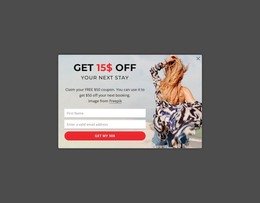
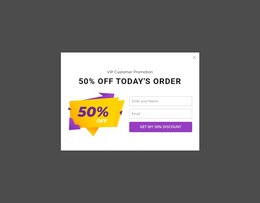
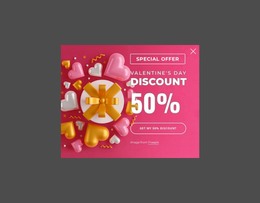
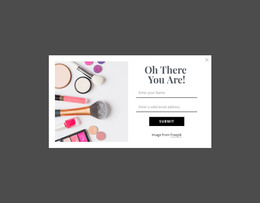
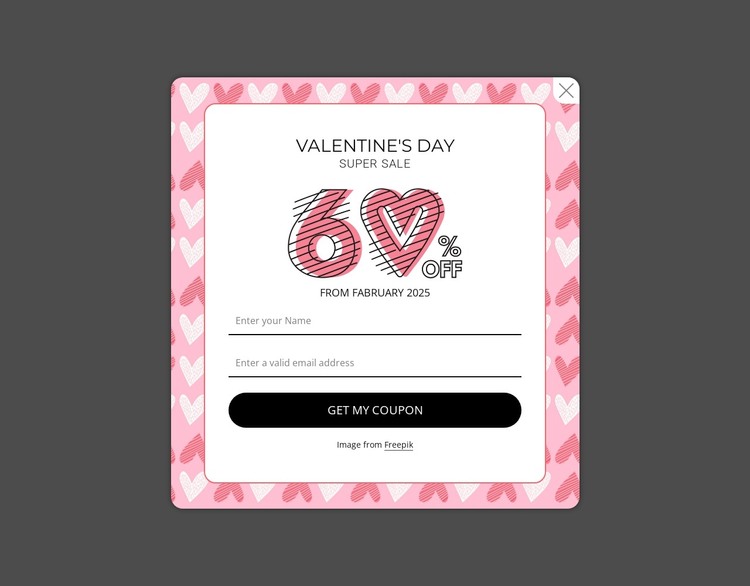
The block reads as a defined promotional content area rather than a changing list of editorial entries. Its “Valentine’s Day” heading and “Super sale” label identify the campaign, while the graphic and displayed date provide the supporting context. The name and email inputs then turn that message into a simple coupon request, and “Get my coupon” supplies the direct response point. This combination can remain stable as page content in a WordPress-managed site while the broader project handles other content areas separately.
The modal treatment preserves the section’s identity when it is placed within a larger theme environment. A darkened gray backdrop separates the promotion from the underlying page, the heart-patterned frame supplies a seasonal visual cue, and the white rounded card keeps the form easy to distinguish. Thin input underlines reduce visual weight, while the black pill-shaped button marks the intended action. If the campaign changes, the displayed “From February 2025” text can be updated without changing the underlying content relationships. The block can therefore serve as a WordPress page section for a limited-time promotion, while site-wide theme styling, navigation, and other managed content remain outside its scope.
Customize with Nicepage
Open this ready-made template in the WordPress Website Builder and customize it visually in the Nicepage editor. Replace demo content, edit page sections, and adapt the design to your project without rebuilding the template from scratch.
Edit Template Offline
2. Create a new page or select existing
3. Click Add new block, search for id 6548018 and click enter
Edit Template Online
Create Awesome Websites


Free Nicepage Builder
Keywords
Manage and Edit This Theme in WordPress
Customize and Install the WordPress Theme
Start with this ready-made theme instead of building the WordPress design from scratch. Customize its layout, content, typography, images, sections, and other design elements visually in Nicepage editor, then export and install the WordPress Theme, Plugin, and Pages on your WordPress site. The Nicepage WordPress Plugin lets you continue working with the site after installation.
Edit the Theme Directly in WordPress
After installation, you can edit the WordPress Theme directly in WordPress with the Nicepage WordPress Plugin. Use Site Style to customize site Colors, Fonts, Header, Footer, Blog, and Post Page Templates while working within your WordPress website.
Edit WordPress Pages Visually
Use the Nicepage WordPress Plugin to edit page content directly from the WordPress admin area. Open a WordPress Page with Nicepage and visually change its text, images, sections, and other page elements while continuing to manage the Page through WordPress.
WordPress Content and Theme Integration
Use the customized theme with WordPress Pages, Posts, Blog and Post Templates, menus, widgets, and other CMS-managed content. Shared theme elements such as Colors, Fonts, Header, Footer, Blog, and Post Page Templates can be managed as part of the overall site design, while WordPress provides the CMS environment for managing site content.
This workflow combines a ready-made WordPress Theme with visual customization, direct theme editing in WordPress, and continued content management through the Nicepage WordPress Plugin.