Get 20% off your first order WordPress Theme


The Offer Reads as Stable Promotional Page Content
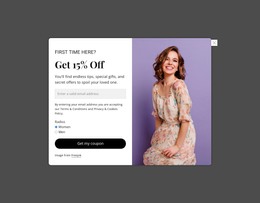
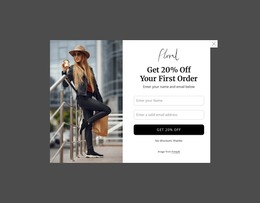
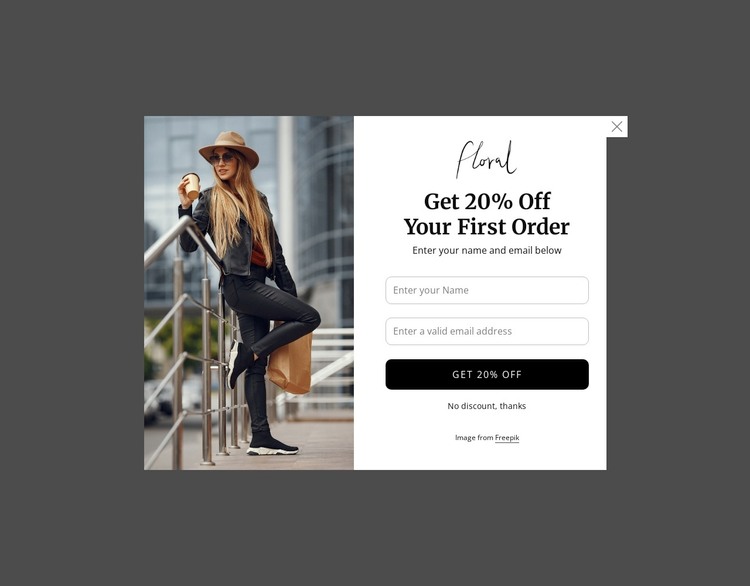
The heading, supporting instruction, and two-field form give this section a clear page-content role within a WordPress-managed retail project. Unlike a broad catalog or an editorial stream, the block is centered on one promotional exchange: the visitor sees the fashion image, reads “Get 20% Off Your First Order,” enters a name and valid email address, and chooses the discount button or the opt-out link. The logo above the heading helps keep that exchange tied to the promotional identity presented by the section.
The split arrangement also makes the content easy to distinguish from surrounding page areas. The full-height photograph occupies the left side as visual context, while the centered right side keeps the form controls and offer message together. That makes the block suitable for stable page content that can appear alongside product or campaign information managed elsewhere in the wider project. The section itself does not need to carry the site’s entire publishing structure; it contributes one focused promotional region.
A WordPress-oriented workflow can therefore treat the block as reusable visual content while the surrounding site handles its broader pages and editorial needs. The important relationship remains the same after placement: fashion imagery draws attention to the offer, concise text explains the incentive, and the name and email fields support the primary discount response. The opt-out link preserves a visible alternative without weakening the section’s main purpose.
Customize with Nicepage
Open this ready-made template in the WordPress Website Builder and customize it visually in the Nicepage editor. Replace demo content, edit page sections, and adapt the design to your project without rebuilding the template from scratch.
Edit Template Offline
2. Create a new page or select existing
3. Click Add new block, search for id 6545553 and click enter
Edit Template Online
Create Awesome Websites


Free Nicepage Builder
Keywords
Manage and Edit This Theme in WordPress
Customize and Install the WordPress Theme
Start with this ready-made theme instead of building the WordPress design from scratch. Customize its layout, content, typography, images, sections, and other design elements visually in Nicepage editor, then export and install the WordPress Theme, Plugin, and Pages on your WordPress site. The Nicepage WordPress Plugin lets you continue working with the site after installation.
Edit the Theme Directly in WordPress
After installation, you can edit the WordPress Theme directly in WordPress with the Nicepage WordPress Plugin. Use Site Style to customize site Colors, Fonts, Header, Footer, Blog, and Post Page Templates while working within your WordPress website.
Edit WordPress Pages Visually
Use the Nicepage WordPress Plugin to edit page content directly from the WordPress admin area. Open a WordPress Page with Nicepage and visually change its text, images, sections, and other page elements while continuing to manage the Page through WordPress.
WordPress Content and Theme Integration
Use the customized theme with WordPress Pages, Posts, Blog and Post Templates, menus, widgets, and other CMS-managed content. Shared theme elements such as Colors, Fonts, Header, Footer, Blog, and Post Page Templates can be managed as part of the overall site design, while WordPress provides the CMS environment for managing site content.
This workflow combines a ready-made WordPress Theme with visual customization, direct theme editing in WordPress, and continued content management through the Nicepage WordPress Plugin.