Subscription popup WordPress Theme


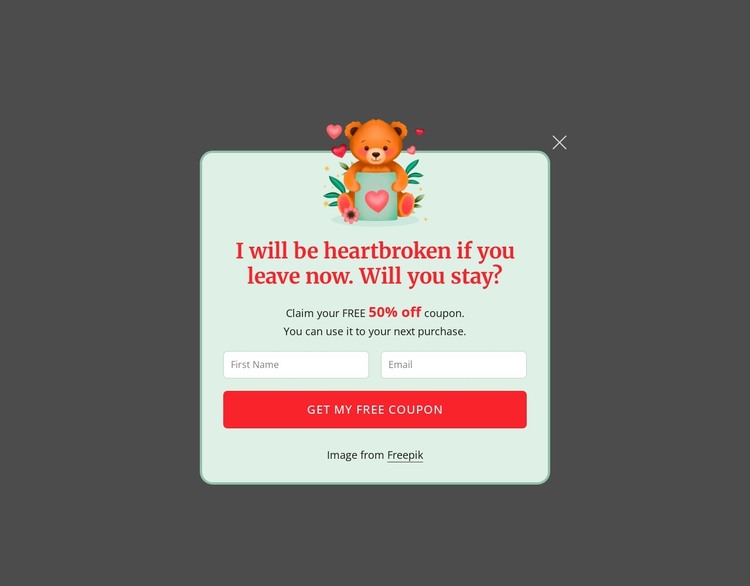
The two-field offer works as focused page content in WordPress
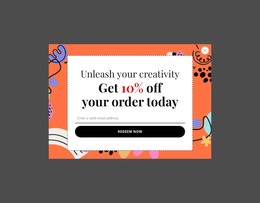
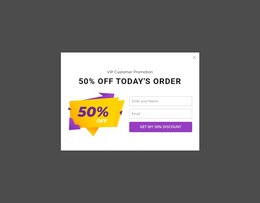
The promotional message is organized as stable page content rather than a broad collection of unrelated elements. The bear illustration introduces the dialog, the heading and 50% off coupon communicate the reason for the interruption, and the two inputs provide a compact contact area for a first name and email address. The “Get My Free Coupon” button makes the intended response explicit, while the close control gives visitors a separate way to leave the section.
In a WordPress-oriented project, this block can serve as a reusable promotional content region within a page managed alongside other site content. Its role remains limited to the coupon presentation and contact capture; the wider project can provide its own pages, editorial areas, navigation, and other sections. The centered single-column layout keeps the section easy to recognize when it appears as part of a larger content experience.
The visual relationships help preserve that identity when the section is coordinated with the surrounding design. A pale mint rounded panel and thin green border contain the form, the charcoal overlay distinguishes the dialog from the underlying page, and the red serif heading connects visually with the bright red rounded action. WordPress-managed content can therefore use the section as a consistent promotional unit without treating it as a complete theme or full site structure.
Customize with Nicepage
Open this ready-made template in the WordPress Website Builder and customize it visually in the Nicepage editor. Replace demo content, edit page sections, and adapt the design to your project without rebuilding the template from scratch.
Edit Template Offline
2. Create a new page or select existing
3. Click Add new block, search for id 6548515 and click enter
Edit Template Online
Create Awesome Websites


Free Nicepage Builder
Keywords
Manage and Edit This Theme in WordPress
Customize and Install the WordPress Theme
Start with this ready-made theme instead of building the WordPress design from scratch. Customize its layout, content, typography, images, sections, and other design elements visually in Nicepage editor, then export and install the WordPress Theme, Plugin, and Pages on your WordPress site. The Nicepage WordPress Plugin lets you continue working with the site after installation.
Edit the Theme Directly in WordPress
After installation, you can edit the WordPress Theme directly in WordPress with the Nicepage WordPress Plugin. Use Site Style to customize site Colors, Fonts, Header, Footer, Blog, and Post Page Templates while working within your WordPress website.
Edit WordPress Pages Visually
Use the Nicepage WordPress Plugin to edit page content directly from the WordPress admin area. Open a WordPress Page with Nicepage and visually change its text, images, sections, and other page elements while continuing to manage the Page through WordPress.
WordPress Content and Theme Integration
Use the customized theme with WordPress Pages, Posts, Blog and Post Templates, menus, widgets, and other CMS-managed content. Shared theme elements such as Colors, Fonts, Header, Footer, Blog, and Post Page Templates can be managed as part of the overall site design, while WordPress provides the CMS environment for managing site content.
This workflow combines a ready-made WordPress Theme with visual customization, direct theme editing in WordPress, and continued content management through the Nicepage WordPress Plugin.