We offer immersive workshops WordPress Theme


A Stable Services Area for WordPress-Managed Page Content
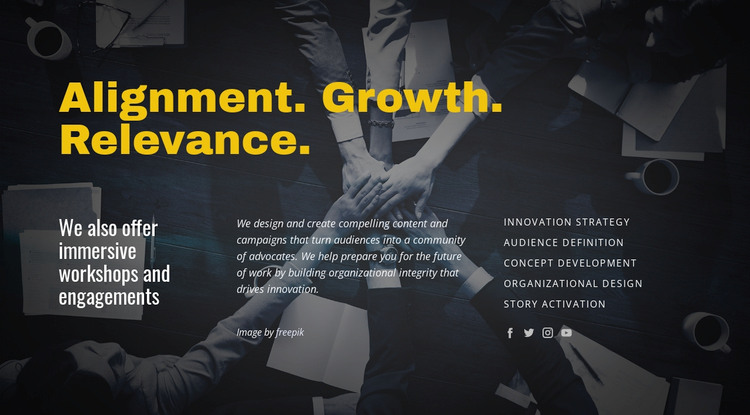
“Alignment. Growth. Relevance.” gives the block a strong editorial entry point, while the supporting heading about immersive workshops and engagements identifies the content area as a service-focused part of a broader page. The collaborative table photograph and charcoal overlay establish a dark visual setting, allowing the large yellow heading and lighter lower-column text to remain distinct. The image supports the message without replacing the written explanation.
The three-column lower region makes the block practical as stable page content. One column introduces the workshop offer, another discusses content, campaigns, advocacy communities, and organizational integrity, and the third lists five related services: innovation strategy, Audience definition, Concept development, Organizational design, and Story activation. Four social network icons appear beneath the list, adding a separate connection point without competing with the service labels.
Within a WordPress-managed site, this section can sit on a services or organizational development page as a reusable visual content area. Its content is organized as a durable service explanation rather than a time-sensitive post stream: the headings frame the subject, the paragraph supplies context, and the links expose distinct areas of work. Other WordPress-managed pages and content can surround it while this block retains its own message and layout.
Customize with Nicepage
Open this ready-made template in the WordPress Website Builder and customize it visually in the Nicepage editor. Replace demo content, edit page sections, and adapt the design to your project without rebuilding the template from scratch.
Edit Template Offline
2. Create a new page or select existing
3. Click Add new block, search for id 63340 and click enter
Edit Template Online
Create Awesome Websites


Free Nicepage Builder
Keywords
Manage and Edit This Theme in WordPress
Customize and Install the WordPress Theme
Start with this ready-made theme instead of building the WordPress design from scratch. Customize its layout, content, typography, images, sections, and other design elements visually in Nicepage editor, then export and install the WordPress Theme, Plugin, and Pages on your WordPress site. The Nicepage WordPress Plugin lets you continue working with the site after installation.
Edit the Theme Directly in WordPress
After installation, you can edit the WordPress Theme directly in WordPress with the Nicepage WordPress Plugin. Use Site Style to customize site Colors, Fonts, Header, Footer, Blog, and Post Page Templates while working within your WordPress website.
Edit WordPress Pages Visually
Use the Nicepage WordPress Plugin to edit page content directly from the WordPress admin area. Open a WordPress Page with Nicepage and visually change its text, images, sections, and other page elements while continuing to manage the Page through WordPress.
WordPress Content and Theme Integration
Use the customized theme with WordPress Pages, Posts, Blog and Post Templates, menus, widgets, and other CMS-managed content. Shared theme elements such as Colors, Fonts, Header, Footer, Blog, and Post Page Templates can be managed as part of the overall site design, while WordPress provides the CMS environment for managing site content.
This workflow combines a ready-made WordPress Theme with visual customization, direct theme editing in WordPress, and continued content management through the Nicepage WordPress Plugin.