General questions WordPress Theme


Edit Template Offline
2. Create new page and search for id 6477000
Edit Template Online
Create Awesome Websites


Free Nicepage Builder
Keywords
Question Groups and Startup Content Suit a WordPress-Manged Information Flow
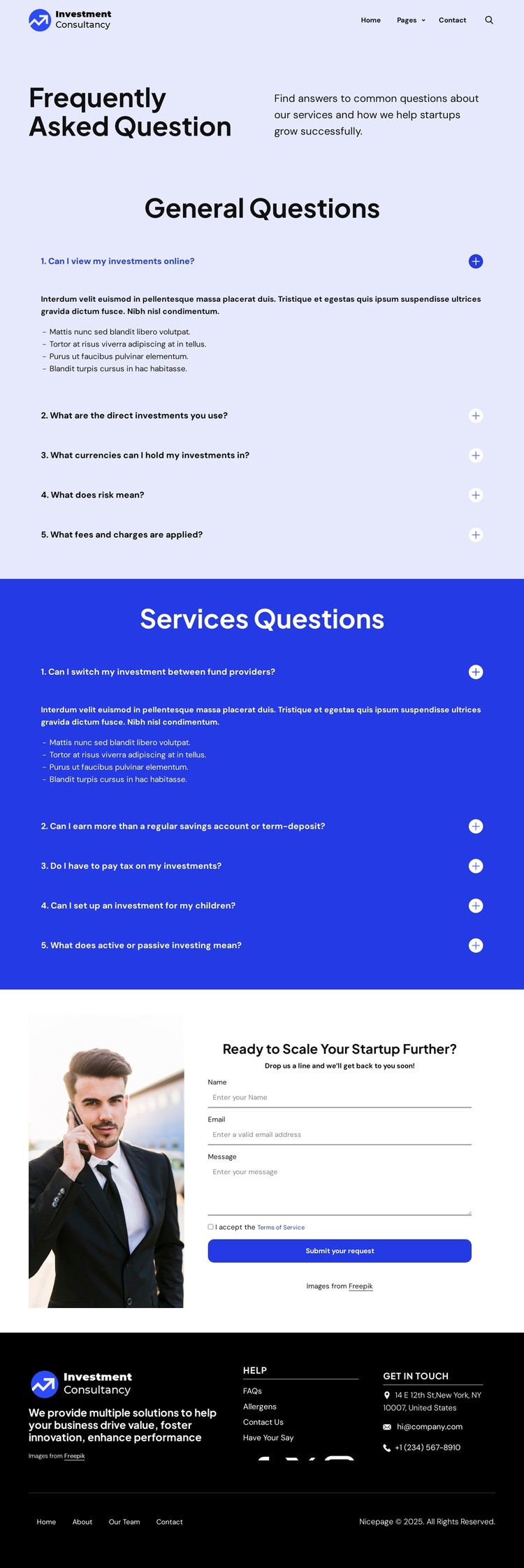
The page’s most useful WordPress-oriented relationship is between its permanent informational content and its repeated inquiry-focused areas. The first accordion presents five general investment questions about access, direct investments, currencies, risk, and fees. The second presents five service questions about provider changes, returns, taxation, children’s investments, and active or passive investing. These groups give page-oriented information a clear structure, while their expandable presentation leaves each answer available without displaying every paragraph at once.
The header and footer provide shared site elements around that content. The top navigation includes a brand mark, Home, Pages, Contact Us, and search control. The dark footer brings together a company summary, help links, Facebook, Twitter, Instagram, contact details, and lower navigation. This arrangement can accommodate permanent WordPress page content and related site sections while retaining a recognizable visual direction across the project.
The final startup prompt changes the role of the page from explanation to inquiry. A businessperson image supports the “Ready to Scale Your Startup Further?” message, and the adjacent form requests a name, email address, and message, with terms acceptance and a submission action. If the project later adds regularly updated investment commentary or announcements, those materials could sit alongside the existing FAQ and service content without changing its core design character. The current placeholder answers and demo contact details should be replaced before publication.
Customize with Nicepage
Open this ready-made template in the WordPress Website Builder and customize it visually in the Nicepage editor. Replace demo content, edit page sections, and adapt the design to your project without rebuilding the template from scratch.
Manage and Edit This Theme in WordPress
Customize and Install the WordPress Theme
Start with this ready-made theme instead of building the WordPress design from scratch. Customize its layout, content, typography, images, sections, and other design elements visually in Nicepage editor, then export and install the WordPress Theme, Plugin, and Pages on your WordPress site. The Nicepage WordPress Plugin lets you continue working with the site after installation.
Edit the Theme Directly in WordPress
After installation, you can edit the WordPress Theme directly in WordPress with the Nicepage WordPress Plugin. Use Site Style to customize site Colors, Fonts, Header, Footer, Blog, and Post Page Templates while working within your WordPress website.
Edit WordPress Pages Visually
Use the Nicepage WordPress Plugin to edit page content directly from the WordPress admin area. Open a WordPress Page with Nicepage and visually change its text, images, sections, and other page elements while continuing to manage the Page through WordPress.
WordPress Content and Theme Integration
Use the customized theme with WordPress Pages, Posts, Blog and Post Templates, menus, widgets, and other CMS-managed content. Shared theme elements such as Colors, Fonts, Header, Footer, Blog, and Post Page Templates can be managed as part of the overall site design, while WordPress provides the CMS environment for managing site content.
This workflow combines a ready-made WordPress Theme with visual customization, direct theme editing in WordPress, and continued content management through the Nicepage WordPress Plugin.