
Simple calendar WordPress Theme


Stable Scheduling Content for a WordPress-Managed Page
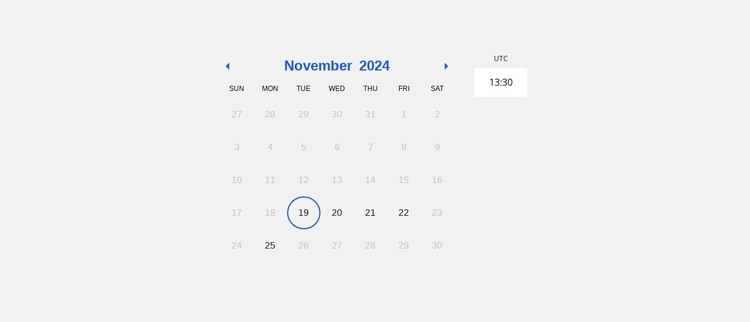
The block reads primarily as persistent page content for appointment selection. The month and year label, previous and next month controls, weekday row, and date grid establish a repeatable calendar area, while the outlined 19th shows the visual state of a chosen day. The timezone and current-time display add supporting context, and the appointment time-slot area extends the same content purpose into a possible time choice. These relationships give the section a defined role that can remain consistent as the surrounding page develops.
In a WordPress-oriented project, the calendar can sit alongside service descriptions, consultation information, or a separate contact response area. Its centered layout and restrained typography allow it to function as a stable page section rather than time-sensitive editorial content. The sample November 2024 label and visible date selection illustrate the interface structure; they do not need to be treated as permanent appointment information. Nicepage supports a WordPress Theme, Plugin, and Pages workflow for broader project integration, while the calendar itself remains one content area within the managed page. The light gray field and blue state treatment can be retained as part of the section's design, with other WordPress-managed content arranged around it.
Customize with Nicepage
Open this ready-made template in the WordPress Website Builder and customize it visually in the Nicepage editor. Replace demo content, edit page sections, and adapt the design to your project without rebuilding the template from scratch.
Edit Template Offline
2. Create a new page or select existing
3. Click Add new block, search for id 6390674 and click enter
Edit Template Online
Create Awesome Websites


Free Nicepage Builder
Keywords
Manage and Edit This Theme in WordPress
Customize and Install the WordPress Theme
Start with this ready-made theme instead of building the WordPress design from scratch. Customize its layout, content, typography, images, sections, and other design elements visually in Nicepage editor, then export and install the WordPress Theme, Plugin, and Pages on your WordPress site. The Nicepage WordPress Plugin lets you continue working with the site after installation.
Edit the Theme Directly in WordPress
After installation, you can edit the WordPress Theme directly in WordPress with the Nicepage WordPress Plugin. Use Site Style to customize site Colors, Fonts, Header, Footer, Blog, and Post Page Templates while working within your WordPress website.
Edit WordPress Pages Visually
Use the Nicepage WordPress Plugin to edit page content directly from the WordPress admin area. Open a WordPress Page with Nicepage and visually change its text, images, sections, and other page elements while continuing to manage the Page through WordPress.
WordPress Content and Theme Integration
Use the customized theme with WordPress Pages, Posts, Blog and Post Templates, menus, widgets, and other CMS-managed content. Shared theme elements such as Colors, Fonts, Header, Footer, Blog, and Post Page Templates can be managed as part of the overall site design, while WordPress provides the CMS environment for managing site content.
This workflow combines a ready-made WordPress Theme with visual customization, direct theme editing in WordPress, and continued content management through the Nicepage WordPress Plugin.









































