Elevating Your Brand WordPress Theme


Stable Capability Content for a WordPress-Managed Page
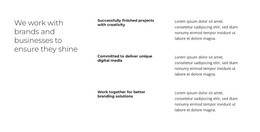
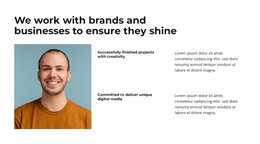
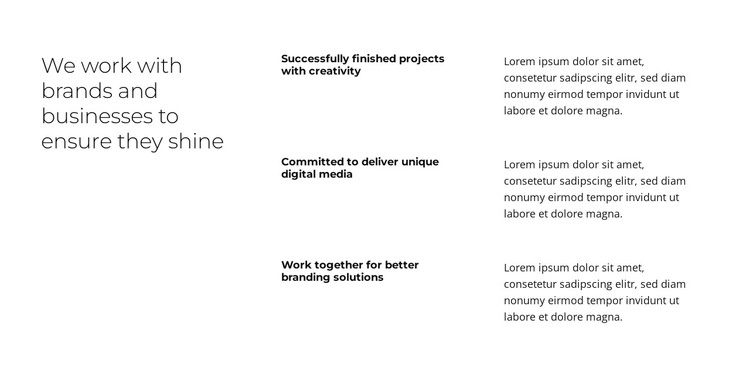
The heading and three feature rows form a durable informational section rather than a time-sensitive feed. “We work with brands and businesses to ensure they shine” provides the central statement, while the repeated labels identify finished projects, unique digital media, and branding solutions. Supporting paragraphs sit beside those labels, allowing each capability to remain a separate content unit while sharing the same visual structure.
Within a WordPress-managed page, this arrangement can serve as permanent capabilities content surrounded by other page sections. It may explain what a project or studio offers before visitors reach work examples, testimonials, or contact content. The block’s static presentation is helpful when all three ideas should remain visible together; no post listing, category system, or changing editorial sequence is needed to understand the section.
The left-to-right hierarchy also gives the content a consistent visual frame if the broader WordPress project changes or expands around it. A Nicepage WordPress workflow can support pages and content within the wider site, while this block continues to function as one designed section. The important CMS interpretation is therefore the stability of the page content: the reusable heading, labels, and supporting text remain a coherent capabilities area rather than being treated as a standalone WordPress Theme.
Customize with Nicepage
Open this ready-made template in the WordPress Website Builder and customize it visually in the Nicepage editor. Replace demo content, edit page sections, and adapt the design to your project without rebuilding the template from scratch.
Edit Template Offline
2. Create a new page or select existing
3. Click Add new block, search for id 6328163 and click enter
Edit Template Online
Create Awesome Websites


Free Nicepage Builder
Keywords
Manage and Edit This Theme in WordPress
Customize and Install the WordPress Theme
Start with this ready-made theme instead of building the WordPress design from scratch. Customize its layout, content, typography, images, sections, and other design elements visually in Nicepage editor, then export and install the WordPress Theme, Plugin, and Pages on your WordPress site. The Nicepage WordPress Plugin lets you continue working with the site after installation.
Edit the Theme Directly in WordPress
After installation, you can edit the WordPress Theme directly in WordPress with the Nicepage WordPress Plugin. Use Site Style to customize site Colors, Fonts, Header, Footer, Blog, and Post Page Templates while working within your WordPress website.
Edit WordPress Pages Visually
Use the Nicepage WordPress Plugin to edit page content directly from the WordPress admin area. Open a WordPress Page with Nicepage and visually change its text, images, sections, and other page elements while continuing to manage the Page through WordPress.
WordPress Content and Theme Integration
Use the customized theme with WordPress Pages, Posts, Blog and Post Templates, menus, widgets, and other CMS-managed content. Shared theme elements such as Colors, Fonts, Header, Footer, Blog, and Post Page Templates can be managed as part of the overall site design, while WordPress provides the CMS environment for managing site content.
This workflow combines a ready-made WordPress Theme with visual customization, direct theme editing in WordPress, and continued content management through the Nicepage WordPress Plugin.