Crafting a Memorable Brand WordPress Theme



Four Profile Items Establish Stable WordPress Page Content
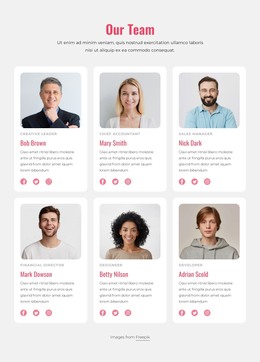
The single-row gallery works naturally as a stable team section within WordPress-managed page content. Its four repeated portrait items establish a consistent content pattern: a person is introduced through a face-focused image, then identified with a name and role label. This makes the section suitable for information that belongs with a broader company or organization presentation rather than a time-sensitive sequence of posts.
The displayed pairings are Nick Larson with Developer, Stella McFerson with Manager, Ivan Petrov with SMM, and Tina Perry with Designer. These labels define the block's visible content model without requiring a longer biography for each person. Varied color and monochrome treatments prevent the horizontal row from becoming visually flat, while the darkened lower overlay creates a reserved area for text when a visitor hovers over a portrait.
Within a WordPress-oriented project, this block can remain a reusable page section while other CMS-managed content handles deeper team information or neighboring page roles. The lightbox adds image-focused viewing to the gallery, allowing a visitor to inspect a portrait without disrupting the compact arrangement. The section contributes a recognizable team content area to a page; it does not need to carry the site's navigation, publishing structure, or complete theme scope.
Customize with Nicepage
Open this ready-made template in the WordPress Website Builder and customize it visually in the Nicepage editor. Replace demo content, edit page sections, and adapt the design to your project without rebuilding the template from scratch.
Edit Template Offline
2. Create a new page or select existing
3. Click Add new block, search for id 6326480 and click enter
Edit Template Online
Create Awesome Websites


Free Nicepage Builder
Keywords
Manage and Edit This Theme in WordPress
Customize and Install the WordPress Theme
Start with this ready-made theme instead of building the WordPress design from scratch. Customize its layout, content, typography, images, sections, and other design elements visually in Nicepage editor, then export and install the WordPress Theme, Plugin, and Pages on your WordPress site. The Nicepage WordPress Plugin lets you continue working with the site after installation.
Edit the Theme Directly in WordPress
After installation, you can edit the WordPress Theme directly in WordPress with the Nicepage WordPress Plugin. Use Site Style to customize site Colors, Fonts, Header, Footer, Blog, and Post Page Templates while working within your WordPress website.
Edit WordPress Pages Visually
Use the Nicepage WordPress Plugin to edit page content directly from the WordPress admin area. Open a WordPress Page with Nicepage and visually change its text, images, sections, and other page elements while continuing to manage the Page through WordPress.
WordPress Content and Theme Integration
Use the customized theme with WordPress Pages, Posts, Blog and Post Templates, menus, widgets, and other CMS-managed content. Shared theme elements such as Colors, Fonts, Header, Footer, Blog, and Post Page Templates can be managed as part of the overall site design, while WordPress provides the CMS environment for managing site content.
This workflow combines a ready-made WordPress Theme with visual customization, direct theme editing in WordPress, and continued content management through the Nicepage WordPress Plugin.