Website design with hosting WordPress Theme


Edit Template Offline
2. Create new page and search for id 531771
Edit Template Online
Create Awesome Websites


Free Nicepage Builder
Keywords
Page content and recurring profiles support a WordPress theme
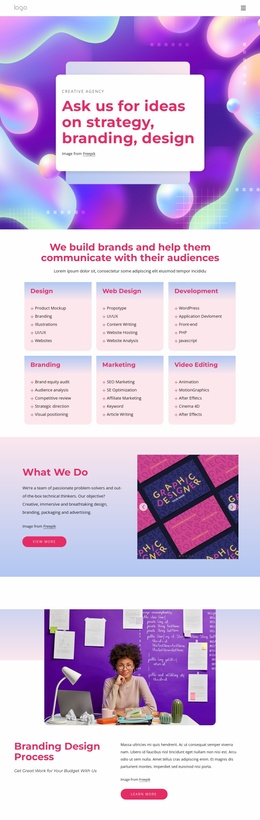
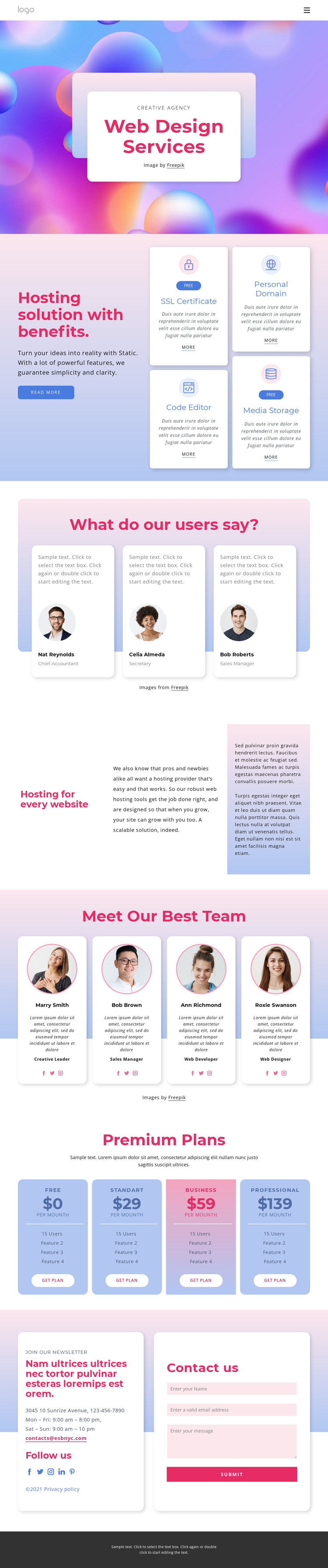
The four hosting feature cards provide a strong set of permanent service content for the design. SSL Certificate, Code Editor, Personal Domain, and Media Storage are presented as separate benefit areas beside introductory copy, making them easy to interpret as page information rather than as one promotional sentence. The Web Design Services hero gives that content a clear subject before visitors reach the more detailed feature presentation.
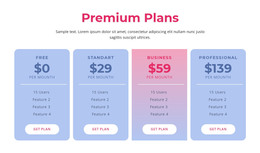
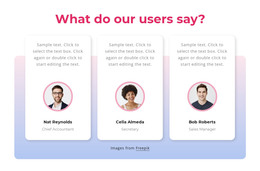
The repeated profile sections create another useful content relationship. Three testimonial cards combine portrait imagery with role labels and sample statements, while four team profiles use portraits, roles, and social profile links to introduce people connected with the offer. These groups are visually related but serve different editorial purposes: one supports user feedback and the other presents the team. The four pricing cards then organize Free, Standard, Business, and Professional choices with summaries and plan actions, giving the page a structured commercial content area.
The closing contact region adds durable page content through contact details, newsletter messaging, social links, and a contact form with a Submit action. If the project later publishes related announcements or articles, they would need to be added as new content rather than assumed to exist in this template. The theme’s main strength is the way its service, profile, plan, and contact areas already share a consistent visual system. That makes the design suitable for WordPress-oriented content management while preserving a recognizable presentation across permanent page sections and future additions.
Customize with Nicepage
Open this ready-made template in the WordPress Website Builder and customize it visually in the Nicepage editor. Replace demo content, edit page sections, and adapt the design to your project without rebuilding the template from scratch.
Manage and Edit This Theme in WordPress
Customize and Install the WordPress Theme
Start with this ready-made theme instead of building the WordPress design from scratch. Customize its layout, content, typography, images, sections, and other design elements visually in Nicepage editor, then export and install the WordPress Theme, Plugin, and Pages on your WordPress site. The Nicepage WordPress Plugin lets you continue working with the site after installation.
Edit the Theme Directly in WordPress
After installation, you can edit the WordPress Theme directly in WordPress with the Nicepage WordPress Plugin. Use Site Style to customize site Colors, Fonts, Header, Footer, Blog, and Post Page Templates while working within your WordPress website.
Edit WordPress Pages Visually
Use the Nicepage WordPress Plugin to edit page content directly from the WordPress admin area. Open a WordPress Page with Nicepage and visually change its text, images, sections, and other page elements while continuing to manage the Page through WordPress.
WordPress Content and Theme Integration
Use the customized theme with WordPress Pages, Posts, Blog and Post Templates, menus, widgets, and other CMS-managed content. Shared theme elements such as Colors, Fonts, Header, Footer, Blog, and Post Page Templates can be managed as part of the overall site design, while WordPress provides the CMS environment for managing site content.
This workflow combines a ready-made WordPress Theme with visual customization, direct theme editing in WordPress, and continued content management through the Nicepage WordPress Plugin.