Wellness center WordPress Theme


Stable Services Content for a WordPress-Managed Page
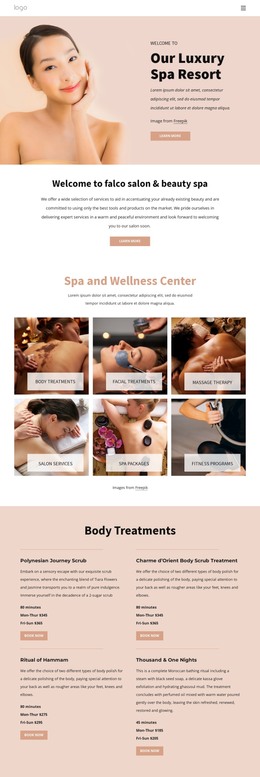
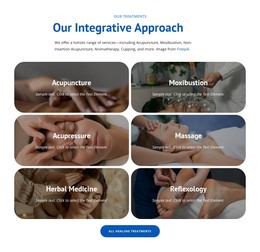
The heading “Spa and Wellness Center” and its supporting paragraph establish a durable informational purpose rather than a time-sensitive update. That makes the block suitable for a stable services area within a WordPress-managed page, where the six categories can remain part of the page’s core content: Body Treatments, Facial Treatments, Massage Therapy, Salon Services, SPA packages, and Fitness programs.
The content is visually organized as a static three-column, two-row grid. Each service category has its own photographic tile and translucent light label panel, while consistent rectangular crops and gutters keep the group coherent. The centered introduction separates the general wellness message from the category overview, and the white background with generous spacing gives the section a calm, reusable footprint. The block can present the service range without claiming to contain individual service records, blog posts, or CMS-managed item types.
Within a WordPress-oriented project, this section could remain stable while surrounding pages add detailed offerings, appointments, testimonials, or contact information. Nicepage’s WordPress Pages workflow describes the broader environment in which designed content can participate, but it does not change the block into a standalone theme. The useful interpretation is a publishable services section whose six-category structure and visual treatment can remain consistent as the wider site develops.
Customize with Nicepage
Open this ready-made template in the WordPress Website Builder and customize it visually in the Nicepage editor. Replace demo content, edit page sections, and adapt the design to your project without rebuilding the template from scratch.
Edit Template Offline
2. Create a new page or select existing
3. Click Add new block, search for id 6089526 and click enter
Edit Template Online
Create Awesome Websites


Free Nicepage Builder
Keywords
Manage and Edit This Theme in WordPress
Customize and Install the WordPress Theme
Start with this ready-made theme instead of building the WordPress design from scratch. Customize its layout, content, typography, images, sections, and other design elements visually in Nicepage editor, then export and install the WordPress Theme, Plugin, and Pages on your WordPress site. The Nicepage WordPress Plugin lets you continue working with the site after installation.
Edit the Theme Directly in WordPress
After installation, you can edit the WordPress Theme directly in WordPress with the Nicepage WordPress Plugin. Use Site Style to customize site Colors, Fonts, Header, Footer, Blog, and Post Page Templates while working within your WordPress website.
Edit WordPress Pages Visually
Use the Nicepage WordPress Plugin to edit page content directly from the WordPress admin area. Open a WordPress Page with Nicepage and visually change its text, images, sections, and other page elements while continuing to manage the Page through WordPress.
WordPress Content and Theme Integration
Use the customized theme with WordPress Pages, Posts, Blog and Post Templates, menus, widgets, and other CMS-managed content. Shared theme elements such as Colors, Fonts, Header, Footer, Blog, and Post Page Templates can be managed as part of the overall site design, while WordPress provides the CMS environment for managing site content.
This workflow combines a ready-made WordPress Theme with visual customization, direct theme editing in WordPress, and continued content management through the Nicepage WordPress Plugin.