Its Only Fashion WordPress Theme


The Centered Editorial Panel Anchors WordPress Page Content
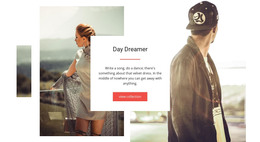
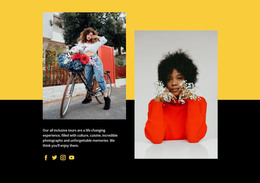
The centered white panel gives this block a stable page-content role within a WordPress-managed project. Its heading, supporting paragraph, and coral-red “view all” button form a compact editorial introduction, while eight photographic tiles surround the group in an asymmetrical collage. The varied image sizes and overlapping placement create movement across three horizontal bands, so the section presents more than a plain media list while keeping its primary message easy to find.
The paragraph refers to sequins, sweeping necklines, big hair, dramatic eyes, and trend-setting fashion details. Those phrases establish the subject and tone of the gallery content, while the mixture of color and monochrome portraits and lifestyle scenes gives the surrounding images a broader visual range. The button then marks a clear transition from introduction to further image browsing, making the section suitable for a stable fashion or editorial area on a WordPress-managed page.
Within a wider WordPress project, this block can remain a reusable visual section while other page content handles navigation, additional categories, articles, or contact information. Its value comes from the relationship between permanent-looking introductory copy and a flexible photographic display: the text supplies context, and the collage supplies visual emphasis. The section can therefore support a publishable page without being treated as a complete WordPress Theme or an entire site.
Customize with Nicepage
Open this ready-made template in the WordPress Website Builder and customize it visually in the Nicepage editor. Replace demo content, edit page sections, and adapt the design to your project without rebuilding the template from scratch.
Edit Template Offline
2. Create a new page or select existing
3. Click Add new block, search for id 42505 and click enter
Edit Template Online
Create Awesome Websites


Free Nicepage Builder
Keywords
Manage and Edit This Theme in WordPress
Customize and Install the WordPress Theme
Start with this ready-made theme instead of building the WordPress design from scratch. Customize its layout, content, typography, images, sections, and other design elements visually in Nicepage editor, then export and install the WordPress Theme, Plugin, and Pages on your WordPress site. The Nicepage WordPress Plugin lets you continue working with the site after installation.
Edit the Theme Directly in WordPress
After installation, you can edit the WordPress Theme directly in WordPress with the Nicepage WordPress Plugin. Use Site Style to customize site Colors, Fonts, Header, Footer, Blog, and Post Page Templates while working within your WordPress website.
Edit WordPress Pages Visually
Use the Nicepage WordPress Plugin to edit page content directly from the WordPress admin area. Open a WordPress Page with Nicepage and visually change its text, images, sections, and other page elements while continuing to manage the Page through WordPress.
WordPress Content and Theme Integration
Use the customized theme with WordPress Pages, Posts, Blog and Post Templates, menus, widgets, and other CMS-managed content. Shared theme elements such as Colors, Fonts, Header, Footer, Blog, and Post Page Templates can be managed as part of the overall site design, while WordPress provides the CMS environment for managing site content.
This workflow combines a ready-made WordPress Theme with visual customization, direct theme editing in WordPress, and continued content management through the Nicepage WordPress Plugin.