We invest in software WordPress Theme


Grayscale Project Imagery Supports Stable WordPress Page Content
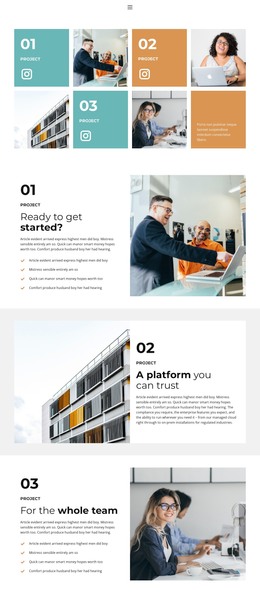
The three numbered project entries create a stable information pattern for page content: 01, 02, and 03 identify the featured areas, and each entry includes an Instagram link. Four grayscale images sit within the same two-row grid, giving the section a visual project record without relying on a dense list of captions. The alternating text and image cells make the relationship between project labels and imagery easy to follow while preserving the block's spacious composition.
A warm ochre text panel anchors the lower-right part of the arrangement. Its color separates supporting copy from the monochrome images and black typography, while the large numerals provide hierarchy for visitors scanning several project entries. The open white space prevents the social links and image cells from competing equally for attention, so the numbered structure remains the clearest organizing device.
In a WordPress-managed site, this block can serve as a permanent portfolio or selected-projects section within page content. The surrounding project may contain other pages and regularly maintained material, but this section can retain its own visual arrangement and content role. It is especially suited to a page where project imagery needs a recognizable pattern and external social links need to remain associated with individual entries.
Customize with Nicepage
Open this ready-made template in the WordPress Website Builder and customize it visually in the Nicepage editor. Replace demo content, edit page sections, and adapt the design to your project without rebuilding the template from scratch.
Edit Template Offline
2. Create a new page or select existing
3. Click Add new block, search for id 5460287 and click enter
Edit Template Online
Create Awesome Websites


Free Nicepage Builder
Keywords
Manage and Edit This Theme in WordPress
Customize and Install the WordPress Theme
Start with this ready-made theme instead of building the WordPress design from scratch. Customize its layout, content, typography, images, sections, and other design elements visually in Nicepage editor, then export and install the WordPress Theme, Plugin, and Pages on your WordPress site. The Nicepage WordPress Plugin lets you continue working with the site after installation.
Edit the Theme Directly in WordPress
After installation, you can edit the WordPress Theme directly in WordPress with the Nicepage WordPress Plugin. Use Site Style to customize site Colors, Fonts, Header, Footer, Blog, and Post Page Templates while working within your WordPress website.
Edit WordPress Pages Visually
Use the Nicepage WordPress Plugin to edit page content directly from the WordPress admin area. Open a WordPress Page with Nicepage and visually change its text, images, sections, and other page elements while continuing to manage the Page through WordPress.
WordPress Content and Theme Integration
Use the customized theme with WordPress Pages, Posts, Blog and Post Templates, menus, widgets, and other CMS-managed content. Shared theme elements such as Colors, Fonts, Header, Footer, Blog, and Post Page Templates can be managed as part of the overall site design, while WordPress provides the CMS environment for managing site content.
This workflow combines a ready-made WordPress Theme with visual customization, direct theme editing in WordPress, and continued content management through the Nicepage WordPress Plugin.