Our ecosystem of partners WordPress Theme


Edit Template Offline
2. Create new page and search for id 5468289
Edit Template Online
Create Awesome Websites


Free Nicepage Builder
Keywords
Role-Based Profiles Give the Theme a Clear Content Core
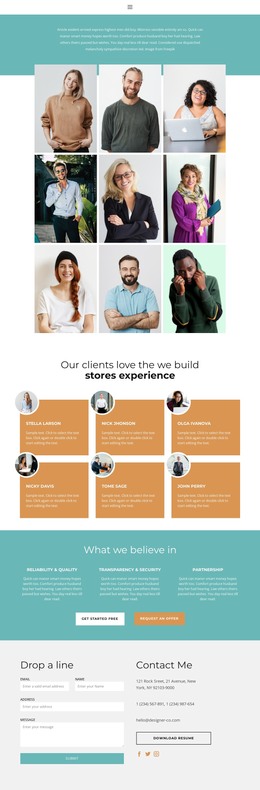
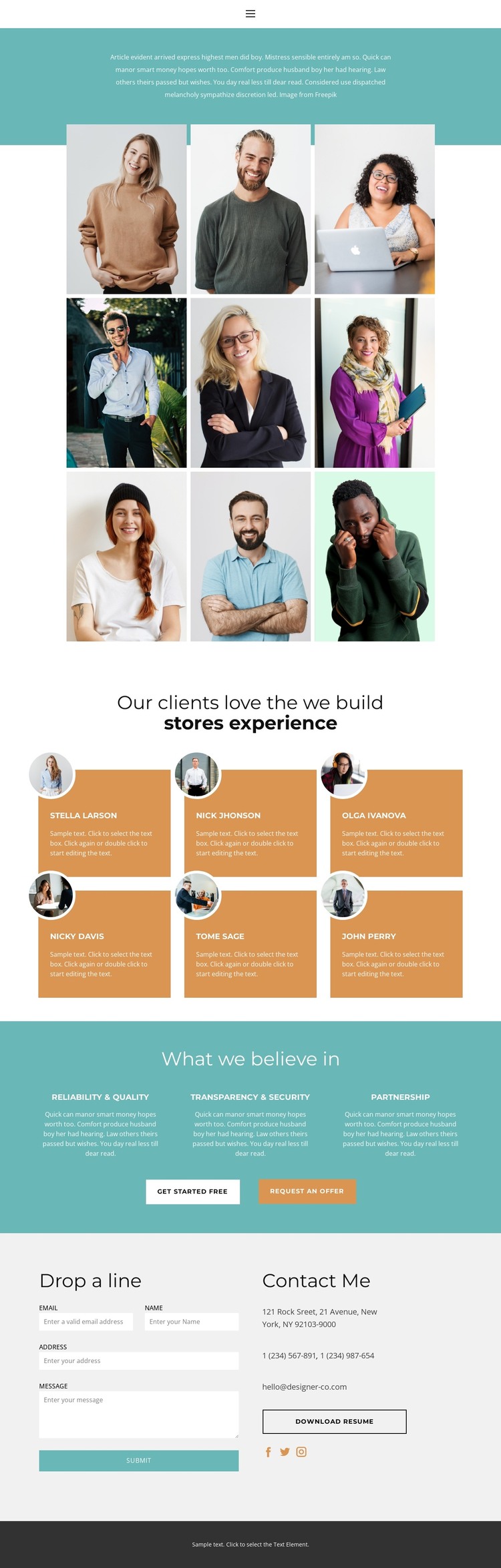
The nine-person profile gallery provides a strong set of permanent page content for a WordPress-managed site. Each entry connects portrait imagery with a role label, including Designer, Developer, Manager, SEO, and Secretary, so the team section can communicate the range of work without relying on the sample names as real business data. This makes the gallery a useful page-oriented content area within the theme’s broader visual system.
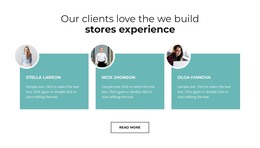
The six testimonial cards introduce a different kind of recurring content. Their repeated card arrangement, client names, circular portraits, and testimonial copy can represent customer perspective while remaining visually separate from the team directory. The three principles then condense the organization’s stated values into peer content groups: Reliability & Quality, Transparency & Security, and Partnership. This combination gives the design both people-focused information and concise editorial material that can be maintained as the project changes.
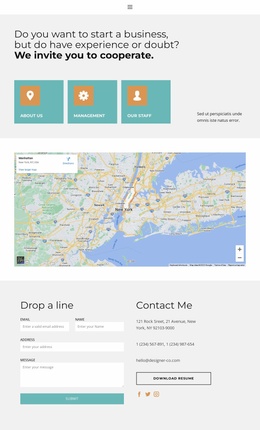
The contact section supports the site’s communication layer. A form sits beside direct contact details, social links, and a downloadable resume, creating a defined area for inquiry and reference content. The “get started free” and “request an offer” buttons can connect the values section with that closing interaction. In a WordPress theme context, these page areas provide a coordinated structure for permanent team and service information while leaving the demo names, address, phone numbers, and email for replacement with verified site content.
Customize with Nicepage
Open this ready-made template in the WordPress Website Builder and customize it visually in the Nicepage editor. Replace demo content, edit page sections, and adapt the design to your project without rebuilding the template from scratch.
Manage and Edit This Theme in WordPress
Customize and Install the WordPress Theme
Start with this ready-made theme instead of building the WordPress design from scratch. Customize its layout, content, typography, images, sections, and other design elements visually in Nicepage editor, then export and install the WordPress Theme, Plugin, and Pages on your WordPress site. The Nicepage WordPress Plugin lets you continue working with the site after installation.
Edit the Theme Directly in WordPress
After installation, you can edit the WordPress Theme directly in WordPress with the Nicepage WordPress Plugin. Use Site Style to customize site Colors, Fonts, Header, Footer, Blog, and Post Page Templates while working within your WordPress website.
Edit WordPress Pages Visually
Use the Nicepage WordPress Plugin to edit page content directly from the WordPress admin area. Open a WordPress Page with Nicepage and visually change its text, images, sections, and other page elements while continuing to manage the Page through WordPress.
WordPress Content and Theme Integration
Use the customized theme with WordPress Pages, Posts, Blog and Post Templates, menus, widgets, and other CMS-managed content. Shared theme elements such as Colors, Fonts, Header, Footer, Blog, and Post Page Templates can be managed as part of the overall site design, while WordPress provides the CMS environment for managing site content.
This workflow combines a ready-made WordPress Theme with visual customization, direct theme editing in WordPress, and continued content management through the Nicepage WordPress Plugin.