Deliver smart outcomes WordPress Theme



Edit Template Offline
2. Create new page and search for id 5469113
Edit Template Online
Create Awesome Websites


Free Nicepage Builder
Keywords
Project imagery and repeated content areas suit WordPress pages
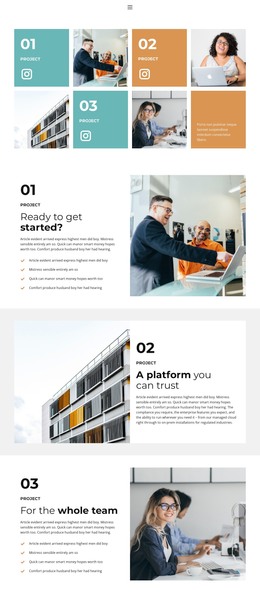
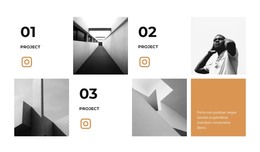
The opening gallery gives the design a strong page-oriented content structure. Four numbered project tiles combine labels, images, and compact text panels, while Instagram links connect the presentation with an external social channel. In a WordPress-managed project, these areas can be interpreted as permanent project or capability content, with each entry retaining its own relationship between visual proof and supporting explanation rather than merging everything into one image field.
The four feature sections offer additional page content with a consistent but varied pattern. “Ready to get started?” pairs descriptive text and a four-item checklist with a large photograph. The following “A platform you can trust” panel reverses the image and text positions, creating a different reading rhythm without changing the overall design language. The third numbered feature returns to the checklist arrangement, and the final security-team section completes the sequence with another reversed panel.
Navigation, mobile navigation, and the centered footer provide shared site elements around these page areas. The design does not require an assumed blog or post structure; instead, its verified strengths are the project gallery, repeated feature content, and social links. Those areas can remain part of a WordPress theme’s visual system while the site’s page content is expanded or updated through the CMS.
Customize with Nicepage
Open this ready-made template in the WordPress Website Builder and customize it visually in the Nicepage editor. Replace demo content, edit page sections, and adapt the design to your project without rebuilding the template from scratch.
Manage and Edit This Theme in WordPress
Customize and Install the WordPress Theme
Start with this ready-made theme instead of building the WordPress design from scratch. Customize its layout, content, typography, images, sections, and other design elements visually in Nicepage editor, then export and install the WordPress Theme, Plugin, and Pages on your WordPress site. The Nicepage WordPress Plugin lets you continue working with the site after installation.
Edit the Theme Directly in WordPress
After installation, you can edit the WordPress Theme directly in WordPress with the Nicepage WordPress Plugin. Use Site Style to customize site Colors, Fonts, Header, Footer, Blog, and Post Page Templates while working within your WordPress website.
Edit WordPress Pages Visually
Use the Nicepage WordPress Plugin to edit page content directly from the WordPress admin area. Open a WordPress Page with Nicepage and visually change its text, images, sections, and other page elements while continuing to manage the Page through WordPress.
WordPress Content and Theme Integration
Use the customized theme with WordPress Pages, Posts, Blog and Post Templates, menus, widgets, and other CMS-managed content. Shared theme elements such as Colors, Fonts, Header, Footer, Blog, and Post Page Templates can be managed as part of the overall site design, while WordPress provides the CMS environment for managing site content.
This workflow combines a ready-made WordPress Theme with visual customization, direct theme editing in WordPress, and continued content management through the Nicepage WordPress Plugin.