Email your deck WordPress Theme


Service Content With Separate Consultation and Newsletter Roles
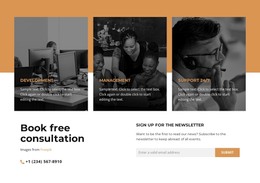
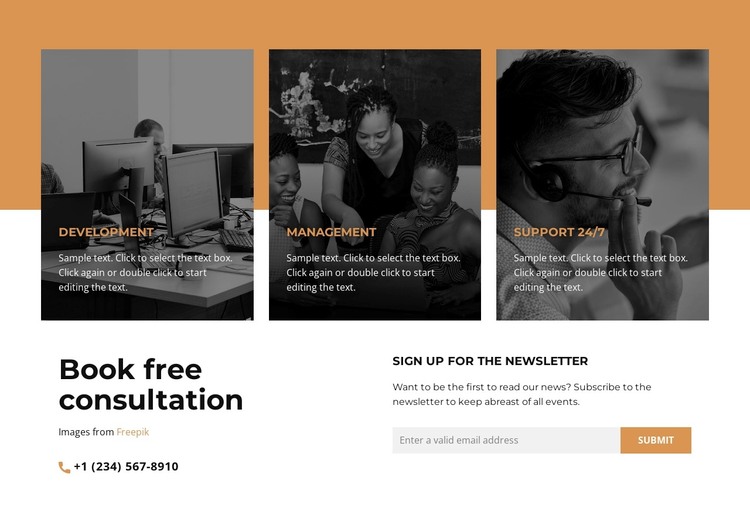
The three repeated cards make the main content easy to treat as stable service information within a WordPress-managed page. Development, Management, and Support 24/7 each occupy an image-backed card, using grayscale photographs, dark overlays, orange headings, and descriptive copy to separate the categories while keeping them part of one coherent service group. The arrangement suits page-oriented content that needs to remain visually consistent as the surrounding site grows.
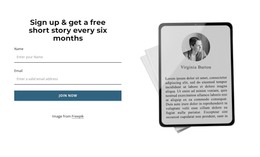
The lower two-column area gives the block a second content relationship. On the left, “Book free consultation” introduces a direct contact route supported by a phone channel. On the right, “Sign up for the newsletter” introduces a subscription role through its supporting paragraph, email input, and submit control. These areas do not compete for the same presentation: consultation information provides a personal contact path, while the newsletter form offers an ongoing communication option. In a WordPress context, the section can sit within permanent services or business page content, with the wider project handling other pages and editorial areas separately. The block remains one reusable visual section, but its combination of categorized services and two follow-up content paths makes it more substantial than a simple card row.
Customize with Nicepage
Open this ready-made template in the WordPress Website Builder and customize it visually in the Nicepage editor. Replace demo content, edit page sections, and adapt the design to your project without rebuilding the template from scratch.
Edit Template Offline
2. Create a new page or select existing
3. Click Add new block, search for id 5460472 and click enter
Edit Template Online
Create Awesome Websites


Free Nicepage Builder
Keywords
Manage and Edit This Theme in WordPress
Customize and Install the WordPress Theme
Start with this ready-made theme instead of building the WordPress design from scratch. Customize its layout, content, typography, images, sections, and other design elements visually in Nicepage editor, then export and install the WordPress Theme, Plugin, and Pages on your WordPress site. The Nicepage WordPress Plugin lets you continue working with the site after installation.
Edit the Theme Directly in WordPress
After installation, you can edit the WordPress Theme directly in WordPress with the Nicepage WordPress Plugin. Use Site Style to customize site Colors, Fonts, Header, Footer, Blog, and Post Page Templates while working within your WordPress website.
Edit WordPress Pages Visually
Use the Nicepage WordPress Plugin to edit page content directly from the WordPress admin area. Open a WordPress Page with Nicepage and visually change its text, images, sections, and other page elements while continuing to manage the Page through WordPress.
WordPress Content and Theme Integration
Use the customized theme with WordPress Pages, Posts, Blog and Post Templates, menus, widgets, and other CMS-managed content. Shared theme elements such as Colors, Fonts, Header, Footer, Blog, and Post Page Templates can be managed as part of the overall site design, while WordPress provides the CMS environment for managing site content.
This workflow combines a ready-made WordPress Theme with visual customization, direct theme editing in WordPress, and continued content management through the Nicepage WordPress Plugin.