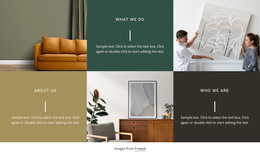
An independent design agency WordPress Theme



Stable Introductory Content for a WordPress-Managed Page
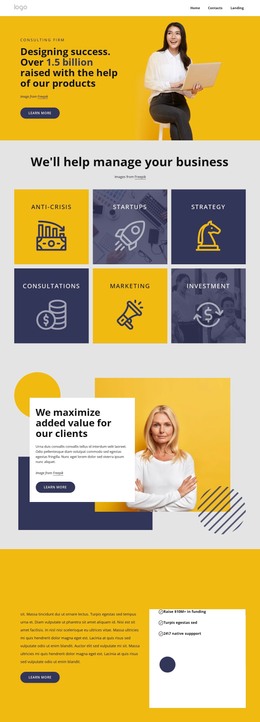
The “consulting firm” label and the large success-oriented heading form stable page content rather than a time-sensitive list of posts. The photograph on the left supports that message visually, while the right-side “Learn more” button gives the section a clear continuation point. Together, these elements make the block suitable as a reusable introduction on a consulting or design-focused page managed within a broader WordPress site.
The section’s content model remains compact: one eyebrow, one main heading, one supporting image, one image credit, and one action. That makes its role easy to preserve while surrounding page content changes. The displayed financial statement should be replaced or reviewed as project content, but the layout still provides a defined place for a prominent proposition and a supporting visual. The static interaction keeps the section focused on reading and moving onward rather than on a built-in content feed.
A WordPress-oriented interpretation therefore emphasizes publishable page content and visual continuity, not the block as a standalone theme. The broader site can add service detail, case studies, blog content, contact information, or other sections around it. Nicepage’s WordPress workflow can support editing pages and themes in the CMS context, but that capability belongs to the surrounding project. Here, the block remains one consistent hero section whose yellow visual treatment and image-to-message relationship can be retained as the page develops.
Customize with Nicepage
Open this ready-made template in the WordPress Website Builder and customize it visually in the Nicepage editor. Replace demo content, edit page sections, and adapt the design to your project without rebuilding the template from scratch.
Edit Template Offline
2. Create a new page or select existing
3. Click Add new block, search for id 4967975 and click enter
Edit Template Online
Create Awesome Websites


Free Nicepage Builder
Keywords
Manage and Edit This Theme in WordPress
Customize and Install the WordPress Theme
Start with this ready-made theme instead of building the WordPress design from scratch. Customize its layout, content, typography, images, sections, and other design elements visually in Nicepage editor, then export and install the WordPress Theme, Plugin, and Pages on your WordPress site. The Nicepage WordPress Plugin lets you continue working with the site after installation.
Edit the Theme Directly in WordPress
After installation, you can edit the WordPress Theme directly in WordPress with the Nicepage WordPress Plugin. Use Site Style to customize site Colors, Fonts, Header, Footer, Blog, and Post Page Templates while working within your WordPress website.
Edit WordPress Pages Visually
Use the Nicepage WordPress Plugin to edit page content directly from the WordPress admin area. Open a WordPress Page with Nicepage and visually change its text, images, sections, and other page elements while continuing to manage the Page through WordPress.
WordPress Content and Theme Integration
Use the customized theme with WordPress Pages, Posts, Blog and Post Templates, menus, widgets, and other CMS-managed content. Shared theme elements such as Colors, Fonts, Header, Footer, Blog, and Post Page Templates can be managed as part of the overall site design, while WordPress provides the CMS environment for managing site content.
This workflow combines a ready-made WordPress Theme with visual customization, direct theme editing in WordPress, and continued content management through the Nicepage WordPress Plugin.