Meet the team design WordPress Theme


Stable Team Content for a WordPress-Managed Page
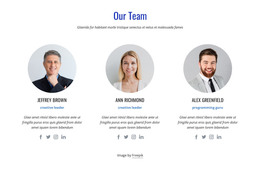
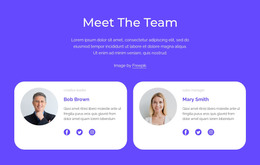
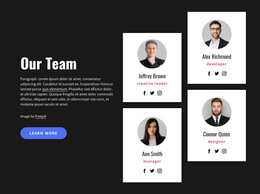
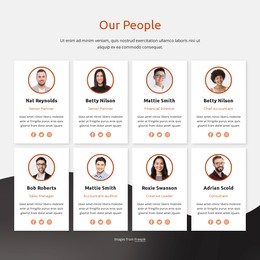
The section reads as durable page content because its nine profiles describe a defined team area rather than a time-based stream. “Our Amazing Team” introduces the subject, and the three-column by three-row grid gives each member an equivalent content position. Portraits, names, role labels, and social links form a repeatable profile pattern that can remain visually consistent while the surrounding WordPress-managed page handles other sections and editorial content.
Its design also separates content responsibilities clearly. The dark indigo background frames the group, the light gray heading area introduces it, and the white panel contains the repeated profiles. White name overlays keep identity information attached to the corresponding portrait, while centered labels and thin separators support scanning across the grid. The visible sample roles illustrate the type of descriptive field the section can present, without requiring sample identities to be treated as verified business records.
In a WordPress-oriented project, this block can serve as a stable team or about-page region while other content is managed around it. The WordPress Theme, Plugin, and Pages workflow provides product context for placing Nicepage-designed content within a WordPress project. The block remains page content and does not become a complete WordPress Theme by itself.
Customize with Nicepage
Open this ready-made template in the WordPress Website Builder and customize it visually in the Nicepage editor. Replace demo content, edit page sections, and adapt the design to your project without rebuilding the template from scratch.
Edit Template Offline
2. Create a new page or select existing
3. Click Add new block, search for id 4975623 and click enter
Edit Template Online
Create Awesome Websites


Free Nicepage Builder
Keywords
Manage and Edit This Theme in WordPress
Customize and Install the WordPress Theme
Start with this ready-made theme instead of building the WordPress design from scratch. Customize its layout, content, typography, images, sections, and other design elements visually in Nicepage editor, then export and install the WordPress Theme, Plugin, and Pages on your WordPress site. The Nicepage WordPress Plugin lets you continue working with the site after installation.
Edit the Theme Directly in WordPress
After installation, you can edit the WordPress Theme directly in WordPress with the Nicepage WordPress Plugin. Use Site Style to customize site Colors, Fonts, Header, Footer, Blog, and Post Page Templates while working within your WordPress website.
Edit WordPress Pages Visually
Use the Nicepage WordPress Plugin to edit page content directly from the WordPress admin area. Open a WordPress Page with Nicepage and visually change its text, images, sections, and other page elements while continuing to manage the Page through WordPress.
WordPress Content and Theme Integration
Use the customized theme with WordPress Pages, Posts, Blog and Post Templates, menus, widgets, and other CMS-managed content. Shared theme elements such as Colors, Fonts, Header, Footer, Blog, and Post Page Templates can be managed as part of the overall site design, while WordPress provides the CMS environment for managing site content.
This workflow combines a ready-made WordPress Theme with visual customization, direct theme editing in WordPress, and continued content management through the Nicepage WordPress Plugin.