Designing future solutions together WordPress Theme


Edit Template Offline
2. Create new page and search for id 4978339
Edit Template Online
Create Awesome Websites


Free Nicepage Builder
Keywords
Capability Groups Leave Room for Managed Consulting Content
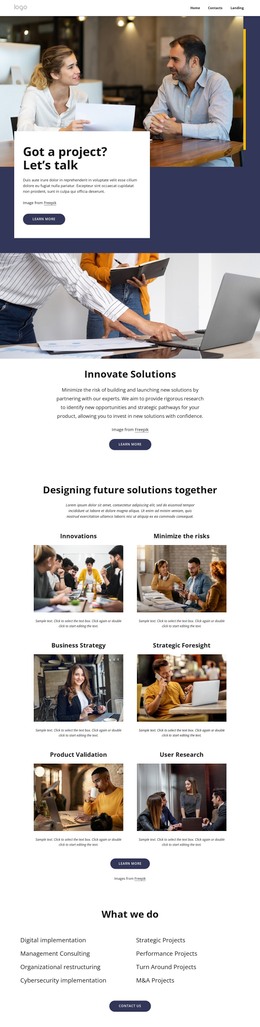
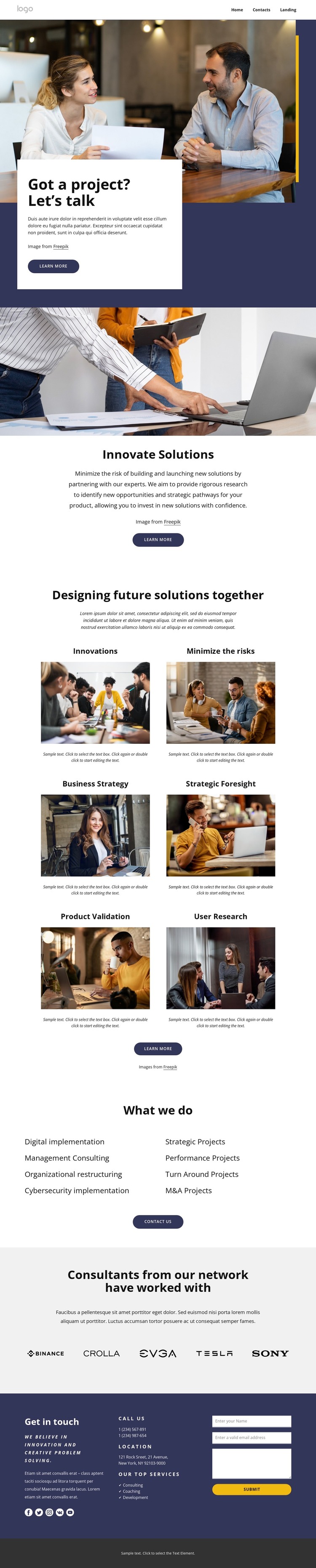
The design provides clear page-oriented content areas for a WordPress-managed consulting site. The hero establishes a permanent introduction with the “Got a project? Let’s talk” heading, a meeting photograph, and a visible “Learn more” action. Below it, “Innovate Solutions” gives the page a focused service statement before the repeated card group introduces six capability themes. This progression separates the main message from the subjects visitors may want to explore or update.
The capability cards can support distinct consulting content without changing the page’s visual character. Business Strategy, Strategic Foresight, Product Validation, and User Research are named examples within a broader set of cards, while the two-column “What we do” section presents additional categories such as digital implementation, management consulting, cybersecurity implementation, and strategic or performance projects. The repeated cards and linked lists create a useful relationship between featured subjects and a wider service index.
The five organization logos provide a separate network-oriented content area, and the social links extend the page beyond its service descriptions. At the end, the contact details and inquiry form create a practical page destination for consultation requests. In WordPress, these areas can remain part of one coordinated theme while permanent page content and future editorial additions are managed separately. The template supports that interpretation without claiming that a blog, posts, or other CMS-specific sections already appear in the design.
Customize with Nicepage
Open this ready-made template in the WordPress Website Builder and customize it visually in the Nicepage editor. Replace demo content, edit page sections, and adapt the design to your project without rebuilding the template from scratch.
Manage and Edit This Theme in WordPress
Customize and Install the WordPress Theme
Start with this ready-made theme instead of building the WordPress design from scratch. Customize its layout, content, typography, images, sections, and other design elements visually in Nicepage editor, then export and install the WordPress Theme, Plugin, and Pages on your WordPress site. The Nicepage WordPress Plugin lets you continue working with the site after installation.
Edit the Theme Directly in WordPress
After installation, you can edit the WordPress Theme directly in WordPress with the Nicepage WordPress Plugin. Use Site Style to customize site Colors, Fonts, Header, Footer, Blog, and Post Page Templates while working within your WordPress website.
Edit WordPress Pages Visually
Use the Nicepage WordPress Plugin to edit page content directly from the WordPress admin area. Open a WordPress Page with Nicepage and visually change its text, images, sections, and other page elements while continuing to manage the Page through WordPress.
WordPress Content and Theme Integration
Use the customized theme with WordPress Pages, Posts, Blog and Post Templates, menus, widgets, and other CMS-managed content. Shared theme elements such as Colors, Fonts, Header, Footer, Blog, and Post Page Templates can be managed as part of the overall site design, while WordPress provides the CMS environment for managing site content.
This workflow combines a ready-made WordPress Theme with visual customization, direct theme editing in WordPress, and continued content management through the Nicepage WordPress Plugin.