Meet our leadership team WordPress Theme


Edit Template Offline
2. Create new page and search for id 4973008
Edit Template Online
Create Awesome Websites


Free Nicepage Builder
Keywords
Profile Cards and Service Content Create a WordPress-Oriented Content Framework
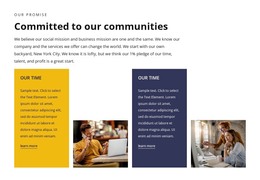
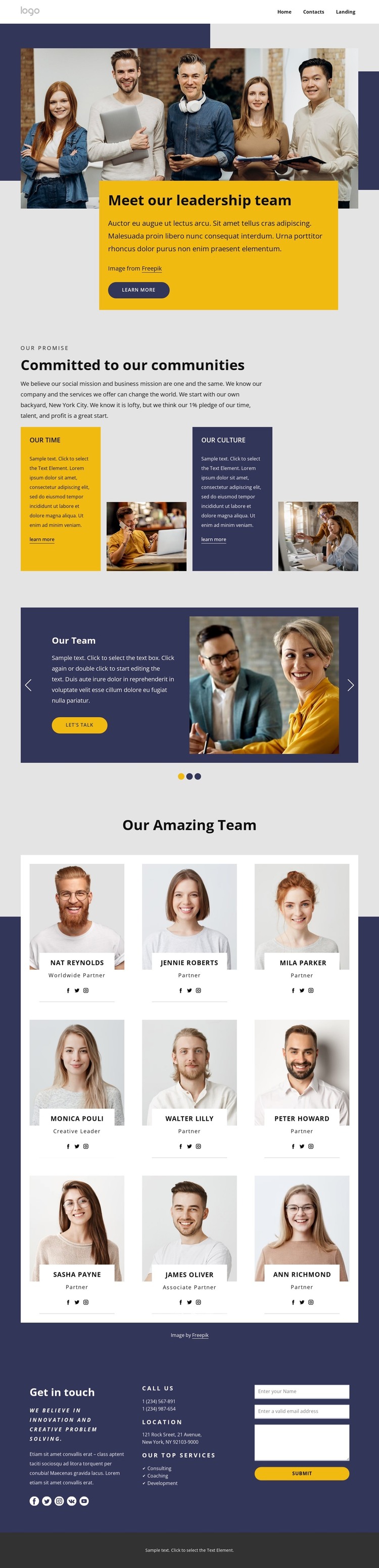
The page’s permanent company information gives a WordPress-oriented project a clear starting content framework. The leadership introduction can function as a central page area, combining the main photograph with supporting copy and a Learn more button. Below it, the two community commitment panels separate values and culture information from the people directory, making the page easier to interpret as several related content groups rather than one undivided narrative.
The nine profile cards are especially relevant to recurring content. Each card presents a portrait, role label, and social links, creating a consistent pattern for team information that can remain visually coordinated as the organization changes. The three-slide highlight carousel adds a different type of content relationship: Our Team, What we do, and Our culture pair images and text with controls and Let’s talk buttons. These themes can coexist with page-oriented company information without claiming that WordPress posts, categories, or blog structures already exist in the template.
Consulting, coaching, and development give the closing contact area a practical service context. Phone and location details, social links, and the form can remain part of the page’s permanent communication content, while future editorial material could be added around the same visual direction if required. The Nicepage WordPress Plugin is an optional product bridge for working with WordPress-managed content, but the template-specific value comes from how its leadership, profile, service, and contact areas already divide the page.
Customize with Nicepage
Open this ready-made template in the WordPress Website Builder and customize it visually in the Nicepage editor. Replace demo content, edit page sections, and adapt the design to your project without rebuilding the template from scratch.
Manage and Edit This Theme in WordPress
Customize and Install the WordPress Theme
Start with this ready-made theme instead of building the WordPress design from scratch. Customize its layout, content, typography, images, sections, and other design elements visually in Nicepage editor, then export and install the WordPress Theme, Plugin, and Pages on your WordPress site. The Nicepage WordPress Plugin lets you continue working with the site after installation.
Edit the Theme Directly in WordPress
After installation, you can edit the WordPress Theme directly in WordPress with the Nicepage WordPress Plugin. Use Site Style to customize site Colors, Fonts, Header, Footer, Blog, and Post Page Templates while working within your WordPress website.
Edit WordPress Pages Visually
Use the Nicepage WordPress Plugin to edit page content directly from the WordPress admin area. Open a WordPress Page with Nicepage and visually change its text, images, sections, and other page elements while continuing to manage the Page through WordPress.
WordPress Content and Theme Integration
Use the customized theme with WordPress Pages, Posts, Blog and Post Templates, menus, widgets, and other CMS-managed content. Shared theme elements such as Colors, Fonts, Header, Footer, Blog, and Post Page Templates can be managed as part of the overall site design, while WordPress provides the CMS environment for managing site content.
This workflow combines a ready-made WordPress Theme with visual customization, direct theme editing in WordPress, and continued content management through the Nicepage WordPress Plugin.