Gallery with flowers WordPress Theme


Three Coordinated Images Form Stable Page Content
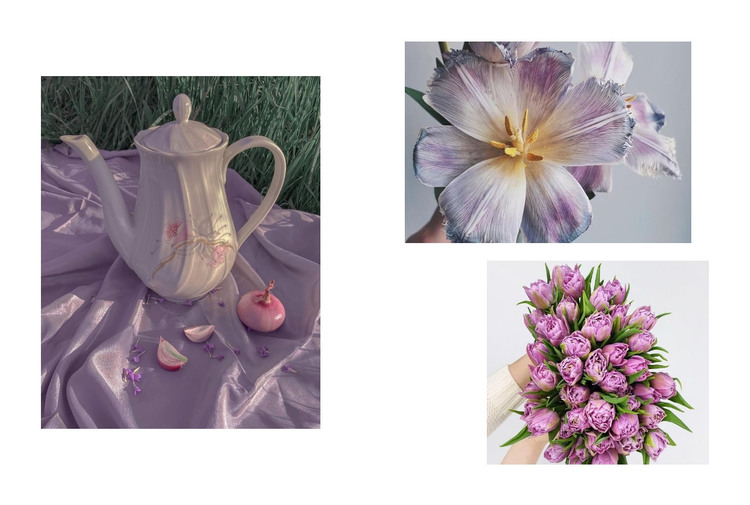
The gallery’s three images provide a defined visual content area that can remain stable within a WordPress-managed page. The tall left image acts as the primary point of attention, while the close-up flower and purple bouquet occupy a supporting column on the right. The teapot still life, floral detail, and bouquet share a decorative still-life character, so the arrangement communicates a unified subject even though each image has its own crop and scale.
This makes the block suitable for permanent page content such as a visual introduction, a project presentation, or a supporting gallery area placed between more text-focused sections. Its static interaction keeps the visitor’s attention on the complete collage at once. The white background and generous spacing also give the image group a defined visual boundary, helping it sit beside or between other content without requiring the gallery to explain itself through controls or captions.
Within a WordPress-oriented project, the section can preserve this visual arrangement while the wider page handles headings, written descriptions, links, and other content. The reusable value lies in its clear image hierarchy: one dominant vertical photograph balanced by two smaller landscape images. That hierarchy can support a consistent page section without implying that the block itself is a complete theme, page, or broader publishing structure.
Customize with Nicepage
Open this ready-made template in the WordPress Website Builder and customize it visually in the Nicepage editor. Replace demo content, edit page sections, and adapt the design to your project without rebuilding the template from scratch.
Edit Template Offline
2. Create a new page or select existing
3. Click Add new block, search for id 485421 and click enter
Edit Template Online
Create Awesome Websites


Free Nicepage Builder
Keywords
Manage and Edit This Theme in WordPress
Customize and Install the WordPress Theme
Start with this ready-made theme instead of building the WordPress design from scratch. Customize its layout, content, typography, images, sections, and other design elements visually in Nicepage editor, then export and install the WordPress Theme, Plugin, and Pages on your WordPress site. The Nicepage WordPress Plugin lets you continue working with the site after installation.
Edit the Theme Directly in WordPress
After installation, you can edit the WordPress Theme directly in WordPress with the Nicepage WordPress Plugin. Use Site Style to customize site Colors, Fonts, Header, Footer, Blog, and Post Page Templates while working within your WordPress website.
Edit WordPress Pages Visually
Use the Nicepage WordPress Plugin to edit page content directly from the WordPress admin area. Open a WordPress Page with Nicepage and visually change its text, images, sections, and other page elements while continuing to manage the Page through WordPress.
WordPress Content and Theme Integration
Use the customized theme with WordPress Pages, Posts, Blog and Post Templates, menus, widgets, and other CMS-managed content. Shared theme elements such as Colors, Fonts, Header, Footer, Blog, and Post Page Templates can be managed as part of the overall site design, while WordPress provides the CMS environment for managing site content.
This workflow combines a ready-made WordPress Theme with visual customization, direct theme editing in WordPress, and continued content management through the Nicepage WordPress Plugin.