The magic of the kitchen WordPress Theme


Edit Template Offline
2. Create new page and search for id 4267654
Edit Template Online
Create Awesome Websites


Free Nicepage Builder
Keywords
Menu and Article Content Share One Restaurant Theme Direction
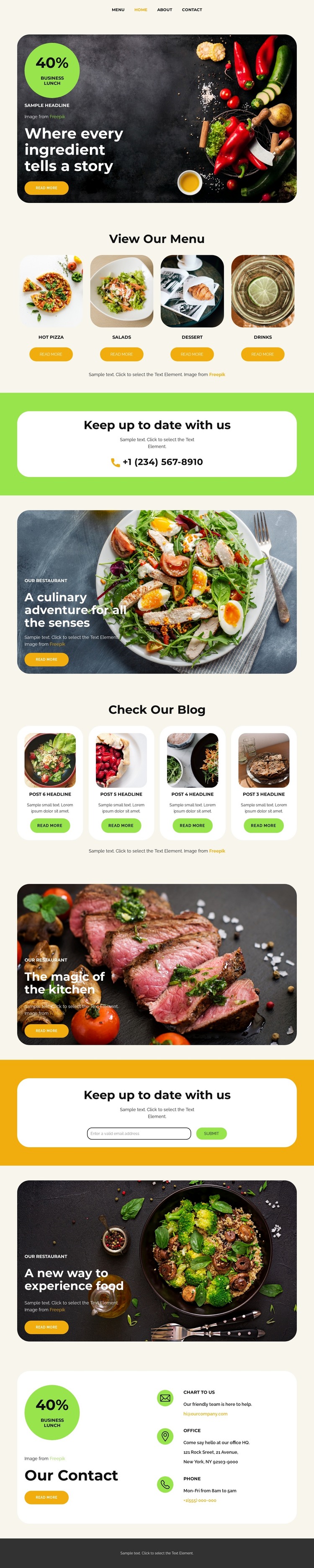
The page separates permanent restaurant information from repeated editorial material in a way that can support a WordPress-oriented content environment. The four menu cards provide stable category areas for Hot Pizza, Salads, Dessert, and Drinks, giving visitors a direct route into the restaurant’s food offering. By contrast, the four blog cards use thumbnails, article titles, and Read More actions to create a recurring content pattern that can be expanded with new restaurant stories or updates when appropriate.
The visual relationship between these areas is important. Menu content uses a compact category presentation, while the blog section introduces a denser editorial row, yet both remain connected through food photography, bold dark typography, and rounded card treatment. The culinary story panels can support the restaurant’s broader page content, and the two newsletter sections provide visible locations for maintaining communication with visitors.
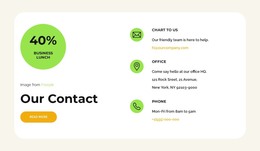
The final contact region adds page-oriented information that remains useful regardless of how often editorial content changes. Email, address, phone, and Contact Us content are grouped inside a rounded white card above the dark footer, giving the site a stable closing reference. The analysis confirms these design areas, but it does not confirm WordPress Posts, categories, widgets, or other CMS structures already in the template. They are best understood as potential content interpretations within the same restaurant theme.
Customize with Nicepage
Open this ready-made template in the WordPress Website Builder and customize it visually in the Nicepage editor. Replace demo content, edit page sections, and adapt the design to your project without rebuilding the template from scratch.
Manage and Edit This Theme in WordPress
Customize and Install the WordPress Theme
Start with this ready-made theme instead of building the WordPress design from scratch. Customize its layout, content, typography, images, sections, and other design elements visually in Nicepage editor, then export and install the WordPress Theme, Plugin, and Pages on your WordPress site. The Nicepage WordPress Plugin lets you continue working with the site after installation.
Edit the Theme Directly in WordPress
After installation, you can edit the WordPress Theme directly in WordPress with the Nicepage WordPress Plugin. Use Site Style to customize site Colors, Fonts, Header, Footer, Blog, and Post Page Templates while working within your WordPress website.
Edit WordPress Pages Visually
Use the Nicepage WordPress Plugin to edit page content directly from the WordPress admin area. Open a WordPress Page with Nicepage and visually change its text, images, sections, and other page elements while continuing to manage the Page through WordPress.
WordPress Content and Theme Integration
Use the customized theme with WordPress Pages, Posts, Blog and Post Templates, menus, widgets, and other CMS-managed content. Shared theme elements such as Colors, Fonts, Header, Footer, Blog, and Post Page Templates can be managed as part of the overall site design, while WordPress provides the CMS environment for managing site content.
This workflow combines a ready-made WordPress Theme with visual customization, direct theme editing in WordPress, and continued content management through the Nicepage WordPress Plugin.