Unforgettable Flavors WordPress Theme


Edit Template Offline
2. Create new page and search for id 6330981
Edit Template Online
Create Awesome Websites


Free Nicepage Builder
Keywords
Restaurant Story and Guest Information Fit WordPress Content Areas
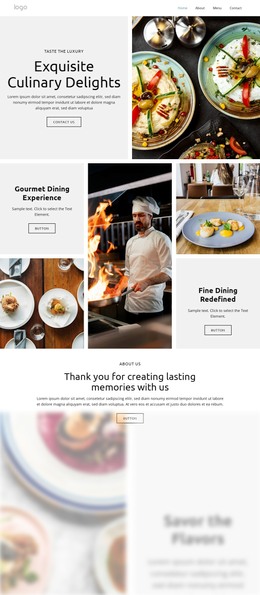
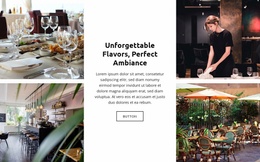
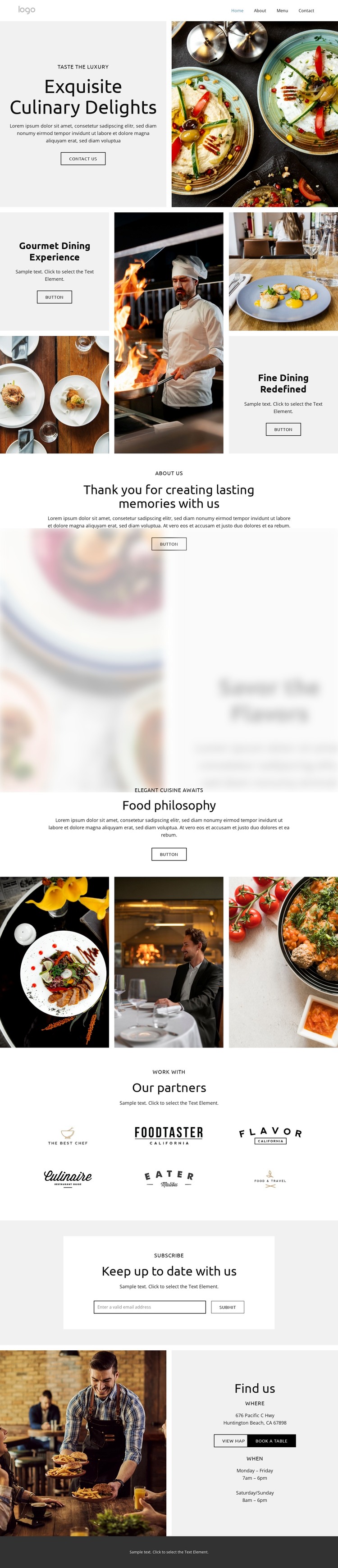
The page-oriented content is suitable for a WordPress-managed restaurant site because it separates lasting information into recognizable areas. The opening “Exquisite Culinary Delights” presentation combines food and chef photography with supporting dining feature panels, while About Us and the food philosophy message provide permanent restaurant story content. The six partner logo samples form a repeated affiliation area that can remain visually distinct from the main culinary narrative. Together, these sections give the theme more than a single promotional statement to maintain.
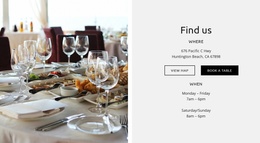
The practical content follows a different pattern. “Keep up to date with us” offers an email subscription area, and the Find us section places a restaurant photograph beside Huntington Beach, CA, opening hours, and the “View map & book a table” action. These areas can remain part of the same visual system while restaurant copy, imagery, hours, and contact destinations are updated through the site’s content environment. The design does not prove that WordPress posts, categories, or blog structures already exist, so its WordPress value should be understood as an interpretation of the verified page areas rather than a claim about prebuilt CMS content. Nicepage documents the WordPress Plugin as a way to edit page content in WordPress. For this template, the stronger foundation is the relationship between permanent restaurant information, recurring affiliations, subscription communication, and visit-planning details.
Customize with Nicepage
Open this ready-made template in the WordPress Website Builder and customize it visually in the Nicepage editor. Replace demo content, edit page sections, and adapt the design to your project without rebuilding the template from scratch.
Manage and Edit This Theme in WordPress
Customize and Install the WordPress Theme
Start with this ready-made theme instead of building the WordPress design from scratch. Customize its layout, content, typography, images, sections, and other design elements visually in Nicepage editor, then export and install the WordPress Theme, Plugin, and Pages on your WordPress site. The Nicepage WordPress Plugin lets you continue working with the site after installation.
Edit the Theme Directly in WordPress
After installation, you can edit the WordPress Theme directly in WordPress with the Nicepage WordPress Plugin. Use Site Style to customize site Colors, Fonts, Header, Footer, Blog, and Post Page Templates while working within your WordPress website.
Edit WordPress Pages Visually
Use the Nicepage WordPress Plugin to edit page content directly from the WordPress admin area. Open a WordPress Page with Nicepage and visually change its text, images, sections, and other page elements while continuing to manage the Page through WordPress.
WordPress Content and Theme Integration
Use the customized theme with WordPress Pages, Posts, Blog and Post Templates, menus, widgets, and other CMS-managed content. Shared theme elements such as Colors, Fonts, Header, Footer, Blog, and Post Page Templates can be managed as part of the overall site design, while WordPress provides the CMS environment for managing site content.
This workflow combines a ready-made WordPress Theme with visual customization, direct theme editing in WordPress, and continued content management through the Nicepage WordPress Plugin.