Quality handyman service WordPress Theme



Edit Template Offline
2. Create new page and search for id 4717263
Edit Template Online
Create Awesome Websites


Free Nicepage Builder
Keywords
Page Content, Repeated Services, and Editorial Expansion Share One Design
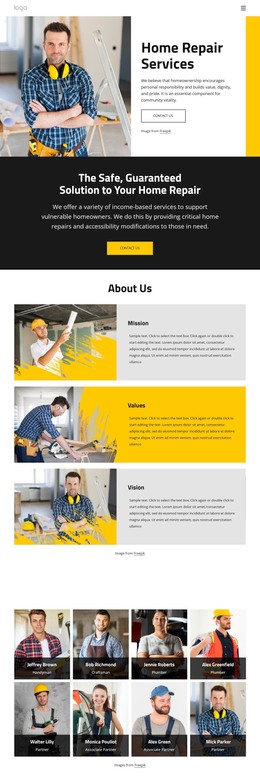
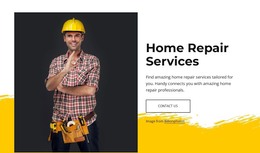
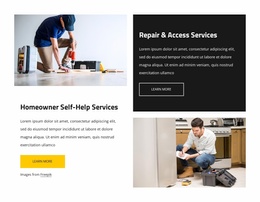
The template separates permanent page content into recognizable areas. The hero introduces Home Repair Services, while Mission, Values, and Vision provide organizational information that can remain part of the main page. The specialist directory creates a repeated profile-style region, and the History and Why choose us? panels offer space for explanatory content. These page-oriented areas give a WordPress project a stable visual foundation before any additional content is considered.
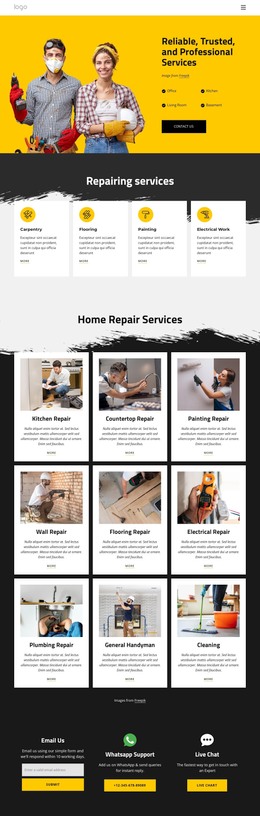
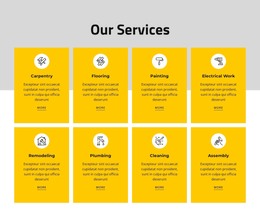
The repair category list adds a different type of repeatable content. Nine cards cover kitchen, countertop, painting, wall, flooring, electrical, plumbing, handyman, and cleaning services, making the service scope easy to extend or refine. The gallery, testimonials, and four broader service features add visual and informational material around those categories. In particular, the distinction between Home Repairs, Home Accessibility, Remodeling Together, and Housing Counseling can help keep related content recognizable while preserving the same design language.
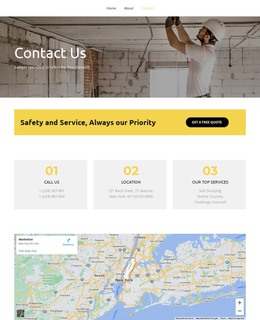
The closing Email Us section provides a permanent contact region with an email form, WhatsApp support, and live chat. If the project later introduces regularly updated announcements or articles, those additions could sit alongside the existing page content without changing the core repair presentation. The theme’s value lies in that relationship between fixed service information, repeated content areas, human profiles, visual proof, and shared contact elements—not merely in attaching a CMS label to the design.
Customize with Nicepage
Open this ready-made template in the WordPress Website Builder and customize it visually in the Nicepage editor. Replace demo content, edit page sections, and adapt the design to your project without rebuilding the template from scratch.
Manage and Edit This Theme in WordPress
Customize and Install the WordPress Theme
Start with this ready-made theme instead of building the WordPress design from scratch. Customize its layout, content, typography, images, sections, and other design elements visually in Nicepage editor, then export and install the WordPress Theme, Plugin, and Pages on your WordPress site. The Nicepage WordPress Plugin lets you continue working with the site after installation.
Edit the Theme Directly in WordPress
After installation, you can edit the WordPress Theme directly in WordPress with the Nicepage WordPress Plugin. Use Site Style to customize site Colors, Fonts, Header, Footer, Blog, and Post Page Templates while working within your WordPress website.
Edit WordPress Pages Visually
Use the Nicepage WordPress Plugin to edit page content directly from the WordPress admin area. Open a WordPress Page with Nicepage and visually change its text, images, sections, and other page elements while continuing to manage the Page through WordPress.
WordPress Content and Theme Integration
Use the customized theme with WordPress Pages, Posts, Blog and Post Templates, menus, widgets, and other CMS-managed content. Shared theme elements such as Colors, Fonts, Header, Footer, Blog, and Post Page Templates can be managed as part of the overall site design, while WordPress provides the CMS environment for managing site content.
This workflow combines a ready-made WordPress Theme with visual customization, direct theme editing in WordPress, and continued content management through the Nicepage WordPress Plugin.