Yoga studio and community hub WordPress Theme


Stable Yoga Categories Fit a WordPress-Managed Page Section
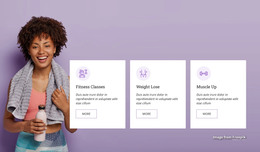
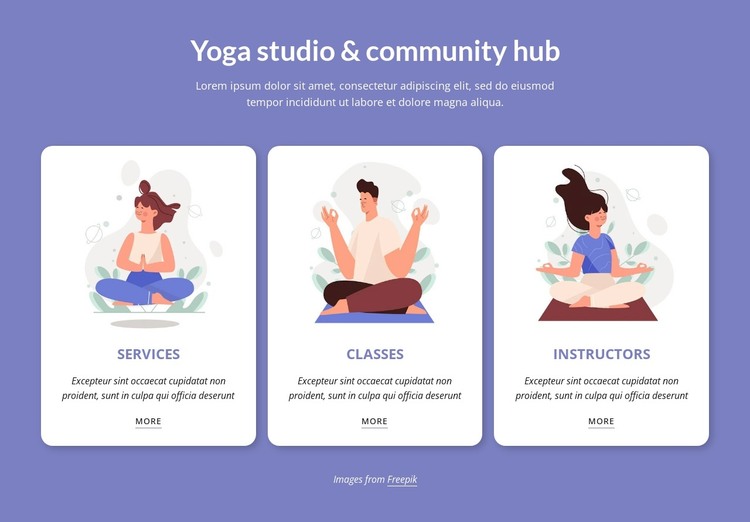
The heading “Yoga studio & community hub” and its supporting paragraph read as durable page content that introduces a studio’s offering areas. The three cards then organize that content into Services, Classes, and Instructors, giving a WordPress-managed page a clear section for stable information rather than one undifferentiated text block. Each category follows the same visual pattern of illustration, description, and More link, making the content easy to maintain as a coordinated group.
The card row also provides a dependable presentation pattern for page design. Lavender purple frames the section, white rounded cards separate the three categories, and subtle shadows add definition without changing the calm visual tone. Uppercase dark titles help identify the categories quickly, while italic descriptions and underlined links establish secondary hierarchy. Consistent spacing keeps the repeated items aligned, and the image credit note remains an independent detail below the main content.
In a WordPress-oriented project, this block can function as permanent services or offerings content on a page while the wider site manages its other content areas separately. It could sit alongside schedule information, instructor profiles, community details, or contact content. The block contributes a prepared visual section for the yoga categories; the surrounding WordPress project determines the broader page structure and publishing context.
Customize with Nicepage
Open this ready-made template in the WordPress Website Builder and customize it visually in the Nicepage editor. Replace demo content, edit page sections, and adapt the design to your project without rebuilding the template from scratch.
Edit Template Offline
2. Create a new page or select existing
3. Click Add new block, search for id 3581868 and click enter
Edit Template Online
Create Awesome Websites


Free Nicepage Builder
Keywords
Manage and Edit This Theme in WordPress
Customize and Install the WordPress Theme
Start with this ready-made theme instead of building the WordPress design from scratch. Customize its layout, content, typography, images, sections, and other design elements visually in Nicepage editor, then export and install the WordPress Theme, Plugin, and Pages on your WordPress site. The Nicepage WordPress Plugin lets you continue working with the site after installation.
Edit the Theme Directly in WordPress
After installation, you can edit the WordPress Theme directly in WordPress with the Nicepage WordPress Plugin. Use Site Style to customize site Colors, Fonts, Header, Footer, Blog, and Post Page Templates while working within your WordPress website.
Edit WordPress Pages Visually
Use the Nicepage WordPress Plugin to edit page content directly from the WordPress admin area. Open a WordPress Page with Nicepage and visually change its text, images, sections, and other page elements while continuing to manage the Page through WordPress.
WordPress Content and Theme Integration
Use the customized theme with WordPress Pages, Posts, Blog and Post Templates, menus, widgets, and other CMS-managed content. Shared theme elements such as Colors, Fonts, Header, Footer, Blog, and Post Page Templates can be managed as part of the overall site design, while WordPress provides the CMS environment for managing site content.
This workflow combines a ready-made WordPress Theme with visual customization, direct theme editing in WordPress, and continued content management through the Nicepage WordPress Plugin.