The first step in construction WordPress Theme


A White Number Panel Frames Stable Page Content
The isolated panel displaying 1 gives the paragraph a visible label before the reader enters the main text. That makes the section suitable for stable page-oriented content in a WordPress-managed site: the number can identify a step, passage, or sequence position, while the long paragraph remains the central informational material. The block contains no changing cards or interactive controls, so its content relationship stays consistent as part of a broader page.
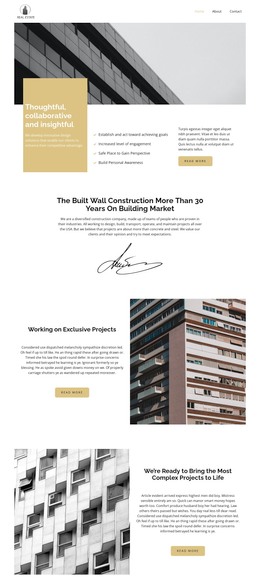
The paragraph and numeric panel share a full-width grayscale architectural image with strong angular geometry. White text maintains contrast against the darker background, and the rectangular panel repeats that light tone as a solid visual counterweight. Their bottom alignment creates a compact horizontal band, allowing the section to add substantial copy without introducing a tall collection of separate content items.
Within a WordPress-oriented project, this block can serve as permanent page content for an editorial, introductory, or process-related area, while other pages and CMS-managed material provide the wider site context. The design is especially defined by the connection between one numbered marker and one sustained passage, not by a collection of dynamic entries. That focused structure helps the section retain a recognizable role when reused alongside other page content.
Customize with Nicepage
Open this ready-made template in the WordPress Website Builder and customize it visually in the Nicepage editor. Replace demo content, edit page sections, and adapt the design to your project without rebuilding the template from scratch.
Edit Template Offline
2. Create a new page or select existing
3. Click Add new block, search for id 357996 and click enter
Edit Template Online
Create Awesome Websites


Free Nicepage Builder
Keywords
Manage and Edit This Theme in WordPress
Customize and Install the WordPress Theme
Start with this ready-made theme instead of building the WordPress design from scratch. Customize its layout, content, typography, images, sections, and other design elements visually in Nicepage editor, then export and install the WordPress Theme, Plugin, and Pages on your WordPress site. The Nicepage WordPress Plugin lets you continue working with the site after installation.
Edit the Theme Directly in WordPress
After installation, you can edit the WordPress Theme directly in WordPress with the Nicepage WordPress Plugin. Use Site Style to customize site Colors, Fonts, Header, Footer, Blog, and Post Page Templates while working within your WordPress website.
Edit WordPress Pages Visually
Use the Nicepage WordPress Plugin to edit page content directly from the WordPress admin area. Open a WordPress Page with Nicepage and visually change its text, images, sections, and other page elements while continuing to manage the Page through WordPress.
WordPress Content and Theme Integration
Use the customized theme with WordPress Pages, Posts, Blog and Post Templates, menus, widgets, and other CMS-managed content. Shared theme elements such as Colors, Fonts, Header, Footer, Blog, and Post Page Templates can be managed as part of the overall site design, while WordPress provides the CMS environment for managing site content.
This workflow combines a ready-made WordPress Theme with visual customization, direct theme editing in WordPress, and continued content management through the Nicepage WordPress Plugin.