Nutrion is the foundation of health WordPress Theme


Stable Nutrition Content for a WordPress-Managed Page
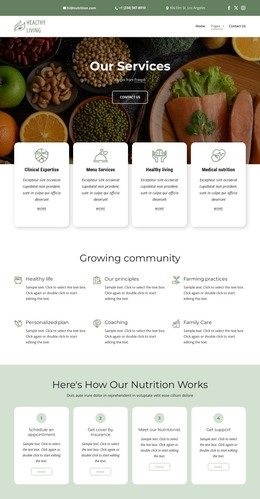
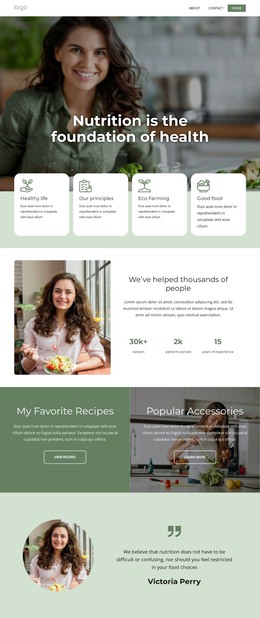
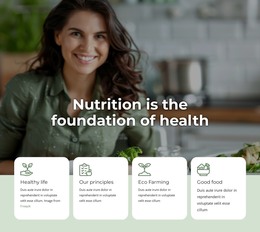
The block reads as durable page content: a clear nutrition heading followed by four structured themes. The large photograph introduces the subject visually, while “Nutrition is the foundation of health” supplies the section’s central statement. Healthy life, Our principles, Eco Farming, and Good food then divide the supporting material into four separate cards. Because each card includes an icon, title, and description, the content can remain organized as a reusable feature region instead of becoming an undifferentiated text area.
The image and cards are connected through the overlap at the lower edge of the photograph. This gives the section a recognizable visual entrance, while the pale green background creates a consistent field for the lower information. Rounded white surfaces and muted green line icons unify the four themes; left-aligned text makes each item readable as an independent content unit. The static arrangement also means the full group is visible together, without requiring a visitor to open panels or move through slides.
In a WordPress-oriented project, this section can fit naturally within a stable nutrition, wellness, or informational page while the wider site manages other content around it. The block supplies its own topic and feature structure; the surrounding project can provide additional pages or regularly updated material. Its page-oriented role comes from the lasting heading and four-theme summary, not from treating the block itself as a standalone WordPress Theme.
Customize with Nicepage
Open this ready-made template in the WordPress Website Builder and customize it visually in the Nicepage editor. Replace demo content, edit page sections, and adapt the design to your project without rebuilding the template from scratch.
Edit Template Offline
2. Create a new page or select existing
3. Click Add new block, search for id 6323708 and click enter
Edit Template Online
Create Awesome Websites


Free Nicepage Builder
Keywords
Manage and Edit This Theme in WordPress
Customize and Install the WordPress Theme
Start with this ready-made theme instead of building the WordPress design from scratch. Customize its layout, content, typography, images, sections, and other design elements visually in Nicepage editor, then export and install the WordPress Theme, Plugin, and Pages on your WordPress site. The Nicepage WordPress Plugin lets you continue working with the site after installation.
Edit the Theme Directly in WordPress
After installation, you can edit the WordPress Theme directly in WordPress with the Nicepage WordPress Plugin. Use Site Style to customize site Colors, Fonts, Header, Footer, Blog, and Post Page Templates while working within your WordPress website.
Edit WordPress Pages Visually
Use the Nicepage WordPress Plugin to edit page content directly from the WordPress admin area. Open a WordPress Page with Nicepage and visually change its text, images, sections, and other page elements while continuing to manage the Page through WordPress.
WordPress Content and Theme Integration
Use the customized theme with WordPress Pages, Posts, Blog and Post Templates, menus, widgets, and other CMS-managed content. Shared theme elements such as Colors, Fonts, Header, Footer, Blog, and Post Page Templates can be managed as part of the overall site design, while WordPress provides the CMS environment for managing site content.
This workflow combines a ready-made WordPress Theme with visual customization, direct theme editing in WordPress, and continued content management through the Nicepage WordPress Plugin.