Design and development company WordPress Theme


Capability Cards Turn Visual Context Into Stable Page Content
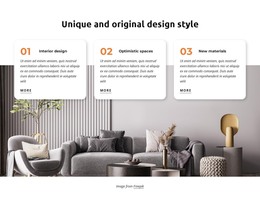
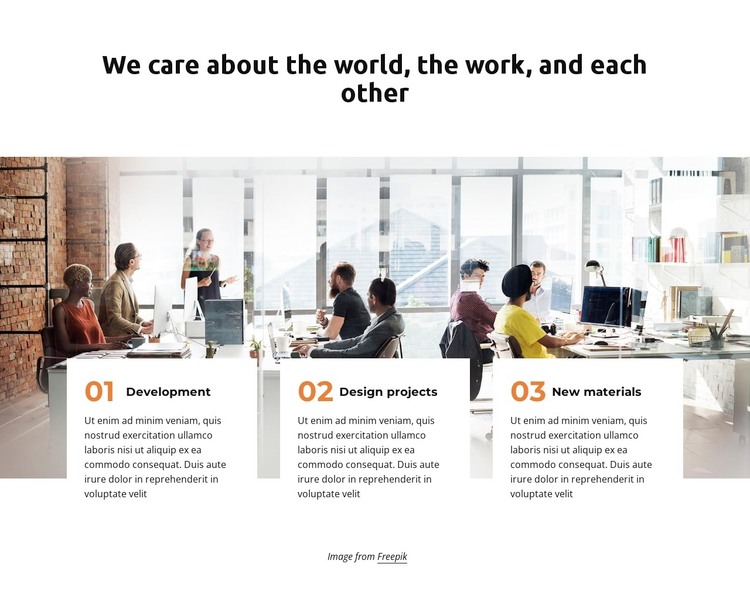
The section begins with a centered statement and a wide workplace photograph, then places three white cards across the image’s lower edge. The cards identify Development, Design projects, and New materials with numbered labels and supporting descriptions. This arrangement gives the content a page-oriented reading order: the heading establishes the subject, the photograph supplies a collaborative setting, and the repeated cards divide the information into three stable capability areas.
For a WordPress-managed page, the block can work as permanent services or features content that remains visually consistent while the surrounding site develops other pages and editorial areas. The three titles are concise enough to act as recognizable content labels, while the descriptive text can explain each area without competing with the main heading. The sample photograph and filler-style copy should be treated as design content to adapt, but their structural roles remain useful when preparing the section for a real project.
The visual pattern also supports reuse within a broader theme context. The shared card shape creates consistency between the three content units, and the orange numbering helps visitors distinguish them quickly. Because the cards overlap the image instead of sitting in a separate plain row, the section connects information with a strong visual scene while retaining readable boundaries. It can therefore provide one focused content area on a WordPress page, leaving the larger project to manage related details, navigation, and other page sections.
Customize with Nicepage
Open this ready-made template in the WordPress Website Builder and customize it visually in the Nicepage editor. Replace demo content, edit page sections, and adapt the design to your project without rebuilding the template from scratch.
Edit Template Offline
2. Create a new page or select existing
3. Click Add new block, search for id 2376250 and click enter
Edit Template Online
Create Awesome Websites


Free Nicepage Builder
Keywords
Manage and Edit This Theme in WordPress
Customize and Install the WordPress Theme
Start with this ready-made theme instead of building the WordPress design from scratch. Customize its layout, content, typography, images, sections, and other design elements visually in Nicepage editor, then export and install the WordPress Theme, Plugin, and Pages on your WordPress site. The Nicepage WordPress Plugin lets you continue working with the site after installation.
Edit the Theme Directly in WordPress
After installation, you can edit the WordPress Theme directly in WordPress with the Nicepage WordPress Plugin. Use Site Style to customize site Colors, Fonts, Header, Footer, Blog, and Post Page Templates while working within your WordPress website.
Edit WordPress Pages Visually
Use the Nicepage WordPress Plugin to edit page content directly from the WordPress admin area. Open a WordPress Page with Nicepage and visually change its text, images, sections, and other page elements while continuing to manage the Page through WordPress.
WordPress Content and Theme Integration
Use the customized theme with WordPress Pages, Posts, Blog and Post Templates, menus, widgets, and other CMS-managed content. Shared theme elements such as Colors, Fonts, Header, Footer, Blog, and Post Page Templates can be managed as part of the overall site design, while WordPress provides the CMS environment for managing site content.
This workflow combines a ready-made WordPress Theme with visual customization, direct theme editing in WordPress, and continued content management through the Nicepage WordPress Plugin.