Pristine Shine WordPress Theme


Edit Template Offline
2. Create new page and search for id 6400935
Edit Template Online
Create Awesome Websites


Free Nicepage Builder
Keywords
Service Pages and Repeated Content Areas Fit a WordPress Theme Structure
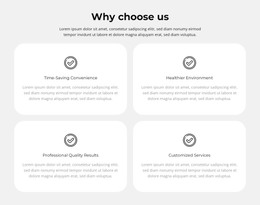
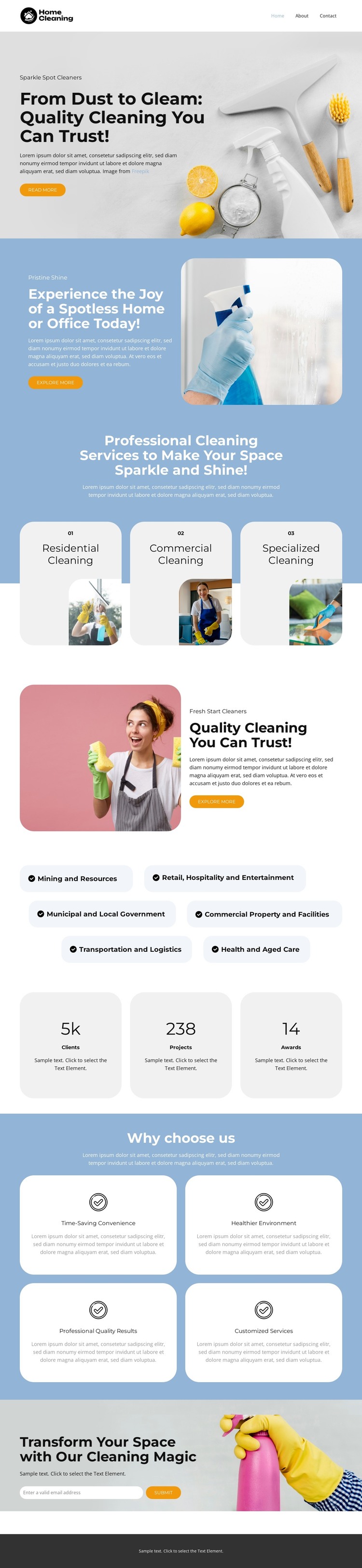
The page’s permanent service information is divided into clear content areas that can translate naturally into a WordPress-managed site. The three rounded cards provide a page-level way to present residential, commercial, and specialized cleaning, while the four benefit cards create a repeated content pattern for explaining convenience, healthy environments, professional results, and customized services. The six industry labels add another page-oriented group for the sectors named in the design, giving the content more context than a generic cleaning introduction.
The hero, split promotional panels, and final image-led CTA connect these areas through a consistent visual system. Each uses cleaning-focused imagery, compact supporting copy, and, in several locations, a Get a Quote button, so the page can retain a recognizable theme direction as its content is adapted. The three metric cards can serve as a separate presentation pattern, but their displayed numbers are sample structural content and should not be treated as verified WordPress site achievements. If a project later adds regularly updated editorial or announcement content, that content would need to be confirmed separately; the current analysis does not prove that posts or blog structures already exist. The strongest WordPress interpretation therefore comes from the existing page content: stable service information, repeated benefit and industry groups, shared navigation and footer context, and quote-oriented calls to action. Those areas can remain part of one visual theme while the actual page content is managed in the CMS.
Customize with Nicepage
Open this ready-made template in the WordPress Website Builder and customize it visually in the Nicepage editor. Replace demo content, edit page sections, and adapt the design to your project without rebuilding the template from scratch.
Manage and Edit This Theme in WordPress
Customize and Install the WordPress Theme
Start with this ready-made theme instead of building the WordPress design from scratch. Customize its layout, content, typography, images, sections, and other design elements visually in Nicepage editor, then export and install the WordPress Theme, Plugin, and Pages on your WordPress site. The Nicepage WordPress Plugin lets you continue working with the site after installation.
Edit the Theme Directly in WordPress
After installation, you can edit the WordPress Theme directly in WordPress with the Nicepage WordPress Plugin. Use Site Style to customize site Colors, Fonts, Header, Footer, Blog, and Post Page Templates while working within your WordPress website.
Edit WordPress Pages Visually
Use the Nicepage WordPress Plugin to edit page content directly from the WordPress admin area. Open a WordPress Page with Nicepage and visually change its text, images, sections, and other page elements while continuing to manage the Page through WordPress.
WordPress Content and Theme Integration
Use the customized theme with WordPress Pages, Posts, Blog and Post Templates, menus, widgets, and other CMS-managed content. Shared theme elements such as Colors, Fonts, Header, Footer, Blog, and Post Page Templates can be managed as part of the overall site design, while WordPress provides the CMS environment for managing site content.
This workflow combines a ready-made WordPress Theme with visual customization, direct theme editing in WordPress, and continued content management through the Nicepage WordPress Plugin.